38
STEP 5
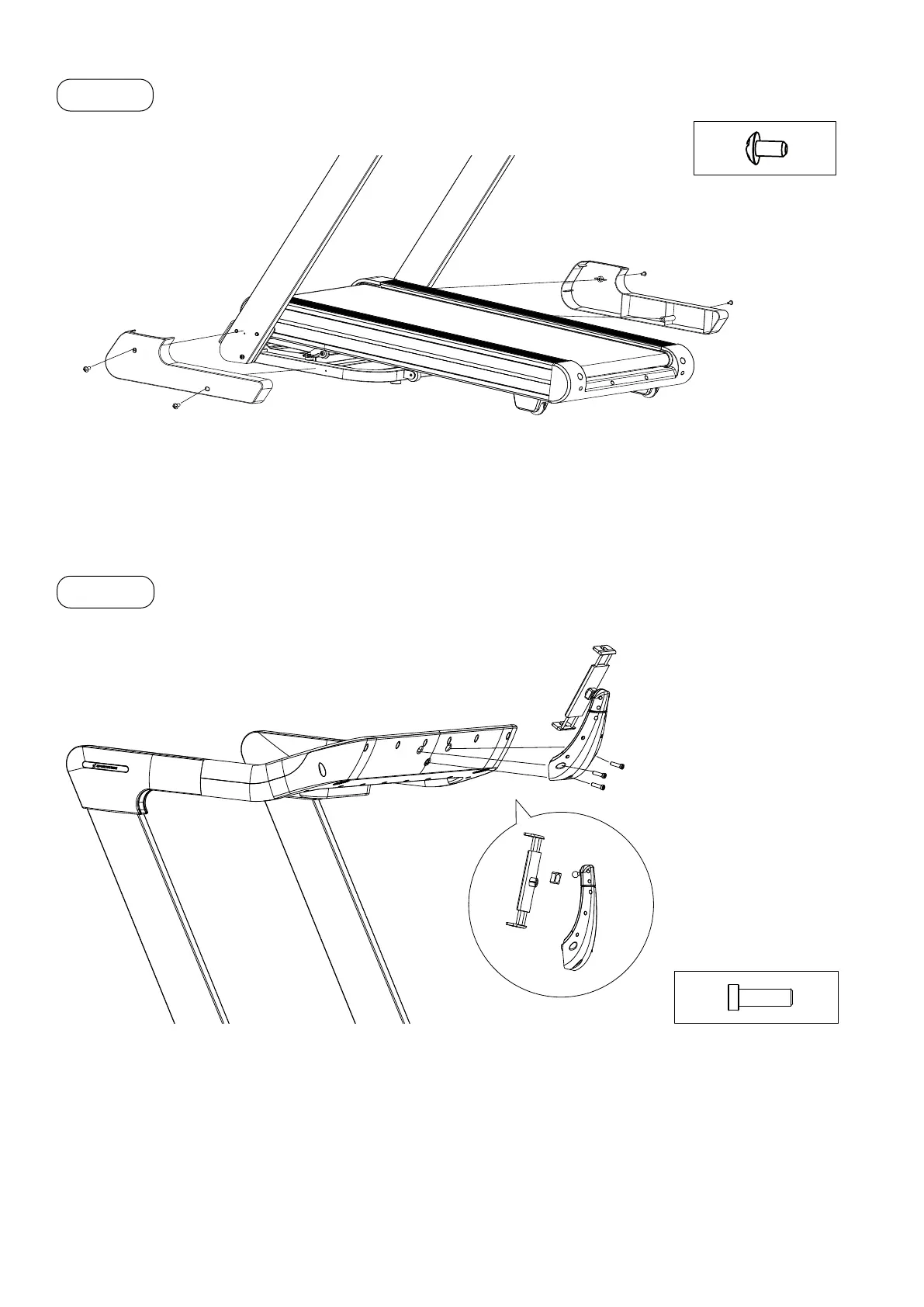
• Position the two plastic covers E at the base of the support tubes.
• Fasten the covers with the fastening screws S5 (Cross Recessed Truss Head Bolts M5×10).
4 x S5
(E)
(E)
S5
S5
STEP 6
• Slide the swivel nut of the tablet holder over the adapter ball of the support arm.
• Push the support arm adapter ball into the support arm ball socket until it clicks into place.
• Tighten the swivel nut of the tablet holder.
• Mount the tablet holder to the panel using the three S7 mounting screws (Hexagon Socket Oval Head
Bolts M8×25).
• Attach the tablet holder to the panel with the three S7 screws (Allen key, M8×25).
(F)
(B)
S7
3 x S7


 To Next Page