7
OPTIONAL POWER SOURCES
AA BATTERIES
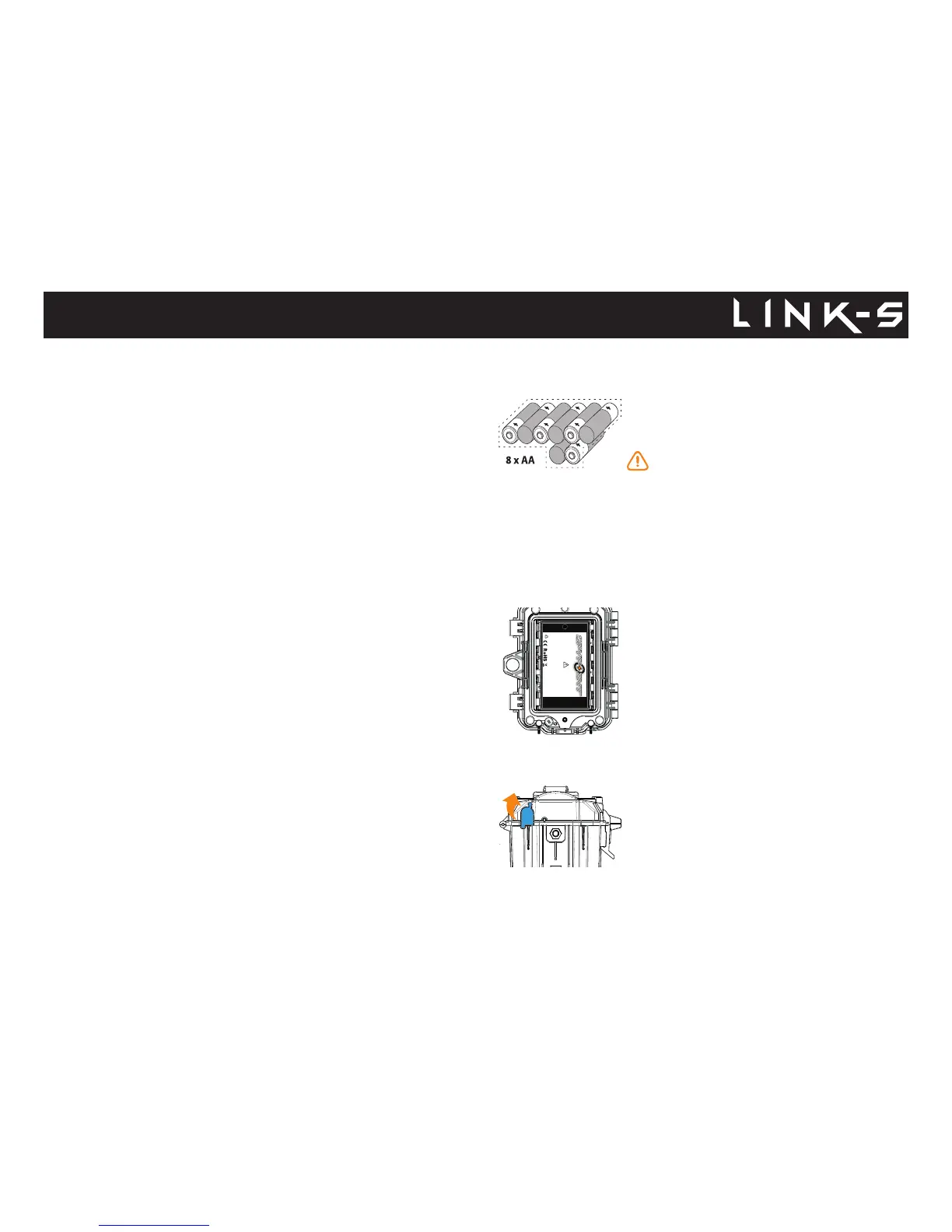
This camera can be powered by 8 AA batteries
(1.5V). The use of alkaline or lithium batteries is
recommended.
To ensure maximum performance of the camera
and prevent battery leaks, we recommend the
use of new batteries. Make sure to insert each battery
with the correct polarity. (Negative or at end against
the metal spring plate) Do not mix battery type - use
ALL alkaline or ALL lithium. Do not mix old and
new batteries. Rechargeable AA batteries are not
recommended as the lower voltage can cause
operational issues.
LITHIUM BATTERY PACK
This camera can be powered by a rechargeable
lithium battery pack LIT-09/LIT-C-8 (sold separa-
tely). This type of battery is less aected by cold
temperatures and lasts up to 2 times longer than
alkaline batteries.
EXTERNAL (12V)
This camera can also be powered by an
external 12-volt DC input such as a 12-volt
battery (KIT-12V, BATT-12V or KIT6V/12V) or a 12-
volt adapter (AD-12V), sold separately. You can't
plug another solar pannel directly in the 12-volt port
as it will not recharge the internal battery. You may
use can instead an external 12v battery and plug
another solar panel on it if you do choose so.
Power
RECHARGEABLE 7.4 VOLT LI-ION POLYMER BATTERY 2.0 Ah
RECYCLE OR DISPOSE OF PROPERLY
www.spypoint.com
P INTSPY INTPSPY
Models: LIT-09: Battery only
LIT-C-8: LIT-09 Battery & charger
WARNING: To reduce risk of fire or burns,
- Do not attempt to open, disassemble, or service the battery pack.
- Do not crush, puncture, short external contacts, or dispose
of in fire or water.
ATTENTION: Pour réduire les risques de feu ou de brûlures,
- Ne pas essayer d’ouvrir, désassembler, ou de réparer la pile.
- Ne pas frapper, percer, court-circuiter les contacts externes
de la pile ou mettre dans le feu ni l’eau.
DC 12V
INTERNAL RECHARGEABLE BATTERY & SOLAR PANEL
First, look at the internal battery percentage in the DETECTION TEST menu.
If the percentage is low and the battery logo is not green, you will need to
charge the camera for 24-48 hours before use. While charging, make sure
the camera is turned off and the solar panel is facing down so it does not
interfere with the USB charging process.
Plug the cable from the 12V port at the bottom of the camera and
connect it to a USB port. (ex. USB power adaptor or a computer that will
stay awake while charging) Once plugged, the screen will turn on and it will
show the charging battery level for 10 seconds. Press the OK button once
more to see the battery level reappear.
• When a single line remains, the camera will continue to take photos. If
a video is being recorded and the battery level reaches 25%, the camera
saves the le before shutting down.
● If the power of the internal battery becomes insucient, the
camera will shut down. Once the battery has been charged
suciently by the solar panel, the camera will automatically turn
on leaving the settings untouched.
● An optional power source can be added as a backup to the
internal rechargeable battery for maximum protection.
● Make sure that there are no objects obstructing the solar panel,
that it is not shaded by unwanted obstacles and/or foreign
materials.
● You need at least 50% of the solar panel cleared for maximum
performance.















 To Next Page