The DMC-EZ (DICOM Media Creator) is a device designed for creating and viewing DICOM media, specifically for medical imaging. This manual focuses on the Web/CD Viewer component, which allows users to interact with and manage medical images stored on CDs or accessed via a web interface. The device itself, as depicted in the provided images, appears to be a disc publishing system, likely for burning DICOM images onto CDs or DVDs.
Function Description:
The DMC-EZ system, through its Web/CD Viewer, serves as a comprehensive tool for viewing, analyzing, and managing DICOM (Digital Imaging and Communications in Medicine) images. Its primary function is to provide a user-friendly interface for medical professionals to access patient studies, perform various image manipulations, and generate reports. The system supports both local CD/DVD viewing and web-based access, offering flexibility in how medical images are distributed and reviewed.
The core functionality revolves around the "Viewer" component, which enables users to:
- Install and launch the EzDicom Web Viewer: This allows access to studies either from a CD/DVD or directly from the DMC-EZ device via a web browser.
- Navigate studies and series: Users can browse through different patient studies and the various image series within each study using a dedicated panel or navigation buttons.
- Utilize common image manipulation tools: This includes essential functions like Pan, Windowing, Zoom, and Orientation adjustments.
- Perform advanced image analysis: Features such as Annotations and Measurements, Comparative Mode, Groups, Video Control, Ref Lines, and Magnifier enhance diagnostic capabilities.
- Access detailed image information: Users can view Image Infos and the complete DICOM Header for a thorough understanding of the image data.
- Export and print images: The system facilitates the export of images in various formats (JPG, DICOM, BMP, AVI/JPG) and provides printing options with multiple layout choices.
- Generate and manage reports: A built-in report editor allows users to create, edit, and validate reports, incorporating images directly into the report.
- Identify and manage Key Images: This feature helps in quickly locating and reviewing important images within a study.
- Support for MPR (Multi-Planar Reconstruction): While a separate module, the system is designed to integrate with MPR for advanced 3D reconstruction and viewing.
Important Technical Specifications (Inferred from the manual):
- Software Version: Web/CD Viewer Ver. 2.2 (October 2012).
- Compatibility: Designed for DMC-EZ Series 2.x Products.
- Operating Environment: The Web Viewer can be installed on a remote computer and accessed via an internet browser, suggesting compatibility with common operating systems and browsers.
- Image Formats for Export: JPG, DICOM, BMP, AVI/JPG.
- Network Connectivity: Supports web-based access, implying network capabilities for connecting to the DMC-EZ device.
- Disc Media Support: The presence of "CD/WEB Viewer" and the physical device images suggest support for CD/DVD media for image storage and distribution.
Usage Features:
- Quick Start: The viewer automatically launches from a CD if Autorun is enabled, or can be manually launched via
Launcher.exe. For web access, studies are selected from a login page and visualized.
- Intuitive Navigation: Studies and series can be navigated using a left-hand panel displaying patient and study information, or via "Prev Series" and "Next Series" buttons.
- Pan Tool: Allows users to move the image by left-clicking and dragging.
- Windowing Tool: Enables modification of image Level and Width by dragging on the image or selecting predefined presets.
- Annotations and Measurements: Provides tools to add measures and annotations directly onto images, enhancing diagnostic analysis.
- Zoom Functionality: Offers both a general zoom and a "Normal Zoom" for precise image magnification, along with a "Pan and Zoom" option.
- Original View: Resets the current series to its initial windowing, zoom, rotation, and position.
- Negative View: Inverts the colors of the current series for alternative visualization.
- Orientation Tools: Allows for image rotation (clockwise/counter-clockwise) and flipping (horizontal/vertical).
- Layouts: Supports various series and image layouts (e.g., 2x1, 2x2, 3x3, 4x4) to view multiple images or series simultaneously.
- Comparative Mode: A powerful feature that allows simultaneous scrolling of different series when displayed in a multi-series layout, aiding in comparative analysis.
- Groups: An extension of Comparative Mode, enabling users to assign series to up to four groups for synchronized scrolling.
- Video Control: For series that are essentially video sequences, this tool allows control over playback speed and direction.
- Ref Lines: Displays reference lines indicating the location of the active image in other series of the study.
- Magnifier: A movable and resizable window that provides a magnified view of a specific area of the image.
- Image Infos: Toggles the display of information overlays on the image.
- Current / All Series Selection: Users can choose whether image manipulation tools apply only to the currently active series or to all displayed series.
- DICOM Header Access: Provides a detailed view of the DICOM metadata associated with an image, crucial for understanding acquisition parameters and patient data.
- Export Options: Offers flexibility in exporting images with or without information overlays and measurements, in various formats, and for selected images or entire studies.
- Print Functionality: Allows selection of images and layouts for printing, with options to add images to a "filmbox" for final print preparation.
- Report Generation: A rich text editor for creating comprehensive reports, with the ability to embed images from the viewer.
- Key Images: Facilitates quick access to pre-defined "key images" within a study, often used for summarizing findings.
Maintenance Features:
The manual primarily focuses on the software's usage and does not detail hardware maintenance for the DMC-EZ device itself. However, from a software perspective, the "Installation of EzDicom Web Viewer" section implies a straightforward installation process for the client-side viewer. The web-based nature of the viewer suggests that updates and maintenance for the core DMC-EZ system would be managed centrally, reducing the need for individual client software updates. The ability to export data in standard formats (DICOM, JPG) also serves as a form of data backup and archival, which is a crucial aspect of medical data maintenance.

 Need help?
 General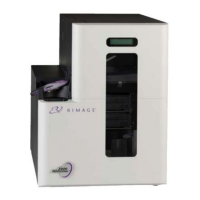

 To Next Page