Instruction manual for the DMC-EZ (DICOM Media Creator) - Viewer
13
1.8 Report
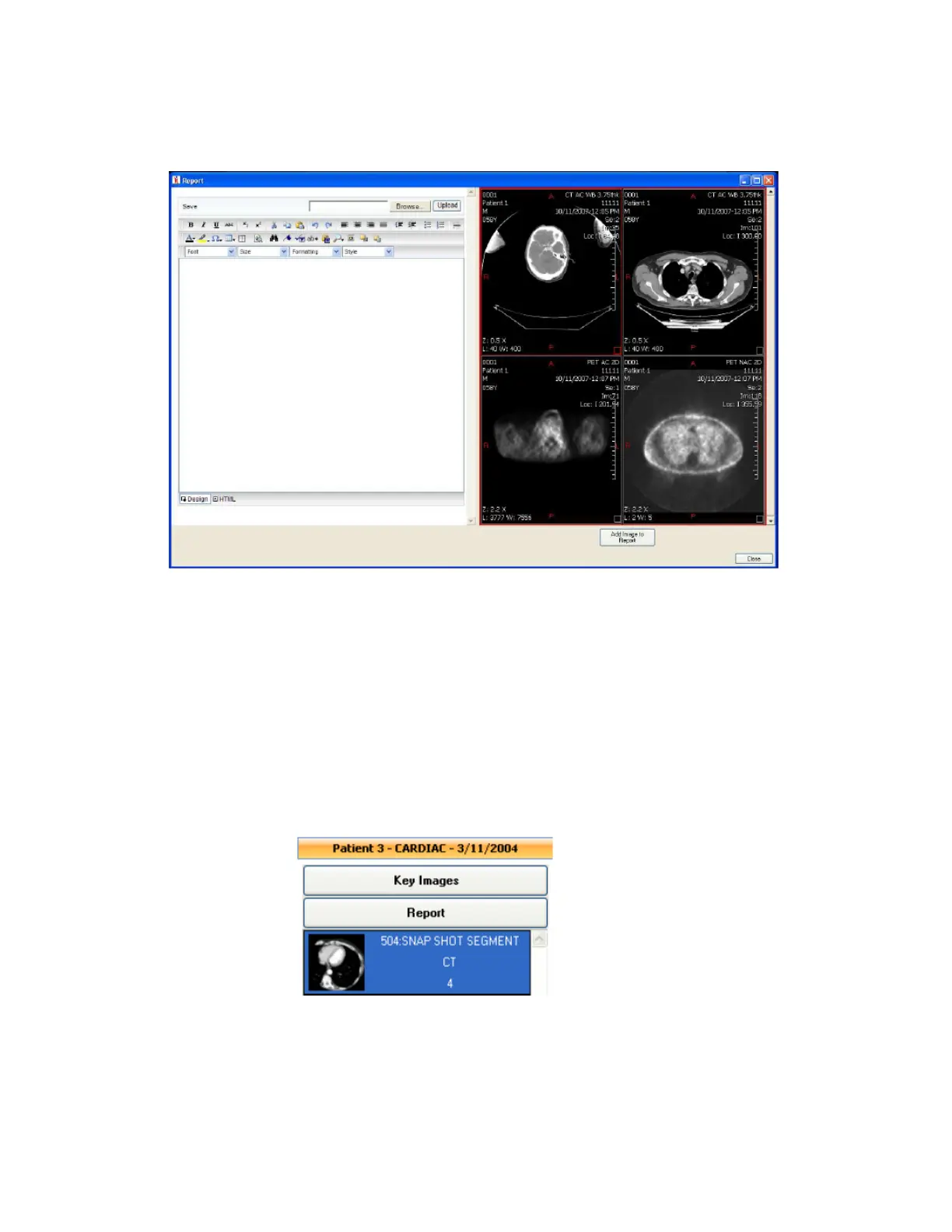
You can edit or add a Report to a Study using the Report window. Each Study loaded in the
Viewer has a Report button, click this button to open the Report window.
In this window you can type in the report using the basic text processing tools.
You can also add links to some Images to the report. Select an Image on the Viewer on the
right of the window and click on Add Image to Report. To have Images available in the Report
window, you need to add them first by selecting them in the viewer and pressing F3.
Once you are done typing the Report, click on Save, and then on Validate to validate the
Report.
1.9 Key Images
You can easily visualize a Study Key Images using the Key Images window. If a
Study has Key Images available, click on the Key Images button.
1.10 MPR
EzDicom CD Viewer MPR is a separate module and has its own documentation.


 To Previous Page