Instruction manual for the DMC-EZ (DICOM Media Creator) - Viewer
3
Section 1 Viewer (CD/WEB)
1.1 Installation of EzDicom Web Viewer
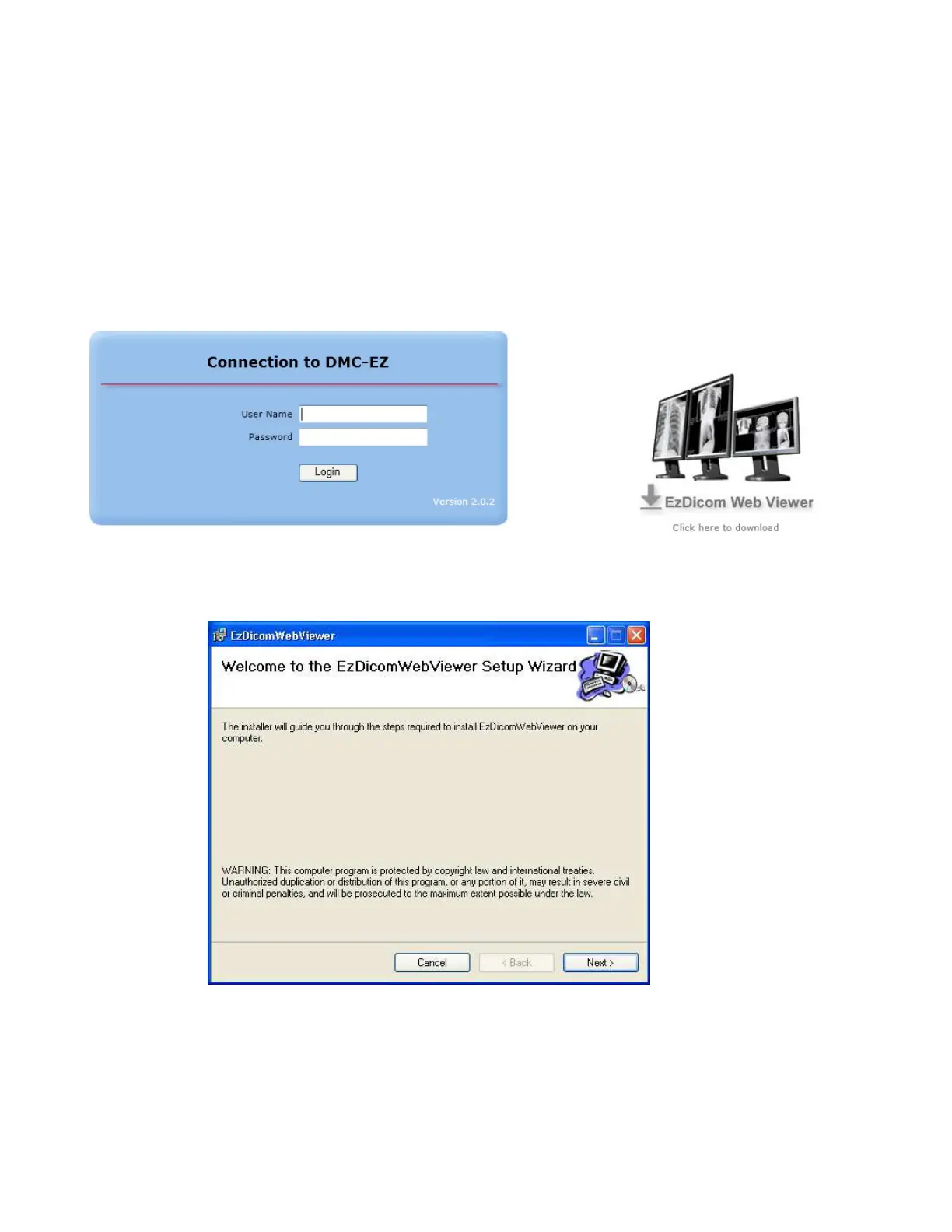
To install EzDicom Web Viewer on a remote computer, open your internet browser and
navigate to DMC-EZ login page. (IP address of DMC-EZ)
Click on the link on the right and select Run to start the installation.
Follow the instructions provided in the installation wizard.


 To Next Page