Instruction manual for the DMC-EZ (DICOM Media Creator) - Viewer
6
1.3.7 Orientation
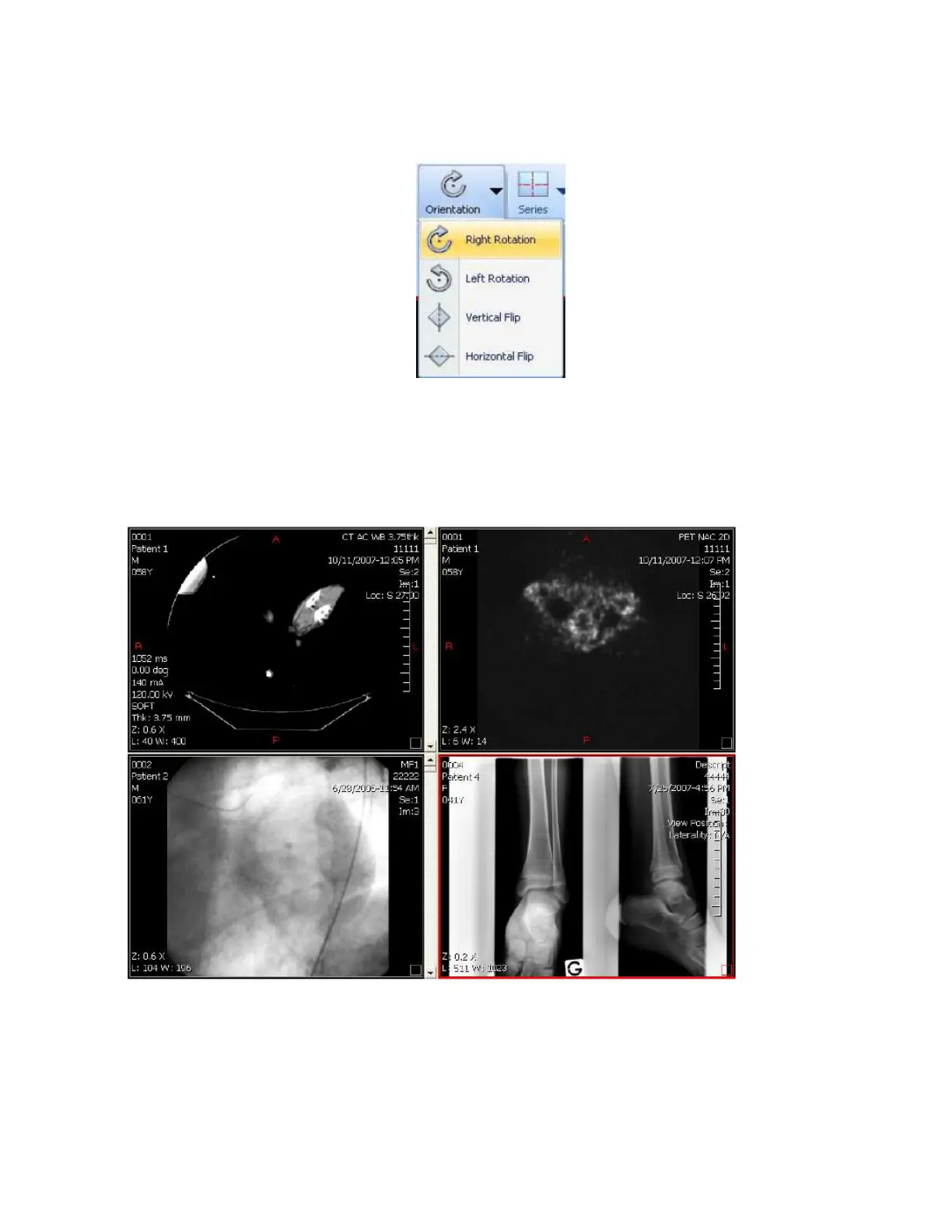
You can apply rotations or flips to the current Series using the Rotation tools.
You can rotate an Image clockwise or counterclockwise, as well as flip the Image horizontally
or vertically.
1.4 Layouts
1.4.1 Series Layout
The Series Layout tool allows you to visualize multiple Series at the same time.
Click on the Series button and select a Layout. You can then add Series on each layout by
selecting the layout area on the viewer and clicking on a Series in the Series panel.


 To Next Page