EasyManua.ls Logo

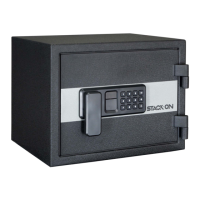
Stack-On PFWS-080-B-D-E - User Manual

Stack-On PFWS-080-B-D-E
26 pages
Print Icon
To Next Page IconTo Next Page
Loading...
PAGE 1 of 26 PFWS_2010
OWNER'S MANUAL
®
PERSONAL FIREPROOF AND
WATERPROOF SAFES
ENGLISH
Record the serial number from the tag on the back of the safe or from the tag on inside of
the lock cover plate on the front of the safe.
Record your combinaon number.
Keep keys and combinaon in a secure place away from children.
WARNING: Keep your safe closed and locked at all mes when not in use.
DO NOT STORE THIS DOCUMENT, KEYS OR YOUR COMBINATION INSIDE THE SAFE.
Do not store electronic media, computer disks, audio-visual media or photographic negaves
in this safe. These materials will not survive the rated internal temperature of the safe.
They may be damaged or destroyed.
If you intend to store jewelery with moving parts, we recommend storage in an air ght
container prior to storing them in the safe.
Do not store pearls in this safe. The internal temperature of this safe is rated up to 350° F.
Pearls can be damaged at much lower temperatures.
Note: Stack-On is not responsible for damage or loss of items placed in this safe due to
moisture.
NOTE: This safe must be mounted to a wall stud. Failure to do so will compromise the
safety and security of the safe.
IMPORTANT
®
PFWS-080-B-D-E
PFWS-080-G-D-E
PERSONAL FIREPROOF AND WATERPROOF SAFES WITH ELECTRONIC LOCK
PFWS-120-B-D-E
PFWS-120-B-DJ-E
PFWS-120-G-D-E
PFWS-200-B-DP-E
PFWS-200-G-DP-E
Question and Answer IconNeed help?

Do you have a question about the Stack-On PFWS-080-B-D-E and is the answer not in the manual?

Summary

Important Safety and Usage Notes

General Precautions and Warnings

Key advice on serial number recording, combination security, prohibited storage items, and safe operation warnings.

Getting Started

Tools and Hardware Required

Lists the necessary tools and hardware components for safe installation and setup.

Opening the Safe with Key

Step-by-step instructions on how to open the safe door using the provided key.

Battery Installation and Replacement

Battery Replacement Procedure

Step-by-step guide on how to install and replace the safe's batteries, including important notes.

Entering Your Security Code

Setting and Confirming Code

Instructions for setting up a personal security code for the electronic lock, including confirmation steps.

Code Entry and Lockout Behavior

Details on correct code entry, lockout periods for incorrect attempts, and confirmation of code success.

Locking the Safe

Safe Locking Procedure

Procedures and important considerations for properly locking the safe after entering the security code.

Selecting a Location and Securing the Safe

Location Choice and Initial Mounting Prep

Guidance on selecting an isolated, dry, secure area and preparing mounting holes on the safe's back.

Mounting to Wall Studs

Detailed steps for marking, drilling, and securing the safe to wood or masonry surfaces using lag screws.

Securing to Wall Anchor

Instructions for using plastic wall anchors to secure the safe to wall studs or other mounting points.

Shelf Placement

Adjusting Shelf Height

Instructions on how to place and adjust the shelf clips to set the desired shelf height inside the safe.

Keypad Sound Control

Turning Keypad Sound On;Off

Procedure to enable or disable the audible beep sound from the electronic keypad.

Frequently Asked Questions

Product Purchase and Registration

Information on where to buy products and how to register your safe online.

Media Storage and Fire Rating

Explanation why the safe is not recommended for media storage due to internal temperatures.

Key and Battery Support

Guidance on ordering replacement keys and expected battery life.

Lockpad and Electronic Lock Issues

Troubleshooting tips for unresponsive keypads and lock issues, including battery problems.

Instruction Sheet Replacement

Information on how to download a replacement copy of the instruction manual.

Warranty and Guarantee

Limited Lifetime Warranty Details

Terms and conditions of the limited lifetime warranty for fire, theft, and water damage.

Warranty Exclusions and Limitations

Covers what is not included in the warranty, such as misuse, improper installation, and consequential damages.
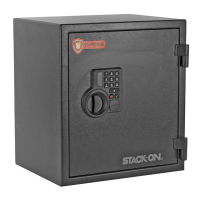

Stack-On PFWS-080-B-D-E Specifications

General IconGeneral
BrandStack-On
ModelPFWS-080-B-D-E
CategorySafes
LanguageEnglish

Related product manuals