EasyManua.ls Logo

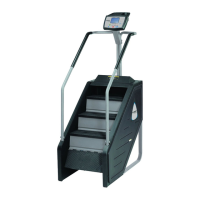
Stairmaster STEPMILL 7000 PT - Console; The Text Bar

Stairmaster STEPMILL 7000 PT
241 pages
Print Icon
To Next Page IconTo Next Page
To Previous Page IconTo Previous Page
Loading...
•
BASIC
OPERATING
INSTRUCTIONS
overestimate
the
number
of
calories
burned.
,
O.
Select
a
speed
(or
intensity
level)
that
allows
you
to
step
towards
the top
of
the
staircase.
Faster
is
not
always
better
.
Exercise
at
a
level
that
is
consistent
with
your
fitness
level.
" .
You
can
stop
once
and
rest
for
up
to
two
minutes
at
any
time
during
the
workout.
To
rest,
simply
stop
climbing
and
step
down
to
the
floor
or
press
[RESET]
(the
stairs
will
continue
to
rotate
very
slowly)
.
To
resume
your
workout
,
press
[YES]
and
begin
climbing.
To
return
the
console
the
ATTRACT
mode
,
press
[NO]
during
the
pause
.
The
console
returns
to
the
ATTRACT
mode
if
you
rest
longer
than
two
minutes
or
take
two
rest
breaks.
,
2.
When
you
have
completed
the
last
interval
of
the
workout
,
the
machine
will
slow
down
to
the
slowest
speed.
Step
off
the
machine
and
cool
down
by
walking
or
stretching
for
at
least
five
minutes
.
End-ot-Workout
Summary
•
,.
At
the
end
of
your
workout,
the
message
"GOAL
ATTAINED
" will
scroll
across
the
text
bar.
The
total
number
of
Calories
you
burned
during
your
workout
is
then
displayed
for
ten
seconds.
During
this
time
,
you
may
press
any
of
the
function
keypad
buttons
to
rece
i
ve
feedback
concerning
your
workout.
Refer
to
the
"
Function
Keypad
"
section
of
this
Manual
for
details.
•
2.
The
summary
information
is
stored
in
the
console
memory
until
the
next
person
begins
an
exercise
program.
Press
[WORKOUT
STATS]
to
recall
the
summary
for
the
last
workout.
Page
8

Table of Contents

Related product manuals