EasyManua.ls Logo

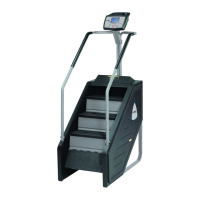
Stairmaster STEPMILL 7000 PT - Console

Stairmaster STEPMILL 7000 PT
241 pages
Print Icon
To Next Page IconTo Next Page
To Previous Page IconTo Previous Page
Loading...
PARTS
REMOVAL
AND
REPLACEMENT
2.
Align
the
holes
in
the
frame
and
the
back
cover.
Secure
the
back
cover
with
the
10
fasteners
.
Bottom
Cover
1.
Remove
both
side
covers
to
gain
access
to
the
bottom
cover
fasteners.
2.
Disconnect
the
DC
power
cable.
3.
Remove
the
six
fasteners
and
lift
the
bottom
cover
away
from
the
frame.
4.
Reinstall
the
bottom
cover,
then
the
two
side
covers. Remember
to
connect
the
DC
power
cable.
CONSOLE
1.
Locate
the
mounting
knobs
on
the
back
of
the
console
(refer
to
Figure
10).
2.
Loosen
and
remove
the
four
mounting
knobs
.
3.
Unscrew
the
console
cable
from
the
back
of
the
console.
4.
To
reinstall
the
console,
connect
the
console
cabJe
to
the
back
of
the
console
.
5.
Align
the
four
console
holes
with
the
four
holes
on
the
console
mount.
6.
Insert
and
tighten
a
mounting
knob
into
each
hole
.
7.
There
is
no
need
to
overtighten
the
knobs.
POLY-V
BELT
AWARNING
THE
POLY-V
BELT
MUST
BE
ADJUSTED
SO
THAT
THE
CENTER
OF
EITHER
SIDE
CAN
BE
DEFLECTED
1/10"
(0.3
CM)
FROM
ITS
CENTER
LINE
WITH
FINGERTIP
PRESSURE
.A
TIGHT
BELT
WILL
CAUSE
SLOW
AND
SLUGGISH
OPERATION;
A
LOOSE
BELT
WILL
CAUSE
EXCESSIVE
NOISE
AND
BELT
WEAR.
1.
Remove
the
left
side
cover.
2.
Loosen
the
adjustment
bolt
that
mounts
the
alternator
to
the
slotted
alternator
brace
.
Page
41

Table of Contents

Related product manuals