HINTS AND TIPS FOR GETTING STARTED
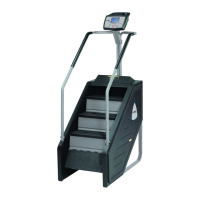
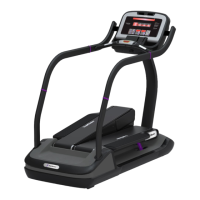
The following hints and tips will assist in training your users to maximize the fitness benefits of your
TREADCLIMBER®.
Walk at a rate that feels comfortable and most natural, yet is sufficiently vigorous to get a good cardio
workout.
Try different walking rhythms. In manual operation, adjust your pace from low speed to high speed, then
back to low. As you become more comfortable with the machine try going faster or using the preset
programs.
Watch the Graphic Display to anticipate incline level changes. When you use the preset programs, the
display shows changes in incline level as tall or short columns. The display also notifies you of incline level
changes with a series of beeps and a flashing display element.
For best workout, use highest incline level setting. The maximum incline level will greatly increase your
work effort and calorie burn, even at low speed.
QUICK START
Quick Start lets you begin your workout by simply pressing one key. Quick Start uses a default weight of 155
pounds and a time limit of 99 minutes. YOU control the speed, incline level and distance for up to the
maximum allowed program time.
To operate the Quick Start program:
1 Stand on the machine and press the QUICK START key. The walk belt slowly accelerate to minimum
speed of 0.5 mph (0.8 kph).
2 You can adjust the incline level of the unit during the program:
You can adjust incline level from 1 to 5. Press the key to increase the level; press the
key to decrease.
3 You can adjust the speed during the program:
You can specify a desired speed using the numeric keypad. Use the
keys to enter
your desired speed, then press the key to accept the entered speed.
You can adjust speed in 0.1 mph (or 0.1 kph) increments. Press the key to increase
speed; press the key to decrease.
4 You can pause the program during your workout by pressing the STOP key once. The program will
pause for a preset period of time (either 30, 45, 60, 90 or 120 seconds, as set in the Manager Mode).
Press the START key BEFORE the pause timer expires to resume your program. The unit returns to its
minimum speed when you exit the pause mode.
5 When you have reached your workout goal, the unit will enter the Cooldown cycle (see “Cooldown Cycle”
for more information). If you wish to exit your program before you have reached your workout goal, press
the STOP key twice. The unit will slow to a stop. (Press the STOP key once during a Pause to exit the
program.)


 To Next Page