Item Lowest
Value
Default
Value
Highest
Value
Meaning
LANGUAGE - English - Language in English, Dutch, French, German, Portuguese, Spanish,
Swedish, Italian or Katakana.
OFF=METS display disabled.
Pause duration during a program, in seconds, either 30, 45, 60, 90 or
Turns ON the fan 1 minute into the program.
ON=Elevation function enabled.
OFF=Elevation function disabled.
ON=Auto stop feature enabled.
OFF=Auto stop feature disabled.
ON=CSAFE communication enabled.
OFF=CSAFE communication disabled.
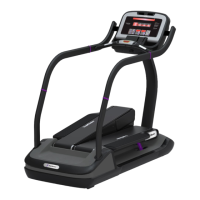
ON=TreadClimber lock out enabled.
OFF=TreadClimber lock out disabled.
Minimum speed in mph (UNITS=English), or km/hr (UNITS=Metric).
Maximum speed in mph (UNITS=English), or km/hr (UNITS=Metric).
Caution: See Motor Calabration before making any changes.
Time, in seconds, to reach maxmium speed from 0 mph (0 km/hr).
Time, in seconds, to reach 0 mph (0 km/hr) from maximum speed.
*When the MINIMUM SPEED or MAXIMUM SPEED parameters are changed, unit will perform an
auto calibration. To terminate the auto calibration and return the parameter to its default setting,
press the STOP key.
MAINTENANCE MODE
Your Service Representative may need to check accumulated data about the past usage of your
unit, test its motor and display controls, or investigate error messages. For these reasons, your unit
is equipped with Maintenance Mode. Maintenance Mode includes all of the items available through
Manager Mode, plus additional items for Service and Diagnostic use. To enter Maintenance Mode:
1. Press and hold the , and keys together.
2. A beep will sound and “MAINTENANCE MODE” will display momentarily in the Information
Window.
3. Release the remaining keys. “MCI VX.XX CKSM XXXX” will display in the Information Window.


 To Next Page