11
GUIDE TO OPERATION
Setting Output Voltage
The voltage set can be changed with the high
voltage on or off.
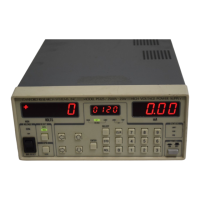
To set the high voltage output, press the SELECT
key until the VOLTAGE SET LED is lit. The
present value of the set voltage will be displayed in
the center window. To change the value, enter the
desired voltage by either the numeric or cursor
keys. After the new value has been entered into the
center display, press ENTER to update the output
voltage. The VOLTAGE SET LED will flash until
ENTER or CLR is pressed to remind you that the
displayed value is not the actual programmed
value. If an 'Err2' message appears (illegal
parameter entered), check the voltage limit to see
that it is greater than or equal to the desired set
voltage. Use the CLR key to clear any error
message.
If the REAR LED is lit, the high voltage is
programmed from the analog set input on the rear
panel. In this mode, when the center display is
showing VOLTAGE SET, the display is the
present programmed value of the high voltage and
cannot be adjusted from the front panel.
Setting Voltage Limit
The voltage limit is a protection feature to prevent
the output voltage from being set too high or
overshooting because of dramatic load changes.
The output voltage cannot be set higher than the
voltage limit. In addition, if the output ever
exceeds the limit by more than 10% of full scale,
the unit trips and the high voltage is disabled. If
this occurs, a 'VTRP'(voltage trip) message appears
in the middle display.
After a trip it is not necessary to clear the trip
before turning the high voltage back on. If it is
necessary to change a parameter before turning the
high voltage back on, pressing CLR or putting the
high voltage switch in the off position will clear the
trip.
To set the voltage limit, press the SELECT key
until the VOLTAGE LIMIT LED is lit. The present
value of the voltage limit is displayed in the center
window. Change it with either the numeric or
cursor keys and press ENTER to update the actual
limit value. If an 'Err2' message appears (illegal
parameter entered), check to see that the output
voltage is less than or equal to the voltage limit.
Setting Current Limit
Current limiting varies the output voltage to limit
the output current to less than or equal to the
programmed current limit value. When the unit is
current limited, the LIMIT LED is lit.
The current limit is set in the same fashion as the
voltage limit, by SELECTing the present value on
the center window, changing it and then
ENTERing the new value.
Setting Current Trip
The current trip shuts off the high voltage when the
output current exceeds the trip value. The current
trip value is set in the same fashion as the voltage
and current limits. After a current trip occurs, the
'ITRP' (current trip) message will appear in the
middle display. Current trips are cleared in the
same fashion as voltage trips.
Primary Trip
A PTRP (primary trip) message will occur if the
current through the primary side of the high
voltage transformer and the switching MOSFET's
exceeds about 5.3 Amps. This feature is included
to protect the transformer and FET's. The trip level
is not user programmable and may be cleared in the
same manner as the voltage and current trips. If
repeated PTRP's occur, see the troubleshooting
section.
Reset Mode
The reset mode determines how the unit responds
after a voltage or current trip.
MAN (manual) Mode: The high voltage remains
off after a trip and requires that the operator turn it
back on.
AUTO (automatic) Mode: The unit waits until
the output voltage has fallen to 1/50 of its full scale
value and then turns the high voltage back on. This
is useful when dealing with loads that occasionally
short circuit but recover after removing the high
voltage.


 To Next Page