4
Printing
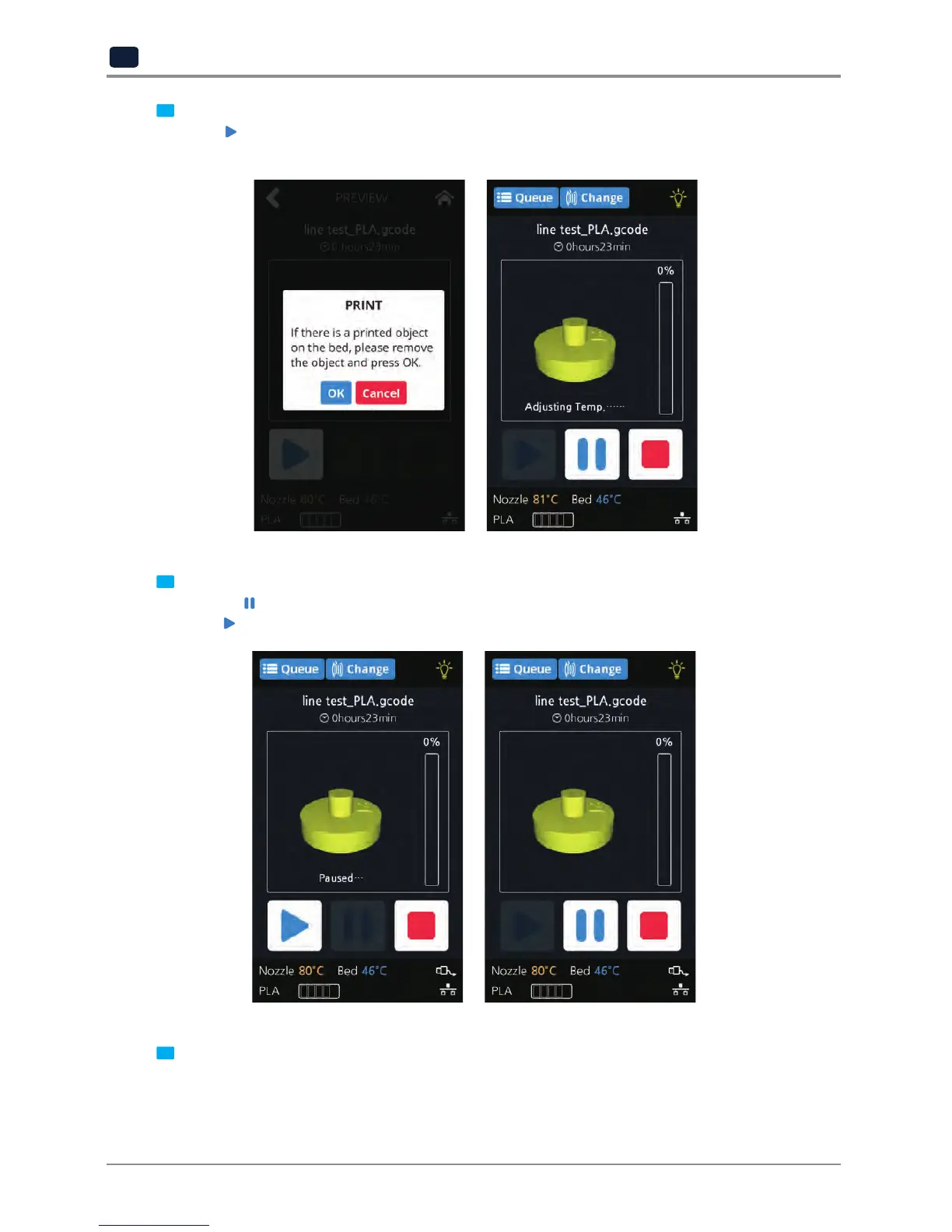
Once [
] is pressed the nozzle starts to be heated. When the specified temperature is reached, the
printing starts.
5
Pausing Print
Pressing [
] during a print will pause the progress.
Press [
] again and nozzle is heated again, and the printer will continue printing.
6
Exchanging Cartridge during print
While printing, press the [change] button to replace with a new cartridge.


 To Next Page