7
Print Cancelation
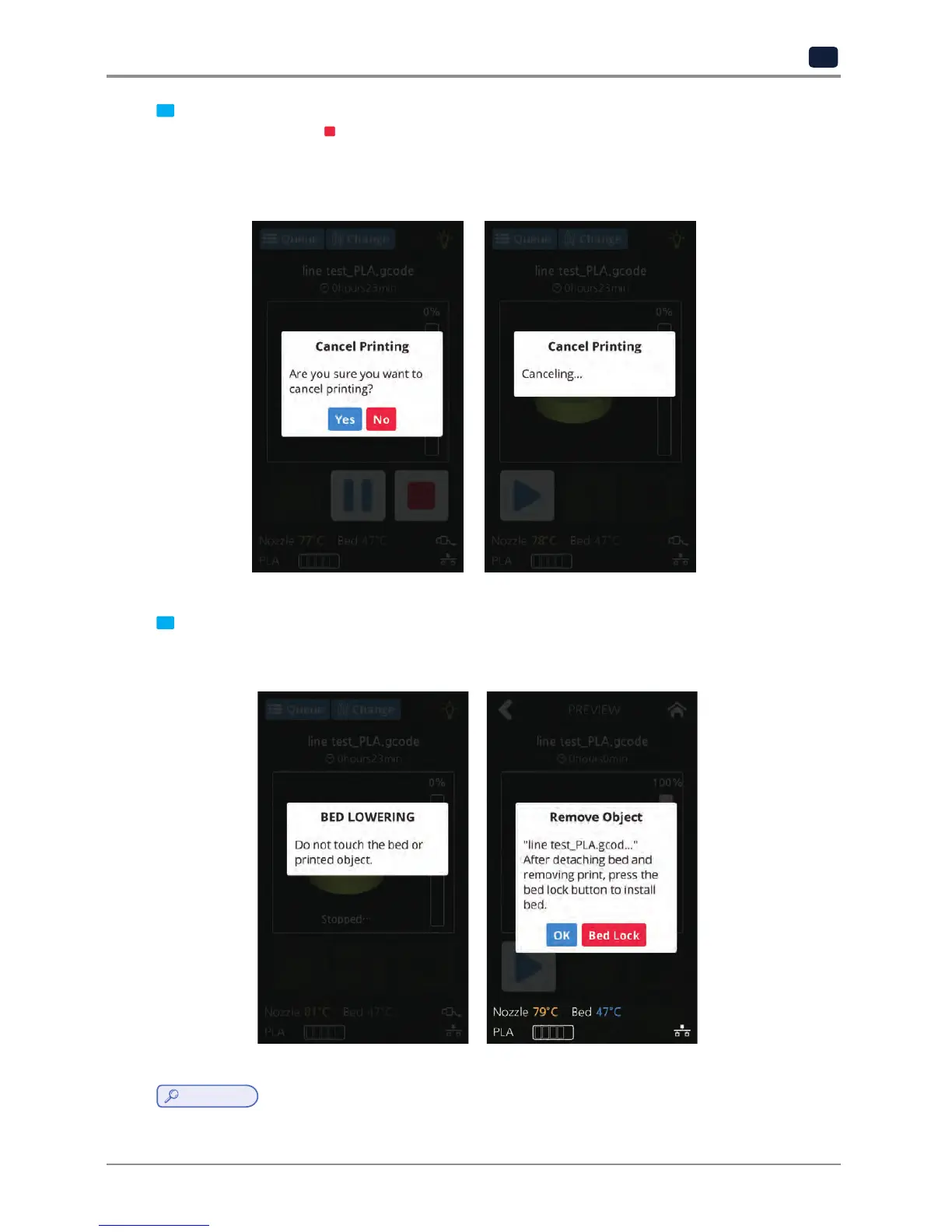
During print pressing [
] button a message pops up and asks for confirmation on the print canceling.
When confirmed, the rest printing job is canceled.
Another message requesting the removable of left print will popup press [OK] and screen will return to
home screen.
8
Printing Completion
After printing has completed, follow the instructions and remove the printed product. Press the [OK] to
return to home screen.
Reference
-
Methods of removing printables refer to P. 4-2 “1. Printed Output Check”.


 To Next Page