- 29 -
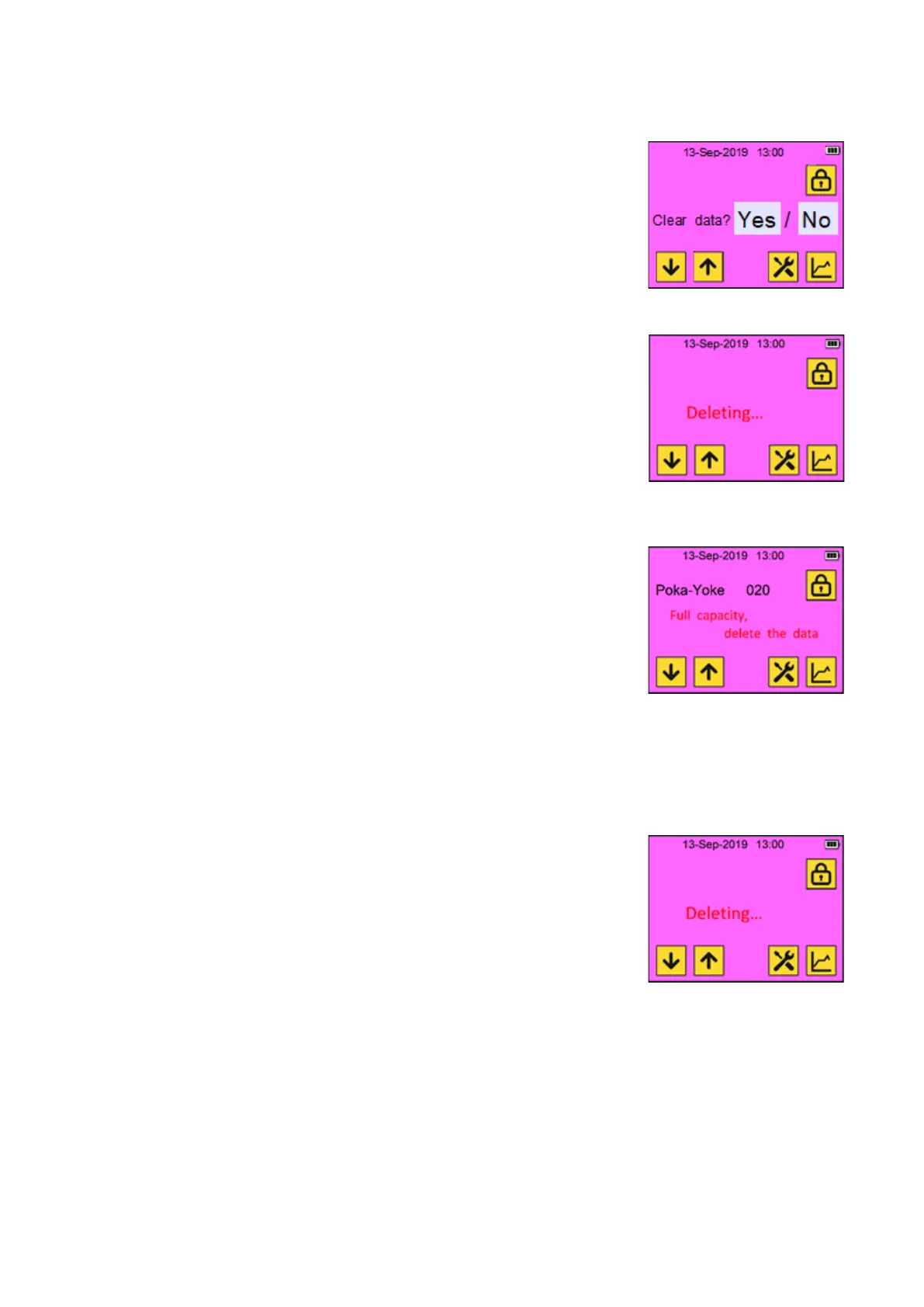
The window switches to “Clear data
conformation” window.
If “Yes” character string is touched, the
deleting process starts, and it takes 1 to 2
minutes. Wait until completing the deleting.
*Do not turn off the power of the tool during
this time, because it has a potential to break
the file and data.
After completing the deleting process, the
window switches home automatically.
Recommended deleting the data regularly
during the break time etc.
If you continue riveting without clearing the
data, if the number of data reaches 600,000,
a message which forces deleting the data.
“Full capacity, delete the data”
This means that the capacity is full, and you
must delete the data.
Touch the screen somewhere.
If you touch “No” and try to continue the
working, this message appears every riveting.
If “Yes” character string is touched, the
deleting process starts, and it takes 1 to 2
minutes. Wait until completing the deleting.
*Do not turn off the power of the tool during
this time, because it has a potential to break
the file and data.
After completing the deleting process, the
window switches home automatically.
Recommended deleting the data regularly
during the break time etc.



 To Next Page