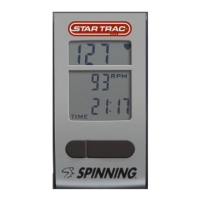
• No display
o Press any button.
o Pedal the bike and then press any button.
o Check batteries in computer.
• No heart rate
o Is the user wearing a Ant+ or Polar
®
compatible HR chest strap?
o Moisten the strap and wear it against the skin.
o The battery in the strap might be low, try another strap.
o Stay in Syncing position for 15 seconds. Note: It may take 15 seconds (or more) for the computer to obtain a heart
rate signal from a chest strap.
o Hold right key for three (3) seconds, to reset display, and heart rate search. Then attempt to acquire
heart rate again.
• Heart rate drops out
o Rider may not have held forward position for 15 seconds.
o Rider does not have the recommended chest strap or it may not be working.
o Rider must keep strap within 25”- 30” (63 cm - 76 cm) of computer.
• Which heart rate strap works with my Spinning
®
Computer?
o Any Polar
®
HR strap. Note: It is suggested to use a Polar
®
“Coded” series chest strap to reduce HR “crosstalk”.
o Any Ant+ compatible HR Strap.
• Picking up another riders heart rate
o Bikes might be too close to each other and receiving HR from another rider. Move the bikes so there is more
space from the computer of your bike to the chest of the other rider (see diagram on page 5).
o Each rider should wear an Ant+ or Polar
®
“Coded” series chest strap.
FAQs and Troubleshooting FAQs and Troubleshooting - continued
23


 To Next Page