Your Spinning
®
Computer is pre-set with a gear ratio of 3.25:1 and a setting display distance in miles. It is also
pre-set with recommended default settings for the length of time the backlight will stay on when activated
and the length of time summary information will be displayed. You can make changes to these settings by
following the steps below. Any time you want to change settings or view information, follow these Setup Mode
steps again.
To activate Setup Mode:
1. Press any button to activate computer.
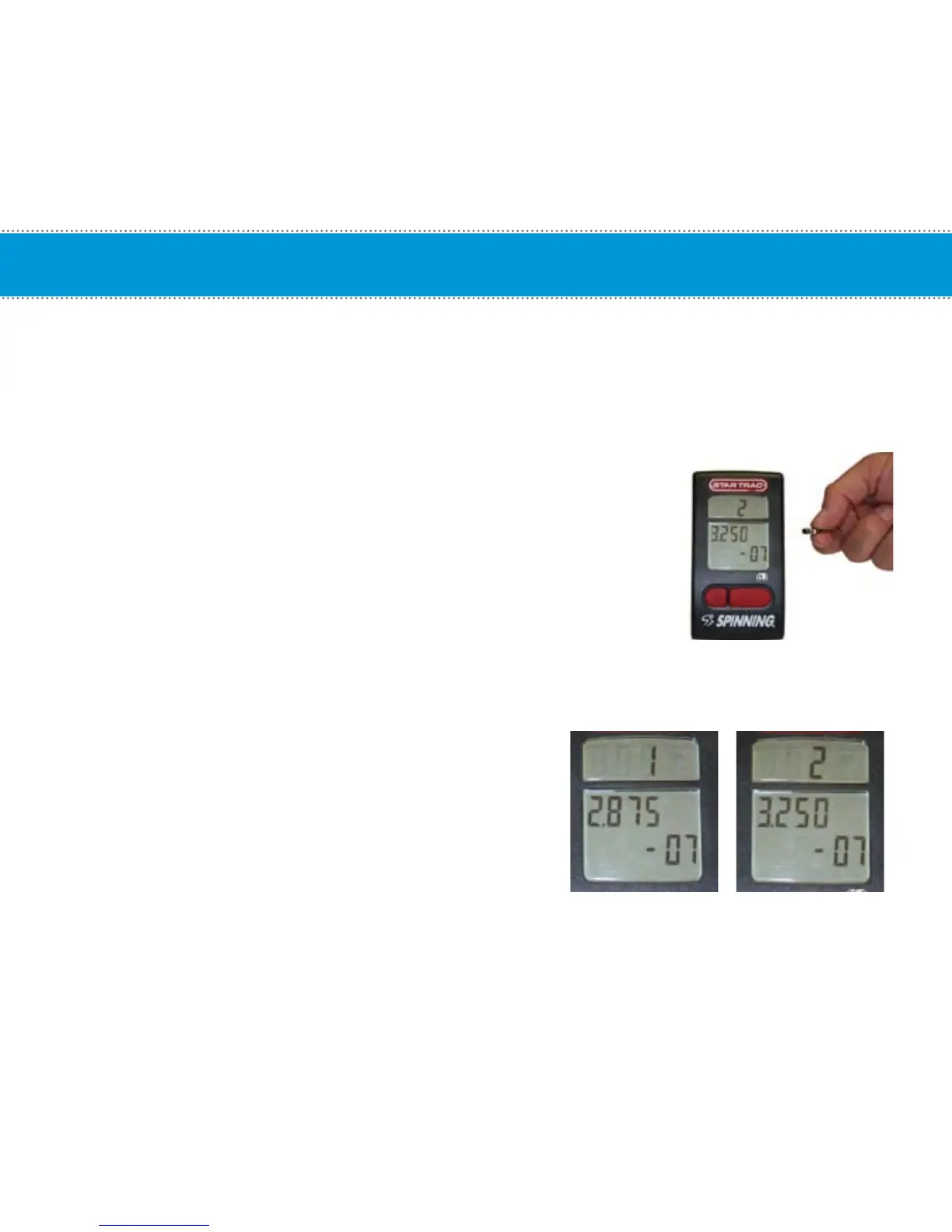
2. Wave a magnet along the right side of the Spinning
®
Computer
until the display window switches to the Gear and Software version.
3. Press the Toggle (right) button to scroll through available setup options.
4. Press the Light (left) button to change settings on the current display option.
Setup Mode options:
• GEAR and Software Version
o Gear Ratio, Select 1 (2.875) for V-Bikes, V2
and Spinner
®
V
o Select 2 (3.250) for all other models.
o Software Version displayed (-XX)
NOTE: User will not get the correct RPM values if the Gear
Ratio setting is not correct.
Setup Mode
15
(Default Setting)


 To Next Page