Contacts
About favorites
Creating favorites
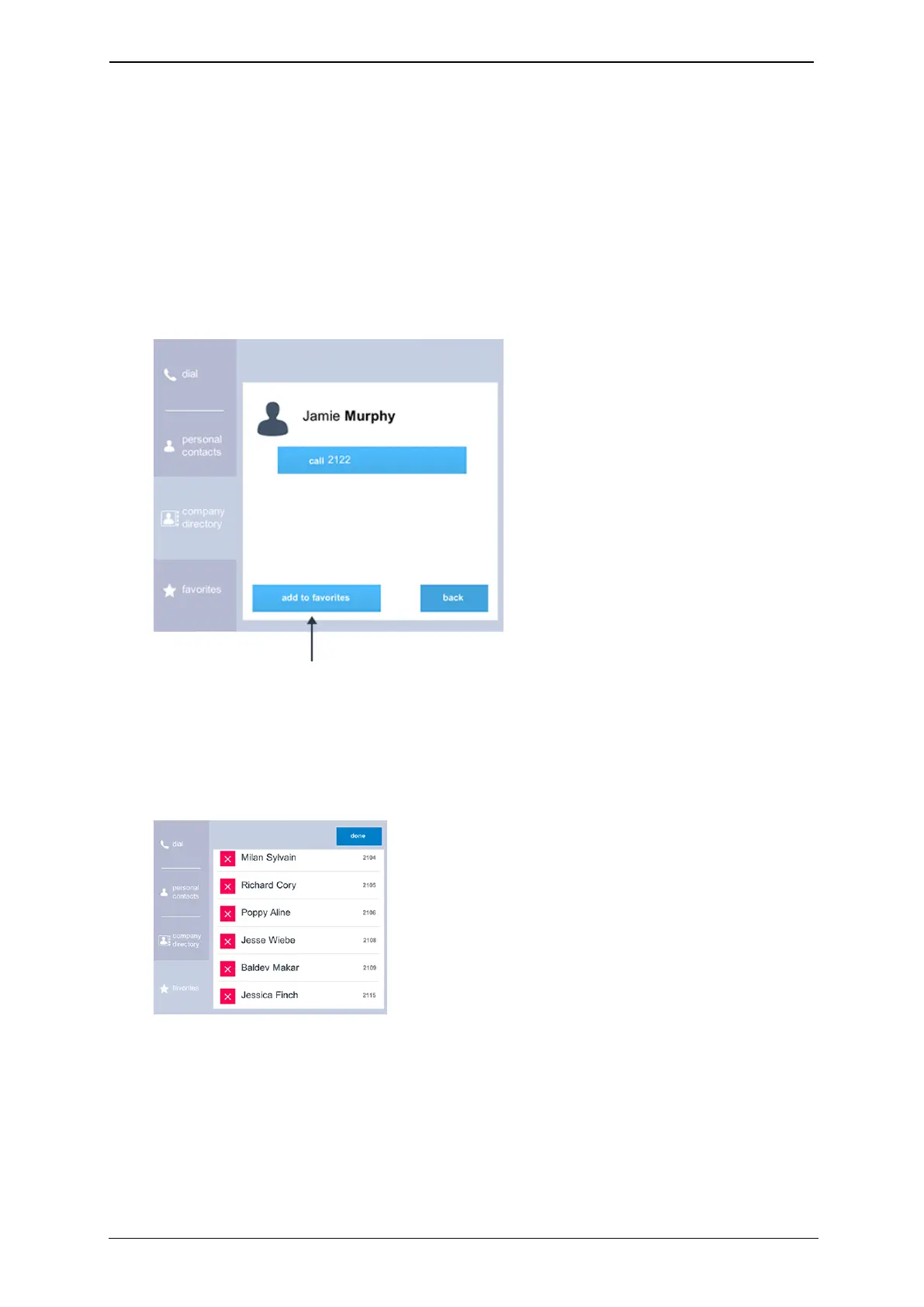
To create a favorite from the company directory (or from your personal contacts):
1.
Go to home screen > contacts > company directory (or home screen > contacts >
personal contacts).
2. Find and select the person whom you would like to add as a favorite (either by using
the search or by scrolling).
3.
Select add to favorites, as shown below.
Deleting favorites
To delete a favorite:
1.
Go to home screen > contacts > favorites > edit.
2.
Select the cross next to the favorite and select delete.
StarLeaf room system guide, 24 September 2019 Page 27 of 31



 To Next Page