Making a call
Searching in the company directory
Some companies have a lot of entries in the directory. In this case, you might find it easier
to use the search facility. To do so:
1.
From the home screen, go to contacts > company directory and select search.
2. Use the keyboard to type the name of the person you want to find.
Note: As soon as you start typing, the search starts looking. You might only need to type
the first letter of someone's name to find them.
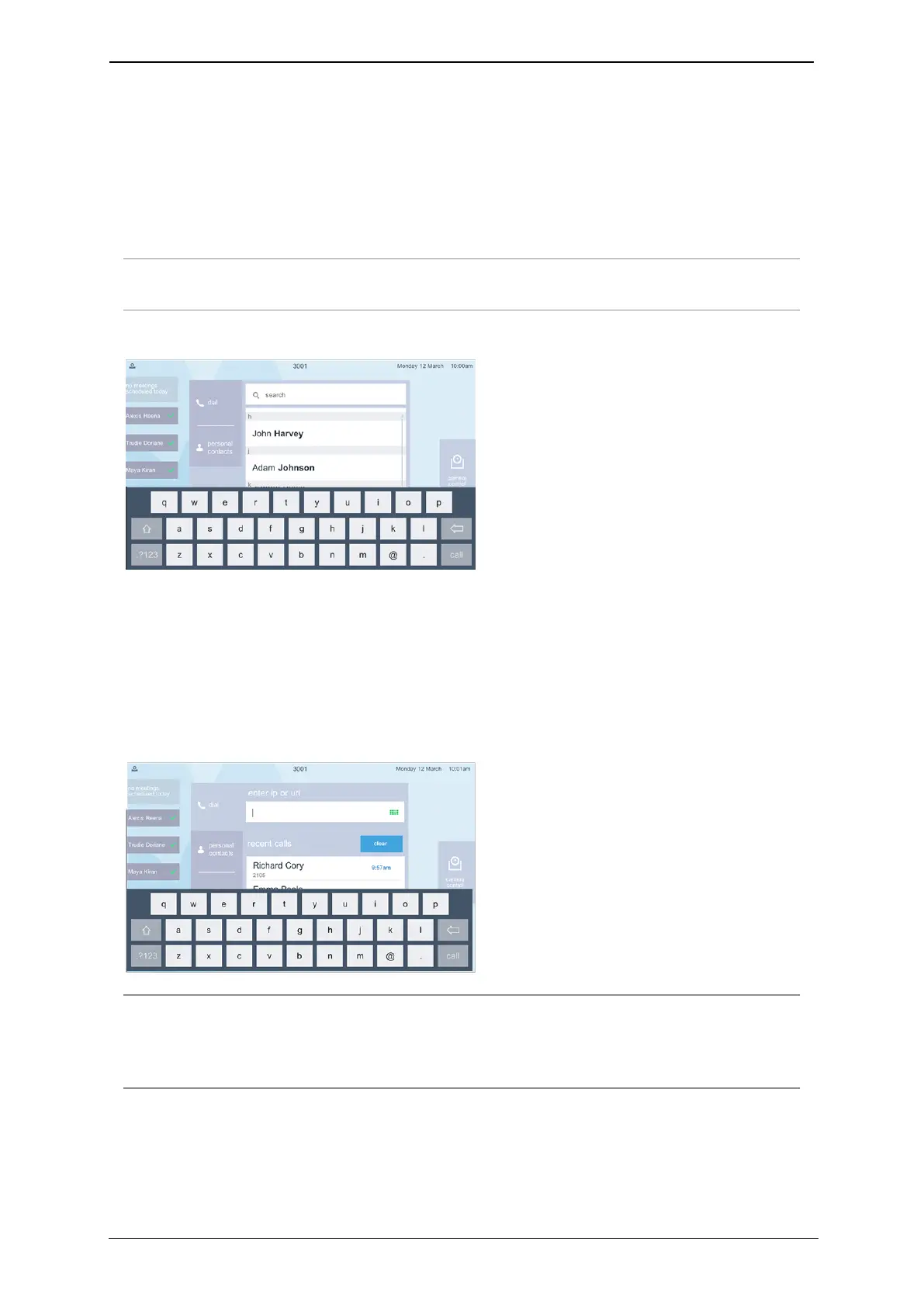
The search keyboard looks like this:
Dialing addresses that include letters or symbols
You might need to dial someone who has a video address that includes letters or numbers
and symbols. This might be known as a URI or it might be an IPaddress. If you need to do
this, press the keyboard icon in the type field. A full keyboard displays for you to access
letters and numbers. Your display looks like this:
Note: If you are dialing an IP address, you can do so by using the keypad of the
touchscreen controller. Press the star (asterisk) key where you would normally put a dot,
and press the hash (pound) key to cause the system to dial the IP address you have
entered.
Who can you call?
Using the Dialer, you can call the following:
StarLeaf room system guide, 24 September 2019 Page 9 of 31



 To Next Page