operating mode and then long flash at which button must be released;
• 2 level – push and hold the tag button followed with double short flashes of a
current operating mode, then one long flash and then followed with serial flashes at
which button must be released.
Command Button push
Arm / disarm 1 short
Enable / disable Anti-hijack by a tag away long 1 level
Enable / disable Service mode long 2 level
Replacing a tag battery
Wireless tag (transponder) is equipped with CR2032 type Li-ion battery.
Tag battery discharging is indicated with 3 sounds of embedded main unit buzzer (or
siren) at ignition On and owner is notified with text message to his phone number.
Then battery must be replaced as soon as possible.
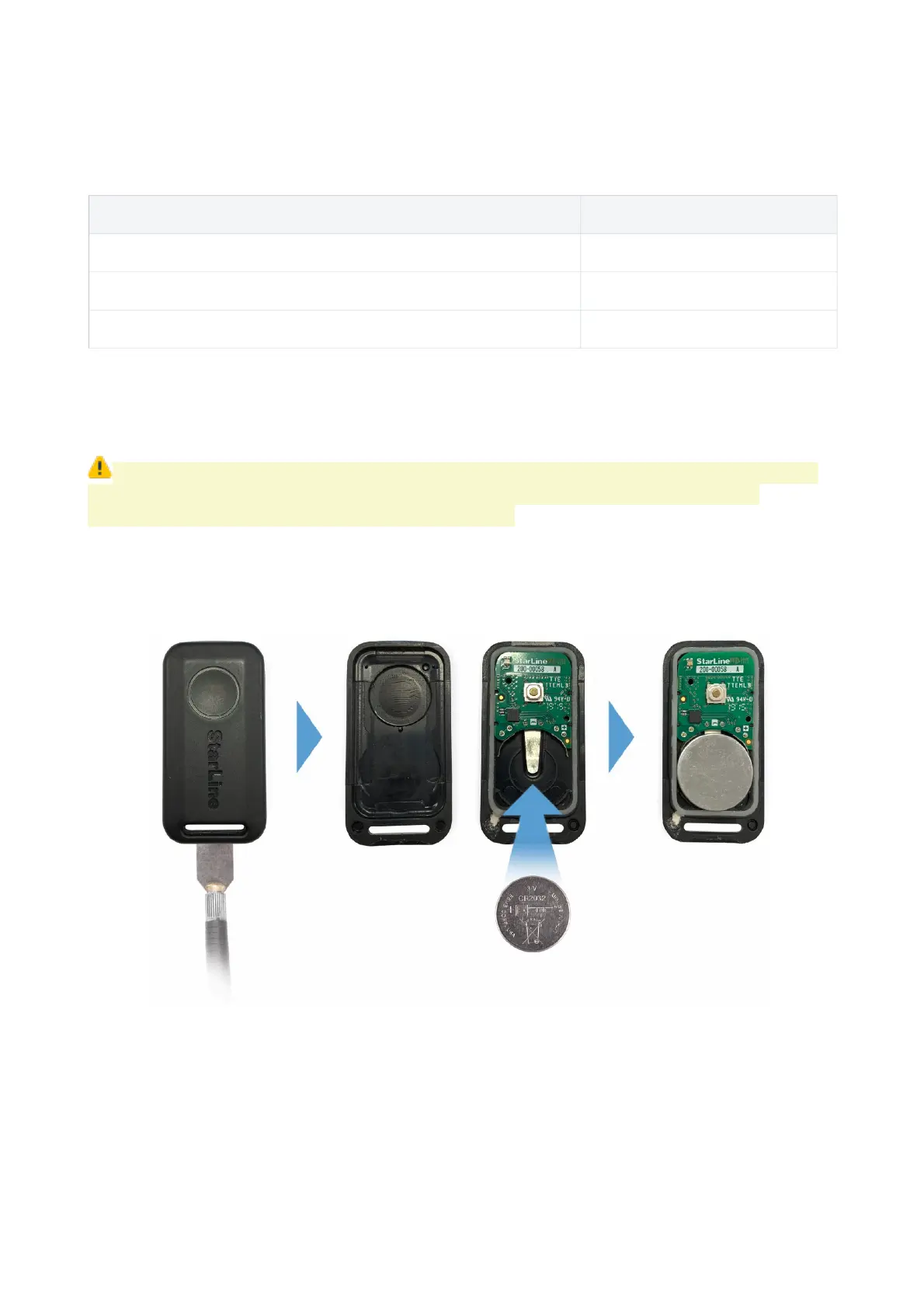
To replace battery open a tag casing carefully with a flat metal or plastic item, remove
discharged battery from slot. Install a new battery in the slot observing correct polarity
(positive side up, as shown on picture). Then fix a cover back. Tag is ready for operation.
A smartphone with support of Bluetooth 4.2 and above can also be used as a tag.
See Devices registration article to pair a smartphone as a tag.
11



 To Next Page