27
OTHER LCD FUNCTIONALITY
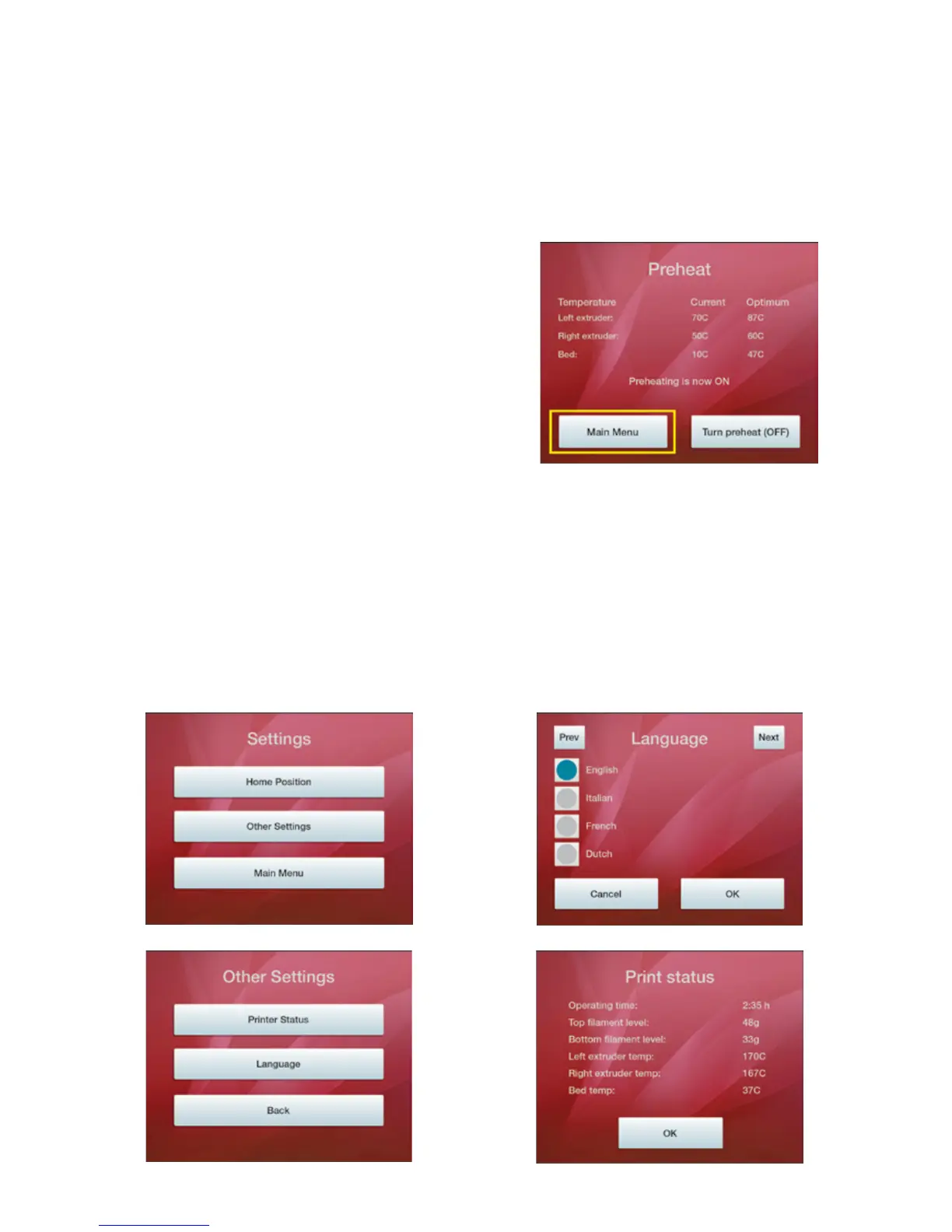
PREHEAT
The Preheat funconality allows you to warm up the extruder(s) and print bed prior to starng the prinng process.
This is not an essenal part of the process but will allow faster prinng because the printer can be carrying out this
process whilst you prepare your Scene and print le.
SETTINGS
Under ‘Sengs’ you have two further opons (excluding returning to the Main Menu).
‘Home Posion’ returns the extruders and the print bed to their default posion: the extruders in the rear right-
hand corner of the printer, and the print bed being reset to its lowest posion.
‘Other Sengs’ provides you with two further opons; selecng and changing the language of the LCD, or displaying
current Print Status informaon as shown on the images below:
If you select ‘Preheat’ the on-screen display will inform
you of the current and opmum temperatures. When
the two temperatures display the same number then
the printer is ready for prinng.
You can turn preheating on or o via the LCD at any
time.
1. 3.
4.2.



 To Next Page