8
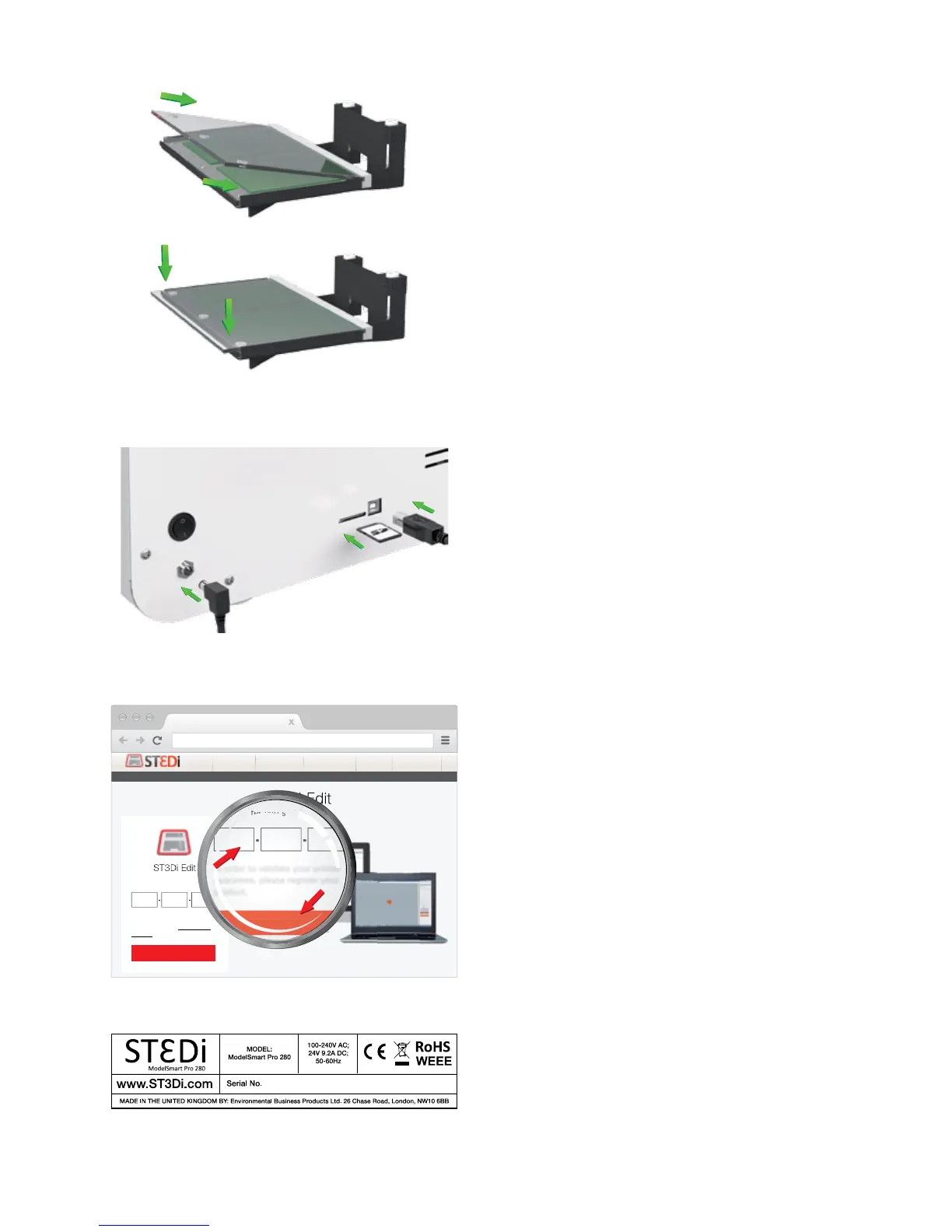
5. Insert the glass bed onto the print bed area at an
angle to ensure it ts underneath the metal ridge at the
back, then lower it onto the magnets at the front to
secure it in place.
6. Check the SD card is in place. Please note that if the
printer is not connected to a computer then an SD card
must always be in place to enable prinng.
7. Connect the USB cable.
8. Connect the Power Cable and turn on the printer.
9. Download and install the ST3Di Edit Soware from
www.ST3Di.com/download/st3di-edit.
Firstly, please insert your serial number.
Your serial number can be found on the outer box pack-
aging, or on the rear of your printer.
ST280-15001-WT64R
www.st3di.com
www.st3di.com
3D Printers Consumables Guides & ToolsSoftwareModel Library
In order to validate your printer
guarantee, please register your
product.
?
Download
Enviroment Support Contact
Please enter you serial number.



 To Next Page