Page 4 of 39
73085 Rev E
®
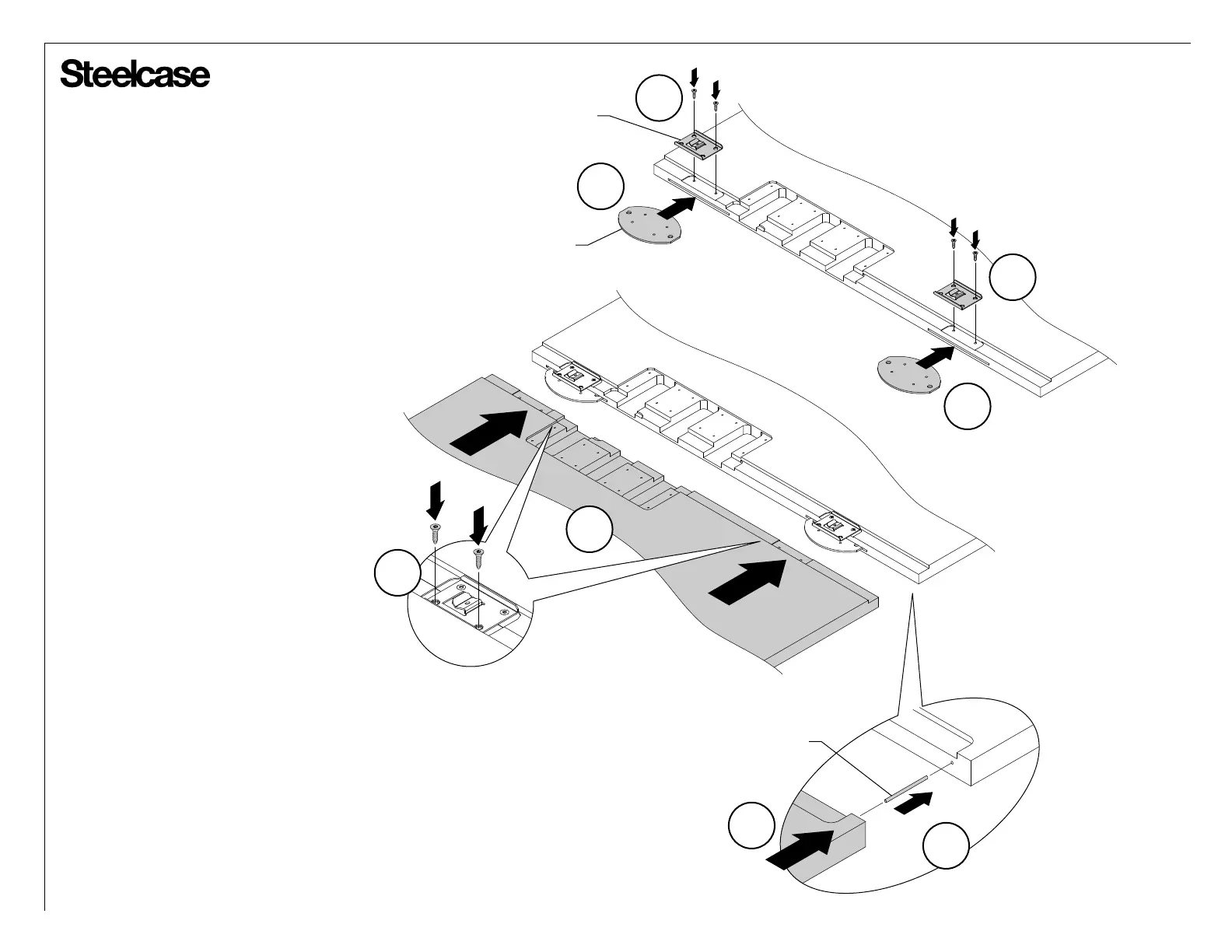
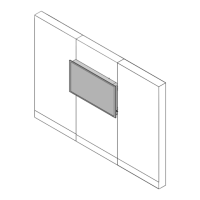
Single-Connect Split Installation
1. Place boundary screens on a clean,
scratch resistant surface.
2. If the boundary screens are tall, place
steel pin into the hole at top of boundary
screen.
3. Place two (2) steel biscuits into slots on
side of boundary screen as shown.
4. Attach two (2) Answer attachment clips
with two (2) flat head screws per clip.
NOTE: These screws need to be attached
loosely at this point. They will be tighened
when the other two (2) screws are installed
onto each clip.
5. Install pockets of opposite boundary
screen onto the steel biscuit and align top &
bottom edges of boundary screens.
6. Attach second two (2) flat head screws
onto each Answer attachment clip. Tighten
the screws that were installed loosely on
step 4.
3
4
2
5
STEEL BISCUIT
STEEL PIN
3
4
5
6
ANSWER
ATTACHMENT CLIP




 To Next Page