33EN
4. INSTALLATION
4.7.1. PRELOGIN
When accessing the app for the rst time users can:
• Access the information pages regarding STIGA retailers and products
• Complete the new user sign-up
• Login as an already registered user
4.7.2. SIGN UP
The “Sign Up” section allows users to register and grants them access to all app functions.
The user can log in through their Google, Facebook and Apple accounts, or create a new account by lling
in the required elds .
The registration procedure requires an email verication.
4.7.3. DEVICE PAIRING
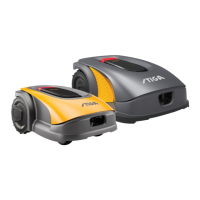
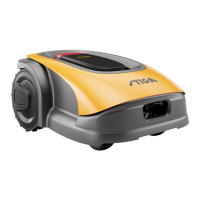
The "Device Pairing" section allows users to pair their mobile device with the robot lawn mower, the
satellite tracking station and to congure the docking station via a Bluetooth connection.
To add a new STIGA product, press the "add" (+) button and follow the set-up wizard.
To complete the pairing procedure, the robot lawn mower and the satellite reference station must be less
than 8 metres away from the mobile device.
TABLE OF CONTENTS
4.7.1. PRELOGIN ....................................................................................................................................................................... 33
4.7.2. SIGN UP ........................................................................................................................................................................... 33
4.7.3. PAIRING .......................................................................................................................................................................... 33
4.7.4. GARAGE AND DEVICE PAGE ......................................................................................................................................... 34
4.7.5. CONFIGURATION OF THE DOCKING STATION ............................................................................................................ 34
4.7.6. CALIBRATION OF THE DOCKING STATION .................................................................................................................. 35
4.7.7. INITIALIZATION OF THE ROBOT LAWN MOWER ......................................................................................................... 35
4.7.8. PROGRAMMING VIRTUAL PERIMETERS, TRANSITION ROUTES AND AREAS TO BE AVOIDED ........................... 35
4.7.9. PROGRAMMING THE RETURN ROUTE TO THE DOCKING STATION ......................................................................... 36
4.7.10. GARDEN MAP .................................................................................................................................................................. 37
4.7.11. SPOT CUT / SCHEDULED ............................................................................................................................................... 37
4.7.12. SCHEDULING MOWING SESSIONS .............................................................................................................................. 37
4.7.13. DATA PACKAGE MANAGEMENT .................................................................................................................................... 37
4.7.14. INTEGRATION WITH VOICE ASSISTANTS (AMAZON ALEXA, GOOGLE HOME) ....................................................... 38
4.7.15. APP LOCK ........................................................................................................................................................................ 38
4.7.16. SETTING THE DESIRED BROWSING MODE ................................................................................................................. 38
4.7.17. BORDER CUT ................................................................................................................................................................. 38
4.7.18. RAIN SENSOR ................................................................................................................................................................. 39
4.7.19. FIRMWARE UPDATE ....................................................................................................................................................... 39
4.7.20. PROFILE / USER MANAGEMENT / CHOICE OF PREFERRED DEALER / MESSAGING ............................................ 39
4.7.21. ANTI-THEFT ALARM ....................................................................................................................................................... 39
4.7. PRODUCT FEATURES AND SETTINGS
The automatic operation of the robot lawn mower requires a series of settings that can be made via mobile
device (smart phone) iOS or Android with the “STIGA GO" App installed.
The iOS app is downloadable from the iOS App Store. The Android app is downloadable from the Google
Play Store.


 To Next Page