43EN
5. OPERATION
5.3.1. SAFE STOP - STOP BUTTON
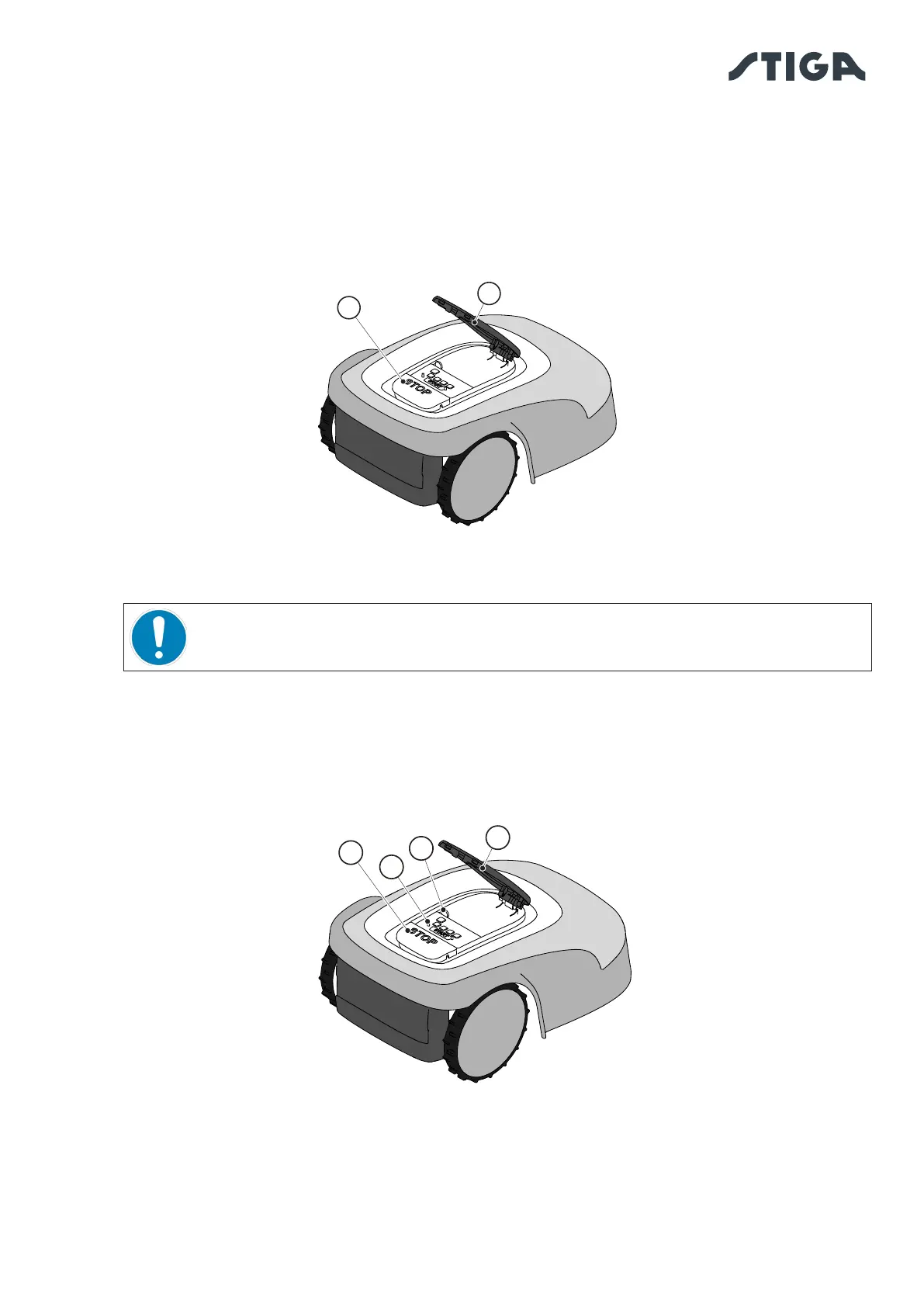
The “STOP” button (A) is a control that stops the robot lawn mower in safety conditions, whatever its
operating condition is.
Procedure:
1. Press the "STOP" button (A) while the robot lawn mower is moving or already still.
2. When the "STOP" button (A) is pressed, the robot lawn mower stops and the cover (B) opens, allowing
access to the other robot controls.
5.3.2. SAFE SHUTDOWN - SAFETY KEY
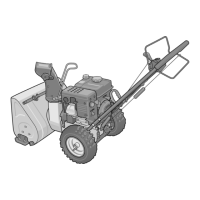
The safety key (D), by switching o, allows the robot lawn mower to be switched o safely.
OBLIGATION:
Always remove the safety key before each cleaning, transport and maintenance
operation
Procedure:
1. Press the “STOP” button (A) to open the cover (B) and access the control panel (C).
2. Remove the safety key (D) and keep it in a safe place.
3. After carrying out the maintenance operations, insert the safety key to be able to switch on the robot
lawn mower.
C
A
B
D


 To Next Page