25EN
4. INSTALLATION
4.5.1. INSTALLATION OF THE DOCKING STATION
CAUTION:
Danger of cutting hands.
CAUTION:
Danger of dust in
the eyes.
ELECTRICAL HAZARD:
Connect the power supply only at the end of
all the installation operations. If necessary
during the installation, turn o the general
power supply.
Requirements and obligations:
• Flat land • Compact soil
• Docking station • Fixing screws
• Power supply • Gloves
• Glasses
GLOVES OBLIGATION:
Use protective gloves to avoid
cutting your hands.
GLASSES OBLIGATION:
Use safety glasses to avoid the
danger of dust in the eyes.
The docking station can be installed inside the work area or in an area connected to it by a transition route.
Make sure that the space for installing the docking station is su cient, in order to have an obstacle-free
zone at least 1.5 metres wide and at least 3 metres long in front of it.
Procedure:
1. Check the installation requirements as indicated in par. 4.3.
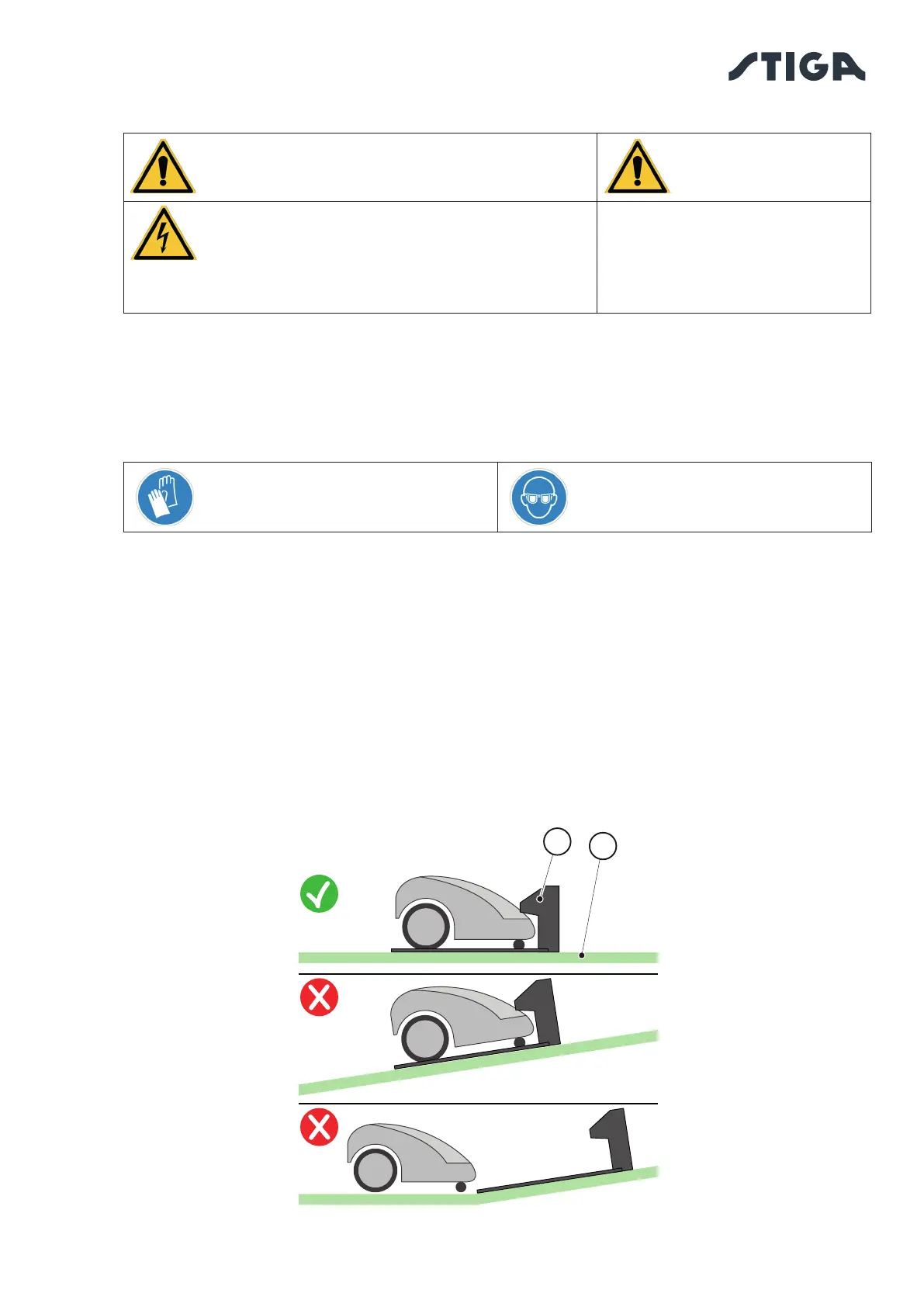
2. If necessary, prepare the ground so that the surface of the docking station (A) is at the same level
as the lawn (B), the ground must be perfectly at and compact in order to avoid deformation of the
surface of the docking station.
B
A



 To Next Page