47EN
5. OPERATION
5.3.5.
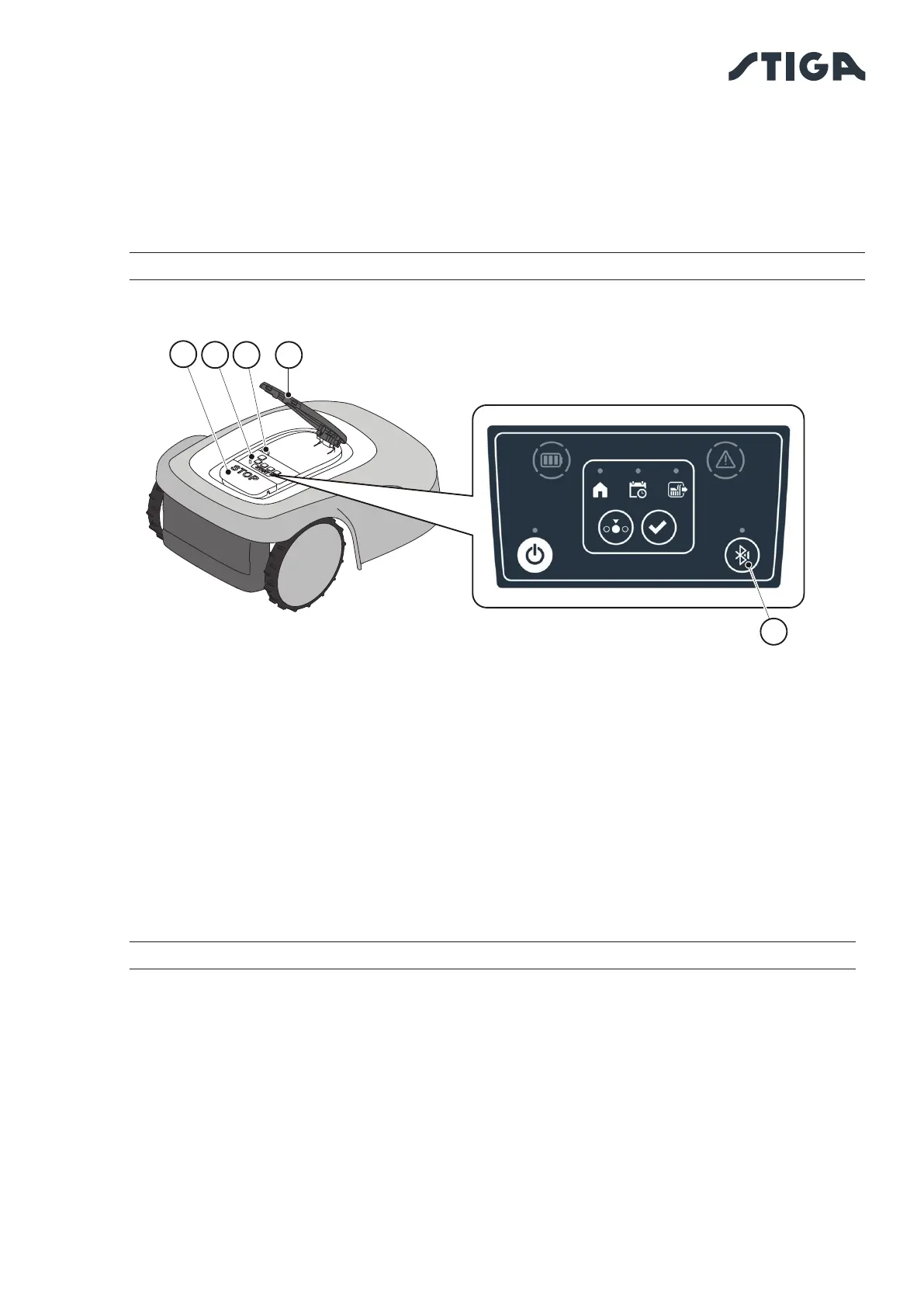
BLUETOOTH STATUS DISPLAY - BLUETOOTH BUTTON
The robot lawn mower handles automatically the Bluetooth connection with external mobile devices. The
Bluetooth connection is available at all times when the robot lawn mower is switched on. It is possible to
connect only one mobile device at a time to the robot lawn mower via Bluetooth. The robot lawn mower
automatically disconnects from the device when the app is closed. The 'BLUETOOTH' button (M) is used
only by the service centre for diagnostic purposes.
NOTE: For pairing the device with the robot lawn mower via Bluetooth, see Par. 4.7.3 “Pairing”.
5.3.6. DISPLAY OF ALARM STATES-ALARM ICON
The “ALARM” light icon (N) indicates an operating anomaly.
Procedure:
1. Press the “STOP” button (A) to open the cover (B) and access the control panel (C).
2. Check the alarm status through the red light icon (N), which can be lit either steady or ashing.
3. After resolving the fault, press the "ON/OFF" button (E) twice in rapid succession to reset the alarm.
The light icon (N) goes out, and the robot lawn mower can be restarted. If the icon (N) does not go
o , remove the safety key (D), wait a few seconds and then switch the robot lawn mower on again
using the "ON/OFF" button (E). If the problem persists, contact a service centre.
NOTE: Details about anomalies are viewable on the App.
B
C
A
D
M


 To Next Page