44 EN
5. OPERATION
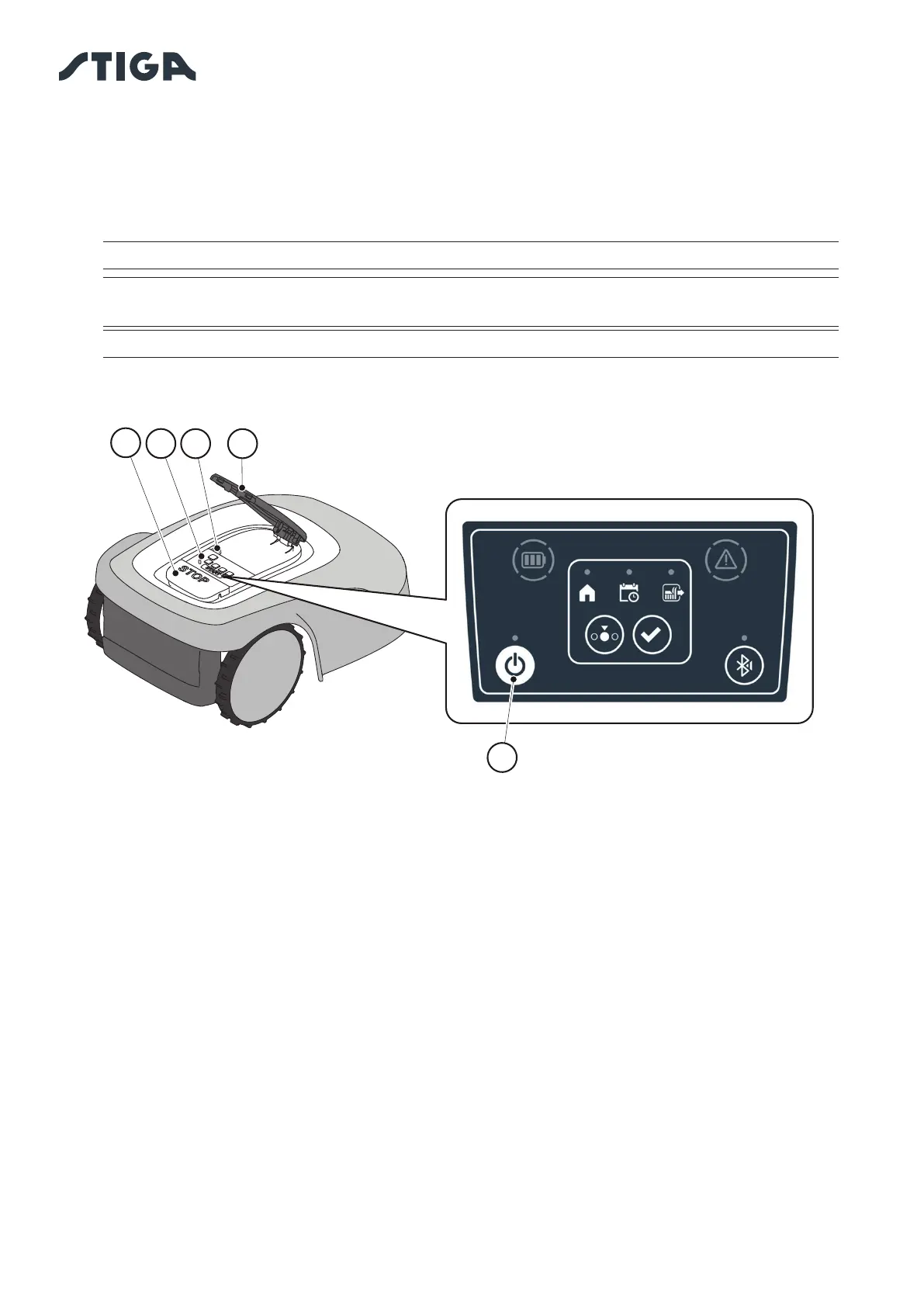
5.3.3. SWITCHING THE ROBT LAWN MOWER ON AND OFF - ON / OFF BUTTON
The "ON / OFF" button (E) allows to switch the robot lawn mower on and o manually.
Procedure:
1. Press the “STOP” button (A) to open the cover (B) and access the control panel (C).
2. Press the “ON/OFF” button (E) for 5 seconds to switch on the robot lawn mower or to switch it o .
NOTE: To switch on the robot lawn mower, the safety key (D) must be inserted.
NOTE: Removing the safety key (D) shuts down the robot lawn mower, even if it was not
previously switched o using the “ON / OFF” button.
NOTE: In case of active alarms, a double press of the "ON/OFF" button will reset the alarms.
B
C
A
D
E



 To Next Page