®
®
stingersolutions.com
stingersolutions.com
16
17
SRK-JK11HX
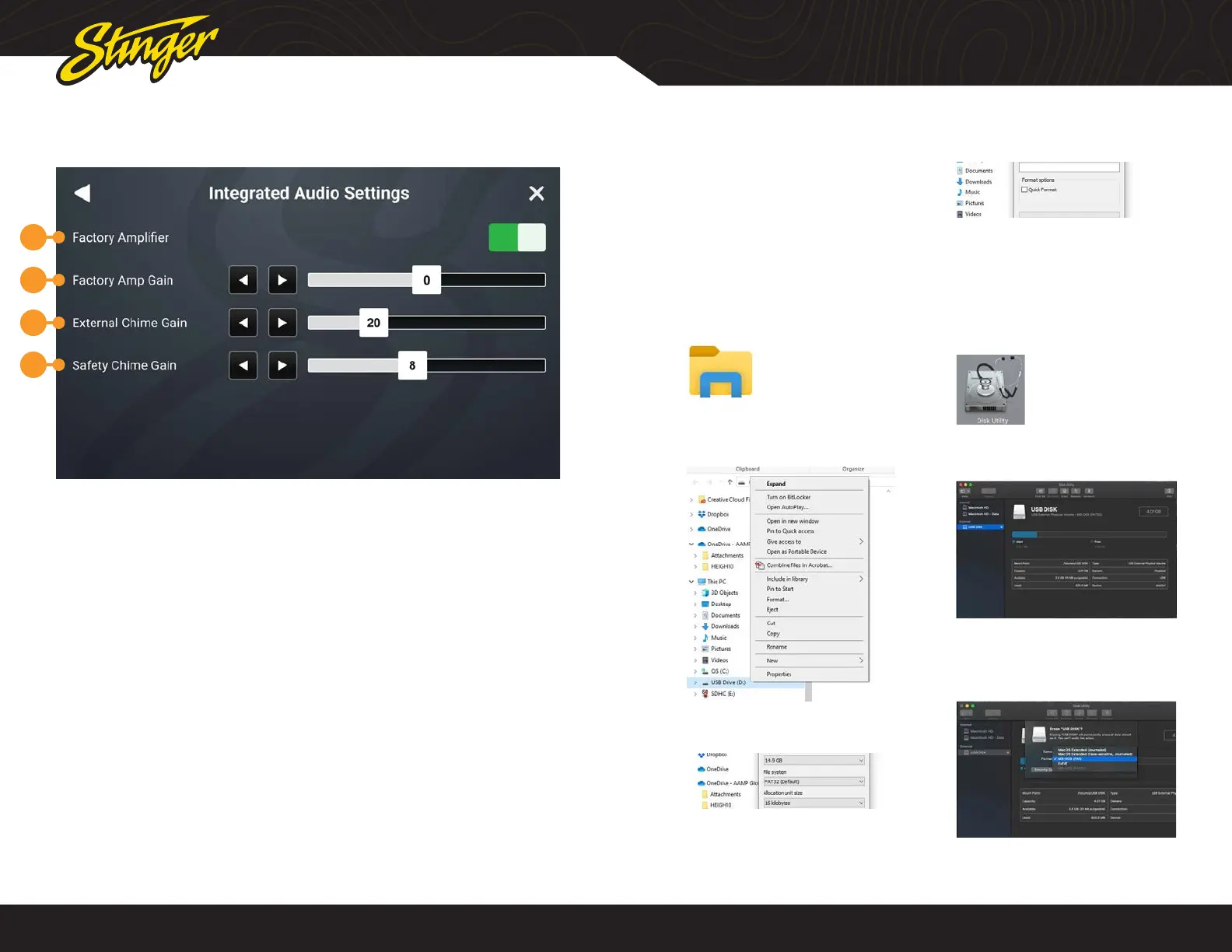
INTEGRATED AUDIO SETTINGS
1
2
3
4
UPDATING SYSTEM FIRMWARE
1. Format a USB Drive
In order to prepare a USB Flash Drive
for use with your HORIZON10 system, the
USB drive must be formatted to FAT32
/ MS-DOS(FAT).
Windows PC
1. Insert a 4GB+ USB Drive
2. Open File Explorer
3. Right click on USB Drive and
select Format
4. Select FAT 32 (Default) File
System
5. Deselect Quick Format
6. Click Start
MAC OSX
1. Insert a 4GB+ USB Drive
2. Launch the Disk Utility App from
the Utilities folder
3. Select the USB drive from the
External List and click Erase
4. Select MS-DOS(FAT) from the
format drop-down menu and
click Erase
Press the HOME BUTTON > Settings > Installer > PAC Advanced Settings >
Integrated Audio Settings to access advanced audio settings.
NOTE: If your Jeep is equipped with
premium sound (amplied), Vehicle
Audio Settings will be present here.
1. Factory Amplier
Toggle ON if factory amplifier is
present. When ON factory crossovers
and time correction are retained and
the HORIZON10’s crossovers and time
correction are disabled..
2. Factory Amplier Gain
Adjusts gain of factory amplier
3. External Chime Gain
Sets chime level of external speaker
if installed.
4. Safety Chime Gain
Sets gain level of factory chimes.










 To Next Page