Instructions (Cont.)
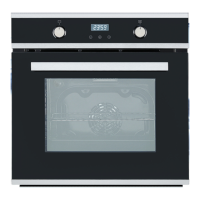
• To check how much time is left for the oven to start cooking, press the
MANUAL [M] button twice: the screen will display the time left.
• To check the cooking end time after the timer is set, press the MANUAL
[M] button three times: the screen will display the end time.
• To readjust or terminate the start of the cooking time, press the MANUAL
[M] button twice and then follow the same steps as in (B) Cooking
Duration.
• To readjust or terminate the end of the cooking time, press the MANUAL
[ M] button three times and then follow the same steps as in (C) Cooking
End Time.
Adjusting the Audible Signal
The audible signal has three tones. To adjust the tone, press the PLUS [+]
button.
IMPORTANT!
Always return the thermostat control and oven function dials to their OFF [ 0]
positions when you have finished cooking.


 To Next Page