Thermostat Control Dial
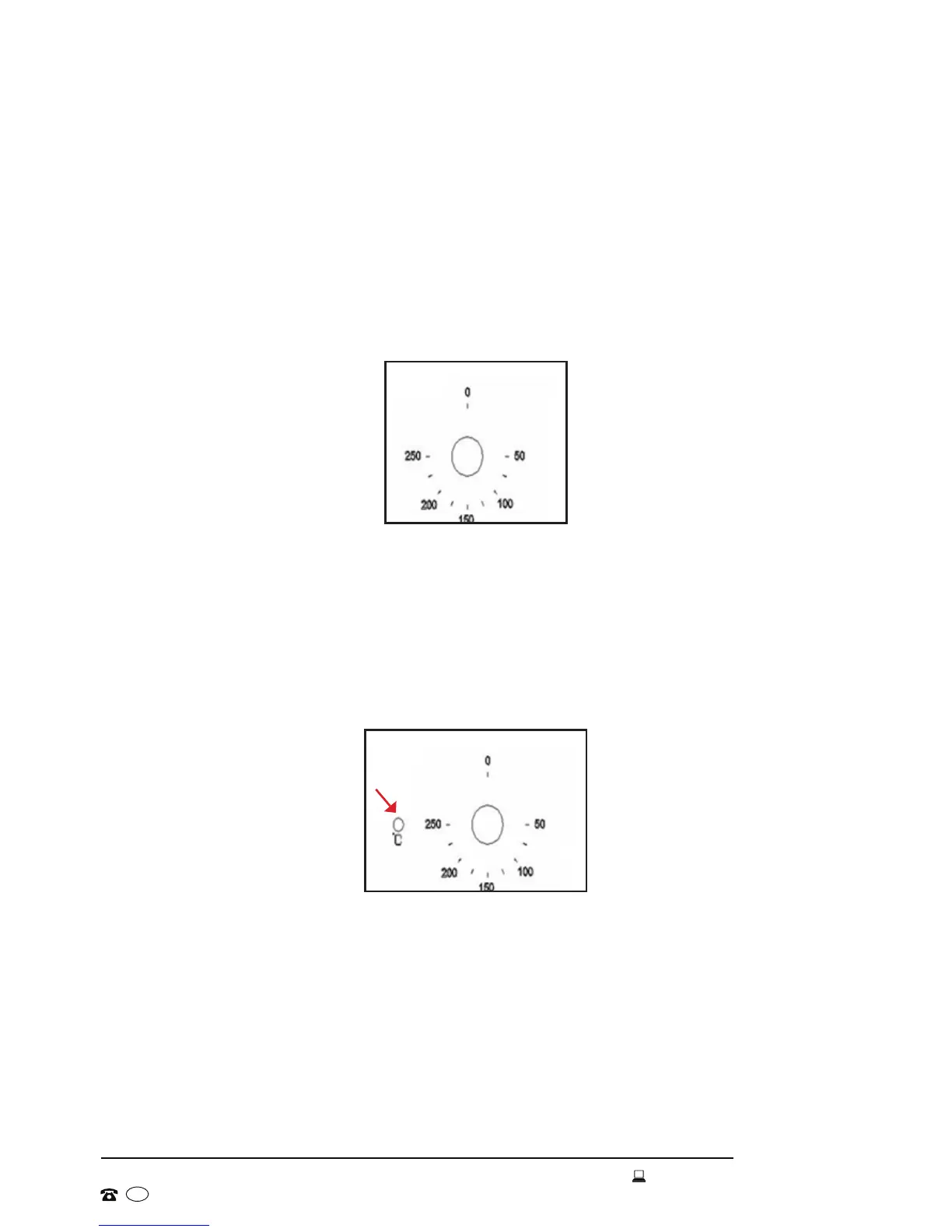
• Use the oven thermostat control dial to set the required temperature for
cooking or baking in the oven. Push the dial in slightly, it will then pop out
and reveal the available temperature settings, as illustrated in Fig. 9.
• Turn the control dial clockwise to the required temperature. It can be
regulated within a range of 50–250°C.
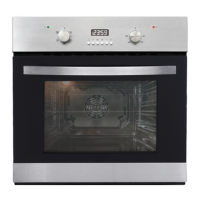
Heating Indicator Light
• This light will come on to indicate that the oven’s heating elements are
in operation (Fig. 10). The light will turn off when the temperature set
on the thermostat control dial has been reached. It will cycle on and off
throughout the cooking time.
• Always wait until the oven has reached the set temperature before placing
food inside the oven chamber.
Instructions (Cont.)
Fig.10
Fig. 9
Oven Fan
A tangential cooling fan is tted inside this appliance to help stabilise the
oven’s internal temperature and lower the external surface temperature. After
the oven has been used, the cooling fan will run on for a period of time, until
the oven is sufciently cooled. It will then switch off automatically.


 To Next Page