WWW.STOREITCOLD.COM
SUPPORT@STOREITCOLD.COM
68
2019 © Store It Cold, LLC. Rev 2019-04A All Rights Reserved.
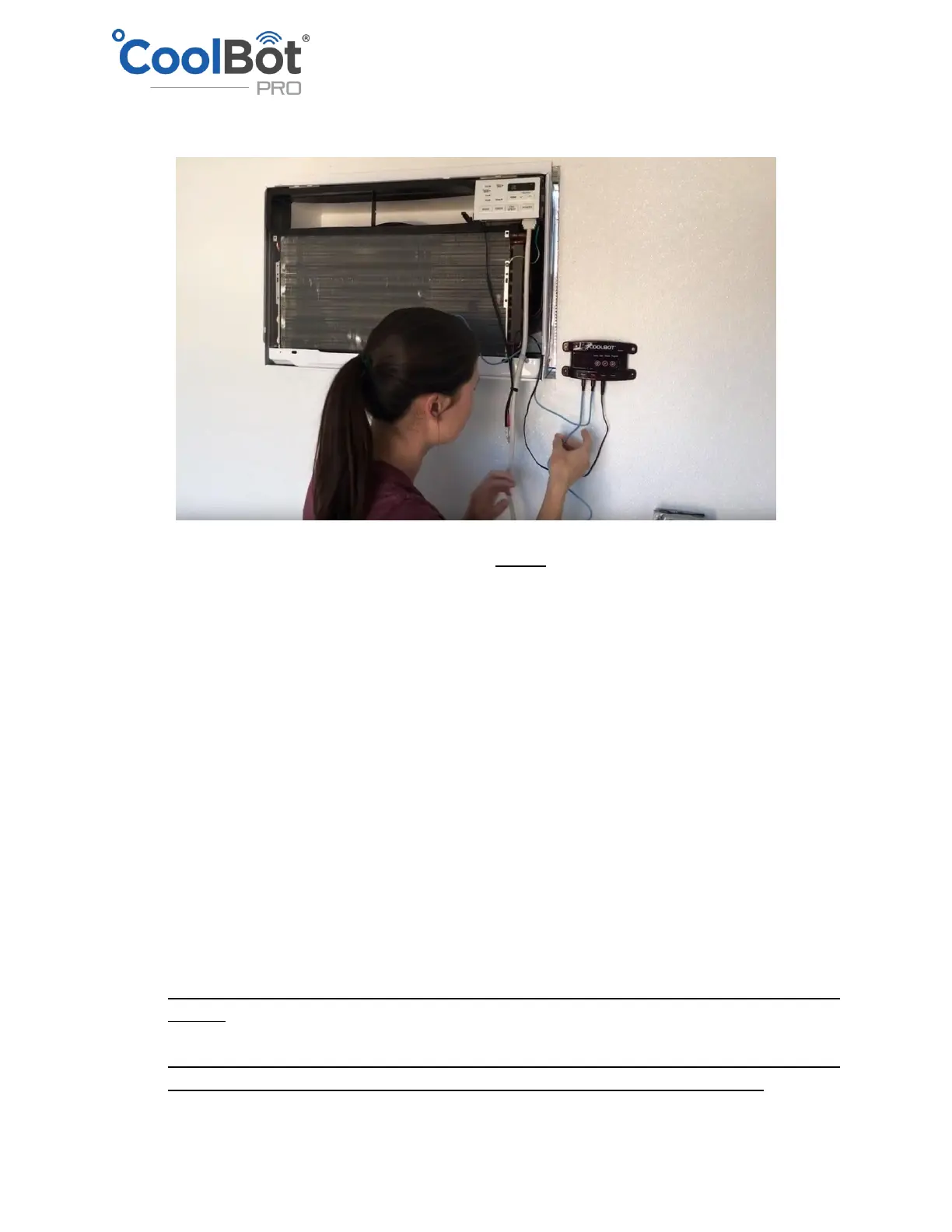
• Plug the other temperature sensor into the “Room” port of the CoolBot and make sure it is
freely hanging in the cooler and not touching anything.
• PLEASE PROCEED CAREFULLY IN THIS STEP.
NOTE: Depending on your A/C model, you do not have to replace the front cover of the
A/C if you don’t want to.
This is for aesthetic purposes only and it won’t affect the functioning or the warranty of
your system. An A/C unit with the front cover removed, will give you much easier access
to the coil and Fin sensor for troubleshooting purposes and regular maintenance (coil
cleaning).
Some newer LGs have the panel attached to the cover in which case you have to put the
cover back.
Replace the front cover of the A/C starting with the top and then carefully routing the
sensor and heater cables through the small opening that the A/C cover has on the right
side near the bottom. The A/C power cable and the Heater-A/C sensor connection will be
routed through the small opening at the bottom of the front cover. The Fin Sensor and
the Heater Cable will go through the notch on the right side of the cover as they make
their way to connect with the CoolBot digital controller. After the cover is in place secure
it on the front with the 2 screws that came with your A/C installation package.
IMPORTANT! Ensure that you do not pinch any cables while trying to attach the front of
the A/C
IMPORTANT! After the front cover is in place, visually inspect through the louvres of the
cover to ensure that the Fin Sensor end (tip) did not come loose out of the fins


 To Next Page