Connection
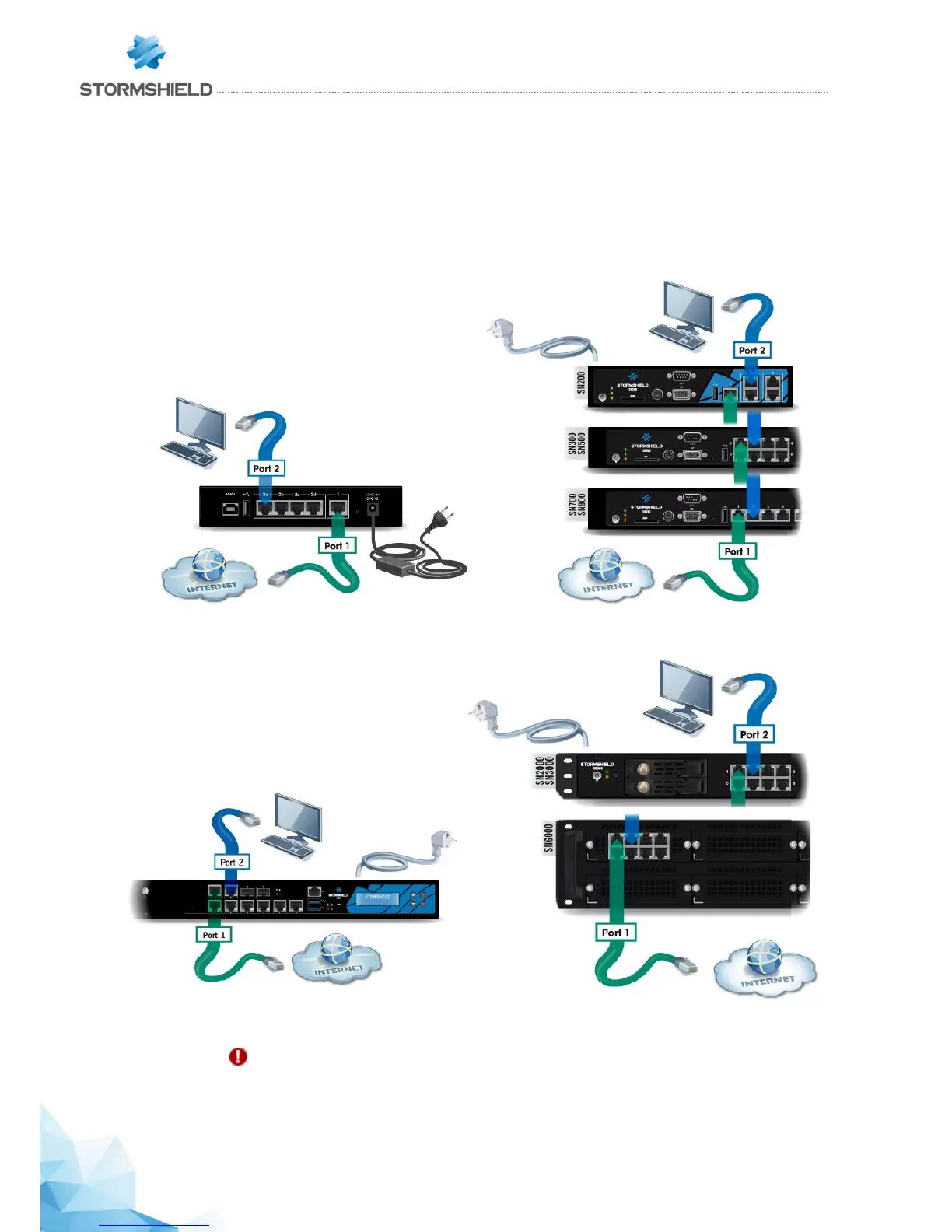
Plug your SN Firewall into a mains socket, then connect the network ports as follows:
- INTERNAL interface 2 (IN): client workstation
- EXTERNAL interface 1 (OUT): Internet access device
The client workstation can either be linked directly to
the Firewall’s internal interface or connected to the
local network, which is itself connected to the
Firewall’s internal interface. For a direct connection of
the workstation to the Firewall, use the crossover
Ethernet cable provided with the product.
SN150 model SN200, SN300, SN500, SN700 and SN900 models
SN910 model SN2000, SN3000 and SN6000 models
IMPORTANT
In factory settings, the network port 1 is reserved for the modem or Internet router. In this
case, you cannot access the configuration interface from this port.



 To Next Page