APPENDIX C: EXTERNAL LOG STORAGE ON SD CARD
The External log storage on SD card feature is available on all models in the SN range, except for SN150,
SN910, SN2000, SN3000 and SN6000 models. This feature is offered with a subscription to the “External
storage” option.
NOTE
Storing logs on an external medium can only be done on an SD card. This service is not
compatible with other storage media such as a USB key or an external hard disk.
The type of SD card must be at least Class 6 and compliant with the SDHC standard. The maximum memory
size supported is 32 GB.
Initial connection
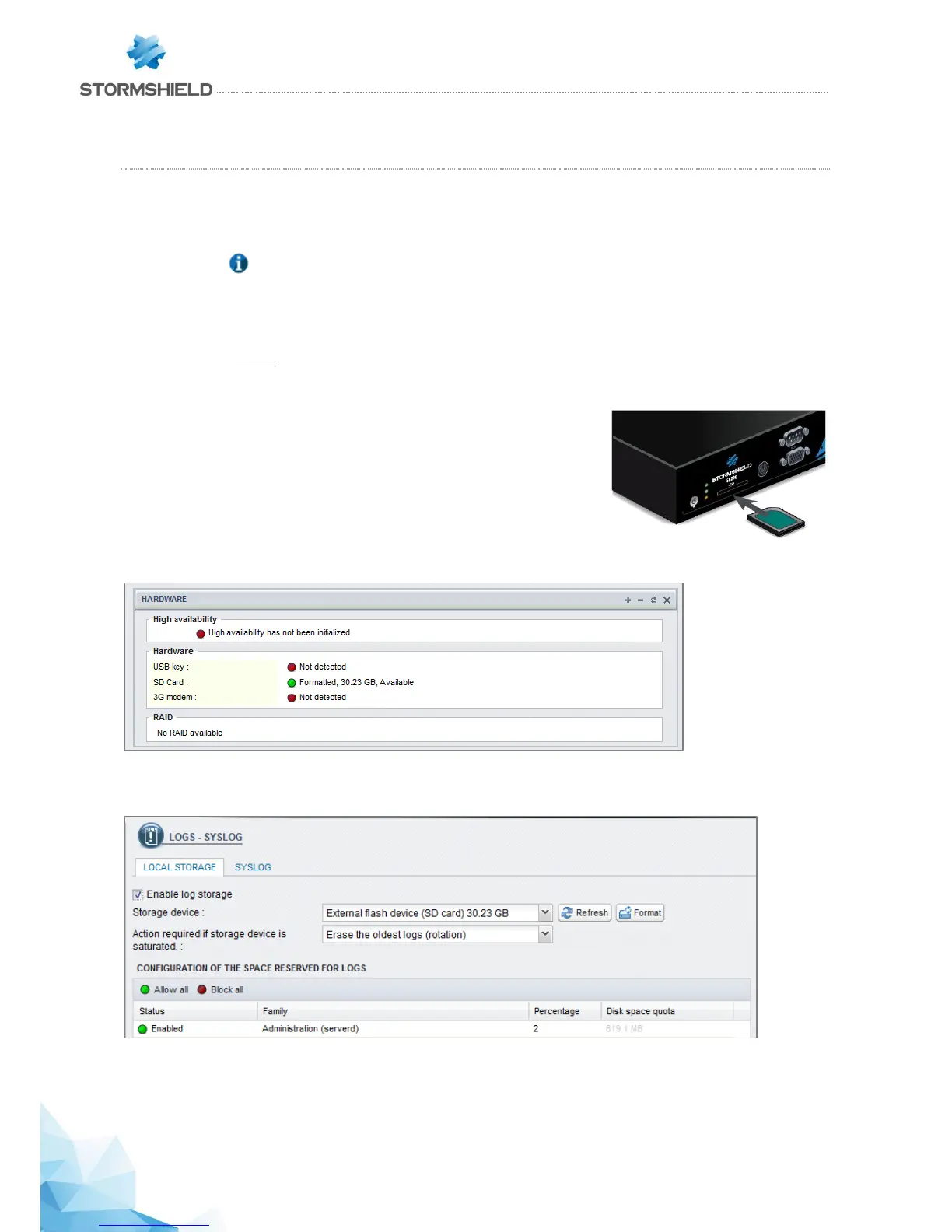
Insert the SD card, as described in the diagram to the right, with the
connector facing downwards.
When you insert the SD card for the first time, the Hardware component
(widget) on the Dashboard will display the following information:
To enable the service, go to the Notifications menu, then to the Logs – Syslog module. The Local storage tab
allows you to enable log storage.
Next, select your SD card from the list of storage media. A message will prompt you to format the card. After
this operation, your SD card will be ready to receive all logs.



 To Next Page