19
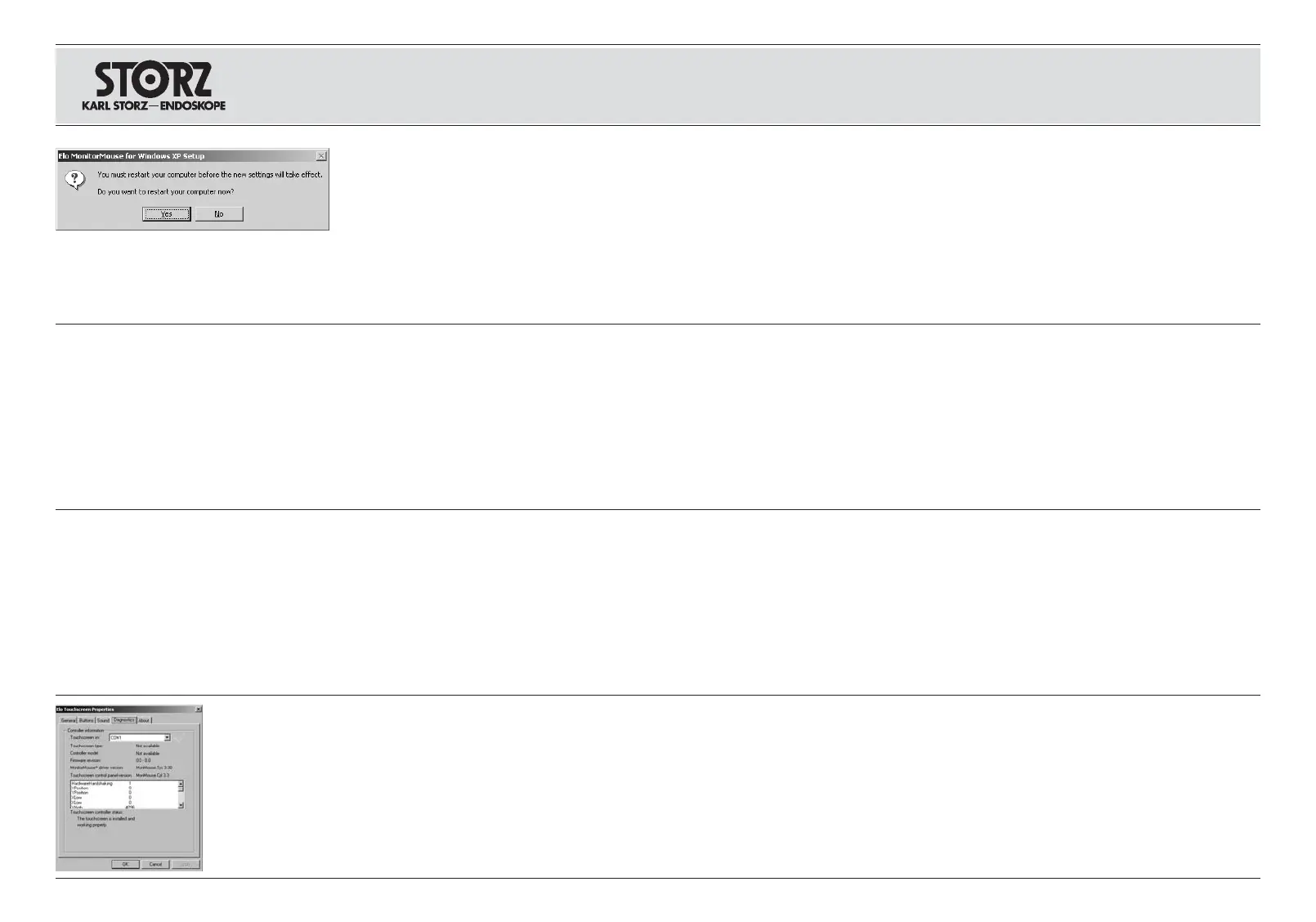
Bestätigen Sie die Aufforderung zum Neustart Ihres
Rechners, indem Sie auf die Schaltfläche
Ja
kli-
cken. Der Treiber für den KARL STORZ Touch
Screen Monitor ist installiert.
Hinweis:
Sollte die Touch-Funktion Ihres Touch
Screen Monitors nicht funktionieren, muss das
serielle Kabel des Touch Screen Monitors in die
Schnittstelle COM1 Ihres Rechners eingesteckt
werden, siehe auch Abbildungen auf Seite 11
bzw. 12.
Confirm the promt asking whether you wish to
reboot your computer by clicking on the
Yes
button.
The KARL STORZ touch screen monitor driver is
installed.
Note:
If the touch function of your touch screen
monitor does not work, the touch screen monitor
serial cable must be inserted into the COM1 port
of your computer, also see the pictures on page
11 or 12.
Confirme el requerimiento de nuevo arranque de su
ordenador haciendo clic para ello sobre el botón
Sí
.
El controlador del monitor de pantalla táctil KARL
STORZ está instalado.
Nota:
Si la función táctil de su monitor de pantalla
táctil no funcionara, debe introducirse el cable
seriado del monitor de pantalla táctil en la interfaz
COM1 de su ordenador (véanse también las
ilustraciones en la pág. 11 o 12).
Wählen Sie
Start/Einstellungen/Systemsteuerung
.
Das Fenster Systemeinstellungen öffnet sich.
Select
Start/Settings/Control Panel
.
The System Settings window will open.
Seleccione
Inicio/Configuración/Control del
sistema
.
Se abre la ventana Configuración del sistema.
Doppelklicken Sie auf
EloTouchscreen
.
Das Fenster
Elo Touchscreen Properties
öffnet
sich.
Double click on
EloTouchscreen
.
The
Elo Touchscreen Properties
window will
open.
Haga doble clic sobre
EloTouchscreen
.
Se abre la ventana
Elo Touchscreen Properties
.
Wählen Sie die Registerkarte
Diagnostics
aus. Select the
Diagnostics
tab. Seleccione la tarjeta de registro
Diagnostics
.
Installation and
operating instructions
touch screen monitor
Aufstellen und
Bedienungshinweise
Touch Screen Monitor
Montaje e
instrucciones operativas
monitor de pantalla táctil














 To Next Page