Imágenes del equipo . . . . . . . . . . . . . . . . . . .IV
Elementos de mando, indicadores,
conexiones y sus funciones . . . . . . . . . . . . . . .V
Explicación de símbolos . . . . . . . . . . . . . . . . .VI
Generalidades
Descripción del equipo . . . . . . . . . . . . . . . . . .2
Instrucciones de seguridad
Indicaciones de alarma y advertencia . . . . . . .3
Empleo previsto . . . . . . . . . . . . . . . . . . . . . . . .5
Cualificación del usuario . . . . . . . . . . . . . . . . .5
Medidas de seguridad en el lugar de
emplazamiento . . . . . . . . . . . . . . . . . . . . . . . . .6
Medidas de seguridad durante el empleo
del equipo . . . . . . . . . . . . . . . . . . . . . . . . . . . . .6
Montaje e instrucciones operativas
Desembalaje . . . . . . . . . . . . . . . . . . . . . . . . . . .7
Equipo básico . . . . . . . . . . . . . . . . . . . . . . . . . .7
Montaje y conexión del equipo . . . . . . . . . . . .7
Preparación de los ordenadores
Conectar los ordenadores
KARL STORZ AIDA
®
y SCB . . . . . . . . . . . . . . . .9
Puesta en marcha del ordenador
KARL STORZ AIDA
®
. . . . . . . . . . . . . . . . . . . .11
Configurar el ordenador
KARL STORZ AIDA
®
– red . . . . . . . . . . . . . 12
Configurar el ordenador
KARL STORZ AIDA
®
– combin.1 y 2 . . . . . 13
Instalación - monitor de pantalla táctil . . . .15
Instalación del controlador . . . . . . . . . . . . .16
Configuraciones especiales con AIDA
Interface . . . . . . . . . . . . . . . . . . . . . . . . . . . .23
Calibración del monitor de pantalla táctil . .27
Mantenimiento
Limpieza y conservación del equipo . . . . . . .35
Mantenimiento . . . . . . . . . . . . . . . . . . . . . . . .36
Reparaciones . . . . . . . . . . . . . . . . . . . . . . . . .36
Programa de reparación . . . . . . . . . . . . . . . . .37
Responsabilidades . . . . . . . . . . . . . . . . . . . . .38
Garantía . . . . . . . . . . . . . . . . . . . . . . . . . . . . .38
Descripciones técnicas
Localización de errores . . . . . . . . . . . . . . . . .39
Ficha técnica . . . . . . . . . . . . . . . . . . . . . . . . .41
Documentación técnica . . . . . . . . . . . . . . . . .42
Diagrama funcional . . . . . . . . . . . . . . . . . . . . .43
Piezas de repuesto, accesorios
Piezas de repuesto/accesorios . . . . . . . . . . .44
Indicaciones sobre compatibilidad
electromagnética (CEM) . . . . . . . . . . . . . . . . .45
1
Inhalt Contents Contenido del manual
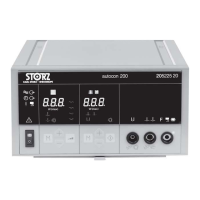
Geräteabbildungen . . . . . . . . . . . . . . . . . . . . .IV
Bedienungselemente, Anzeigen,
Anschlüsse und ihre Funktionen . . . . . . . . . . .V
Symbolerläuterungen . . . . . . . . . . . . . . . . . . .VI
Allgemeines
Gerätebeschreibung . . . . . . . . . . . . . . . . . . . .2
Sicherheitshinweise
Warn- und Vorsichtshinweise . . . . . . . . . . . . . .3
Bestimmungsgemäße Verwendung . . . . . . . . .5
Qualifikation des Anwenders . . . . . . . . . . . . . .5
Sicherheitsmaßnahmen am Aufstellort . . . . . . .6
Sicherheitsmaßnahmen beim Einsatz des
Gerätes . . . . . . . . . . . . . . . . . . . . . . . . . . . . . . .6
Aufstellen und Bedienungshinweise
Auspacken . . . . . . . . . . . . . . . . . . . . . . . . . . . .7
Grundausstattung . . . . . . . . . . . . . . . . . . . . . . .7
Aufstellen und Anschließen des Gerätes . . . . .7
KARL STORZ AIDA
®
control und
OR1™ control verbinden . . . . . . . . . . . . . . . . . .9
Inbetriebnahme KARL STORZ AIDA
®
control . . . . . . . . . . . . . . . . . . . . . . . . . . . . . . .11
KARL STORZ AIDA
®
control
konfigurieren – Netzwerkeinstellung . . . . . .12
KARL STORZ AIDA
®
control
konfigurieren – Kombinationen 1…2 . . . . . .13
Aufstellen - Touch Screen Monitor . . . . . . .15
Installation des Treibers . . . . . . . . . . . . . . . .16
Spezielle Einstellungen mit AIDA Interface .23
Kalibrierung des Touch Screen Monitors . .27
Instandhaltung
Reinigung und Pflege des Gerätes . . . . . . . . .35
Wartung . . . . . . . . . . . . . . . . . . . . . . . . . . . . .36
Instandsetzung . . . . . . . . . . . . . . . . . . . . . . . .36
Reparaturprogramm . . . . . . . . . . . . . . . . . . . .37
Verantwortlichkeit . . . . . . . . . . . . . . . . . . . . . .38
Garantie . . . . . . . . . . . . . . . . . . . . . . . . . . . . .38
Technische Beschreibung
Fehlersuchliste . . . . . . . . . . . . . . . . . . . . . . . .39
Technische Daten . . . . . . . . . . . . . . . . . . . . . .41
Technische Unterlagen . . . . . . . . . . . . . . . . . .42
Blockschaltbild . . . . . . . . . . . . . . . . . . . . . . . .43
Ersatzteile, Zubehör
Ersatzteile/Zubehör . . . . . . . . . . . . . . . . . . . . .44
Hinweise zur elektromagnetischen
Verträglichkeit (EMV) . . . . . . . . . . . . . . . . . . .45
Photographs of the unit . . . . . . . . . . . . . . . . . .IV
Controls, displays, connectors,
and their uses . . . . . . . . . . . . . . . . . . . . . . . . . .V
Symbols employed . . . . . . . . . . . . . . . . . . . . .VI
General information
Description of the unit . . . . . . . . . . . . . . . . . . .2
Safety instructions
Warnings and cautions . . . . . . . . . . . . . . . . . . .3
Intended use . . . . . . . . . . . . . . . . . . . . . . . . . . .5
User qualification . . . . . . . . . . . . . . . . . . . . . . .5
Safety precautions at the site of installation . . .6
Safety precautions when operating the
unit . . . . . . . . . . . . . . . . . . . . . . . . . . . . . . . . . .6
Installation and operating instructions
Unpacking the equipment . . . . . . . . . . . . . . . .7
Basic equipment . . . . . . . . . . . . . . . . . . . . . . . .7
Installing and connecting up the unit . . . . . . . .7
Connecting the KARL STORZ AIDA
®
control and
OR1™ control . . . . . . . . . . . . . . . . . . . . . . . . . .9
Operating the KARL STORZ AIDA
®
computer . . . . . . . . . . . . . . . . . . . . . . . . . . . . .11
Configuring the KARL STORZ AIDA
®
control – network . . . . . . . . . . . . . . . . . . . . .12
Configuring the KARL STORZ AIDA
®
control – combinations 1 and 2 . . . . . . . . . .13
Setting up - touch screen monitor . . . . . . . .15
Installing the driver . . . . . . . . . . . . . . . . . . .16
Spec. settings in conn. with AIDA Interface 23
Calibrating the touch screen monitor . . . . .27
Maintenance
Cleaning and care of the unit . . . . . . . . . . . . .35
Maintenance . . . . . . . . . . . . . . . . . . . . . . . . . .36
Servicing and repair . . . . . . . . . . . . . . . . . . . .36
Repair program . . . . . . . . . . . . . . . . . . . . . . .37
Limitation of liability . . . . . . . . . . . . . . . . . . . .38
Manufacturer’s warranty . . . . . . . . . . . . . . . . .38
Technical description
Troubleshooting . . . . . . . . . . . . . . . . . . . . . . .39
Technical data . . . . . . . . . . . . . . . . . . . . . . . .41
Technical documentation . . . . . . . . . . . . . . . .42
Block diagram . . . . . . . . . . . . . . . . . . . . . . . . .43
Spare parts, accessories
Spare parts/accessories . . . . . . . . . . . . . . . . .44
Electromagnetic Compatibility (EMC)
Information . . . . . . . . . . . . . . . . . . . . . . . . . . . .45














 To Next Page