8
COLOR SETTING Button: Repeatedly press the COLOR SETTING button to cycle through
the three crust color settings (light, medium, and dark). Crust color selection is only
available for programs 1-7.
START Button: The START button performs different functions, depending on how long
it is pressed.
Momentarily press the START button to start the selected program.
Press and hold the START button for about half a second to pause the
program. After 3 minutes of no activity, the program will automatically
continue.
Press and hold the START button for about 3 seconds to cancel the program
or the delayed start program.
TIMER ▲/▼ Buttons: After selecting the program, weight, and crust color (if
applicable), you can add a timer to delay the start of the program. Press the ▲
button to add 10 minutes to the timer and press the ▼ button to subtract 10
minutes from the timer. The maximum time delay is 15 hours. A symbol appears
in the display to indicate that a timer has been set.
Do not use the timer function
when your recipe includes dairy products (milk, eggs, cream, cheese, etc.).
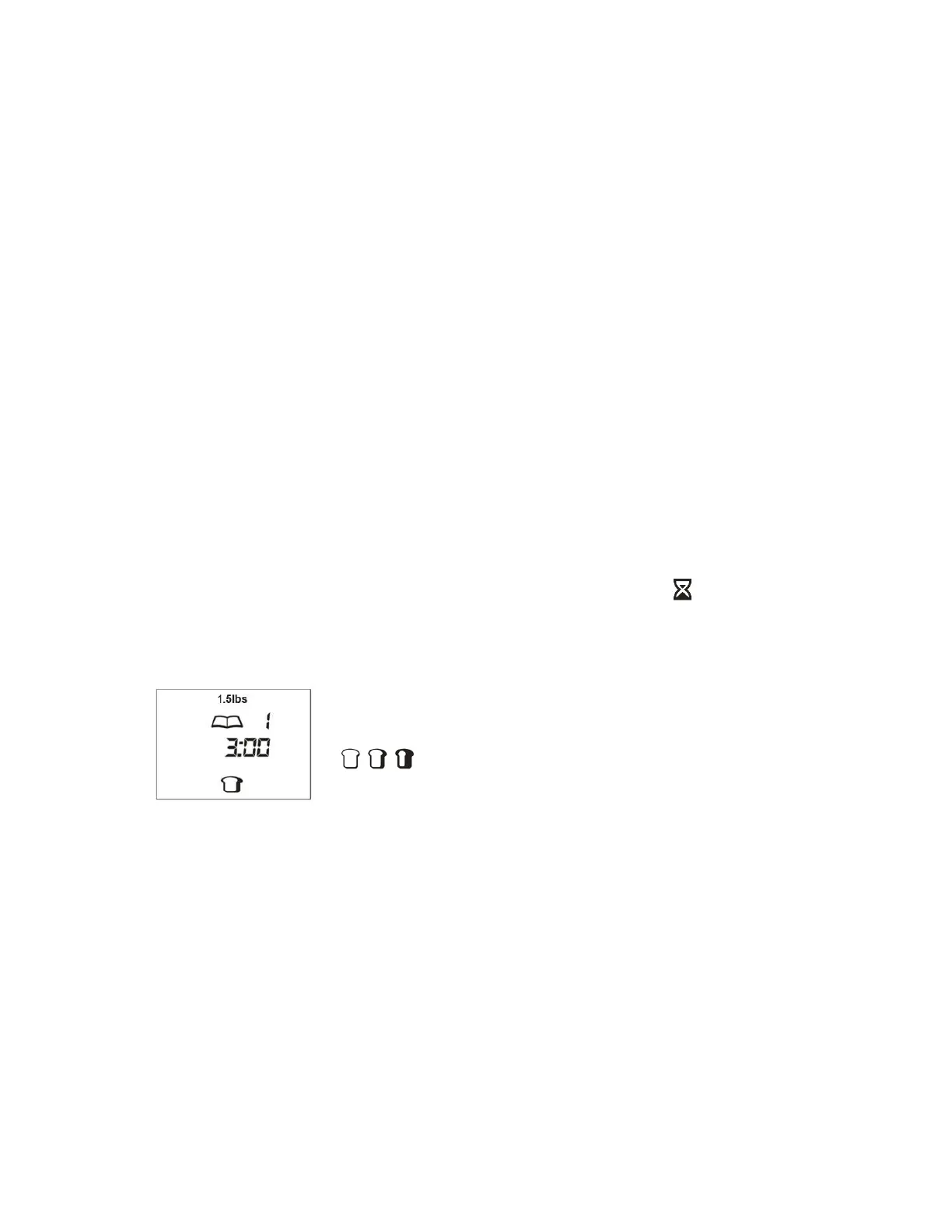
The LCD display shows the weight, the program number, the
cooking time (hh:mm), and the crust color indicator
( = light, medium, and dark).
CLEANING
Perform the following steps prior to the first use and after each use to clean the bread
maker and its accessories.
1. Unplug the bread maker from the AC power outlet and allow it to fully cool before
proceeding.


 To Next Page