13
OPERATION
Perform the following steps to use the bread maker.
1. Place the bread maker in the middle of a stable, level surface.
2. Ensure the bread maker is unplugged from an AC power
outlet.
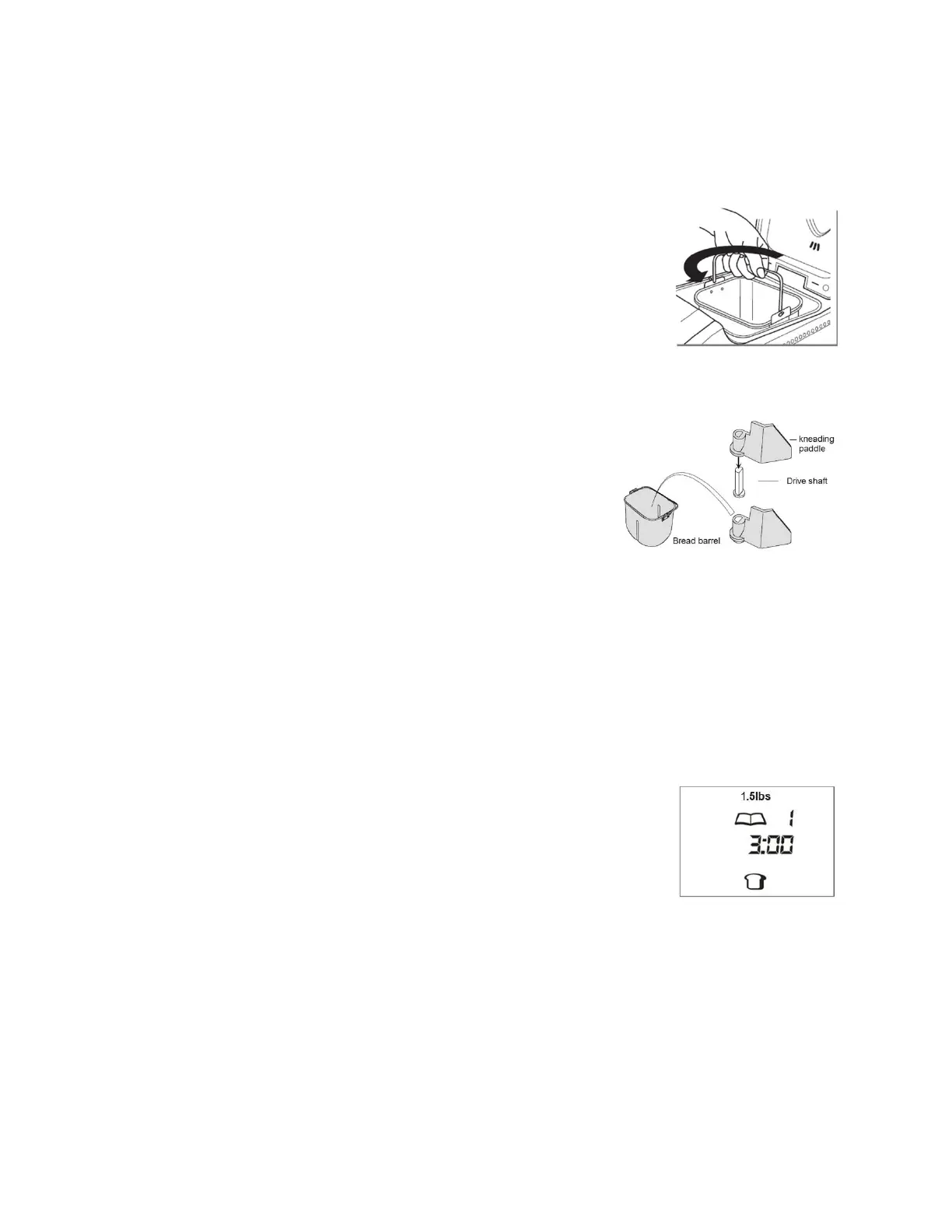
3. Open the lid, then grab the bread pan handle, twist slightly
counterclockwise, then remove it from the bread maker
housing.
4. Push the kneading paddle onto the drive shaft inside
the bread pan.
5. Carefully measure all ingredients prior to adding them
to the bread pan, including any add-in ingredients
(e.g., dried fruit, nuts, spices, etc.).
6. Add the ingredients to the bread pan in the order specified by the recipe. In general,
add the liquid ingredients first, then the sugar and salt, then the flour, and finally
the yeast on top of the flour. The yeast should not come into contact with the
liquid, salt, or sugar.
7. Grab the bread pan by the handle and insert it into the bread maker housing. Twist
it slightly clockwise to lock it into place.
8. Plug the power cord into a nearby AC power outlet. The
bread maker will beep once and the display will show the
default settings (1.5 lbs. weight, program 1, 3:00 hours
cooking time, and medium crust).
9. Repeatedly press the MENU button until the display shows your desired
program/recipe.
10. If using program 1-7, press the WEIGHT button to select the desired loaf weight.
11. If using program 1-7, press the COLOR SETTING button to select the desired crust
color.


 To Next Page