1
3
2
4
2
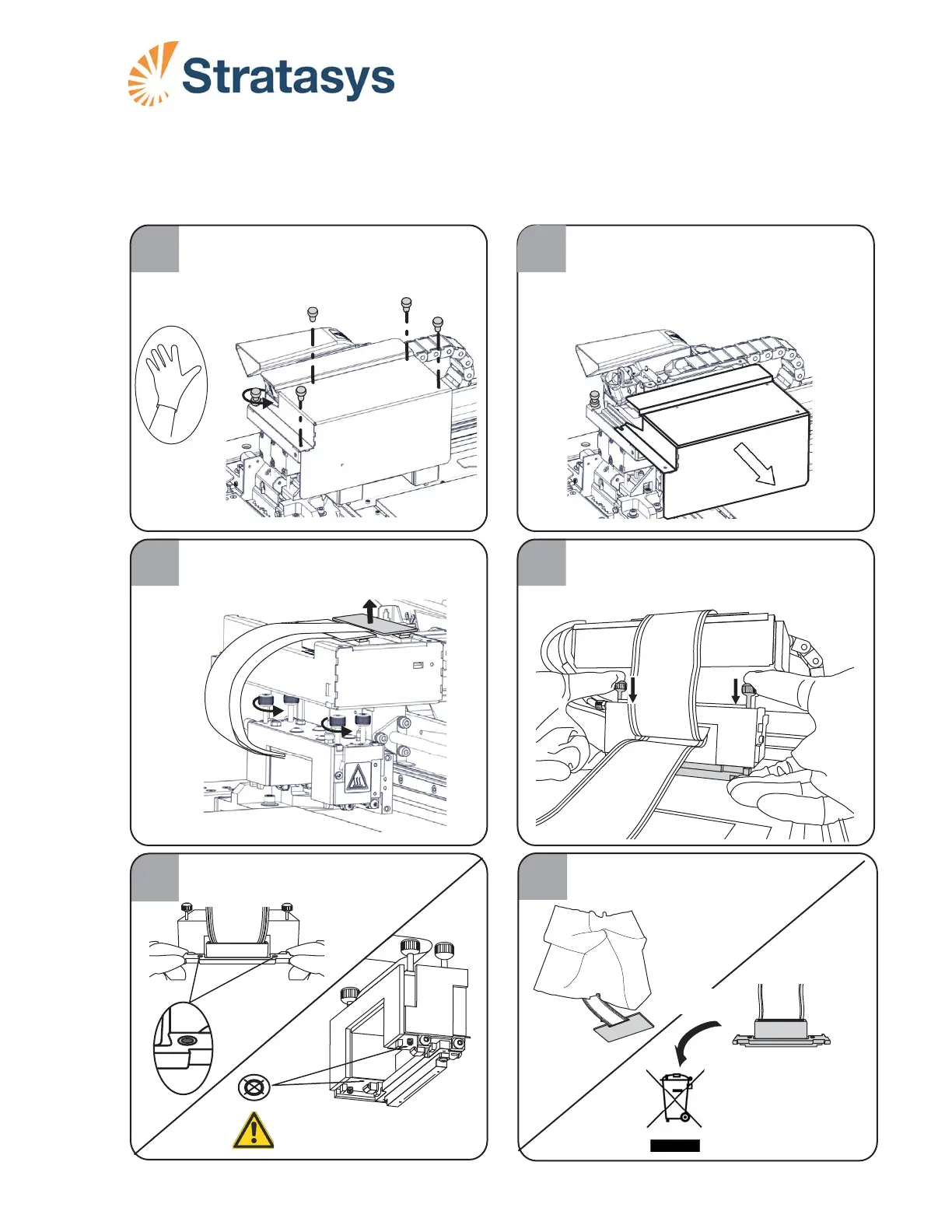
B. Remove screws B.
C. Loosen screw C.
A. Put on protective gloves.
Remove the print block cover.
A. Remove the Support print head card.
B. Loosen the print head thumb screws.
Removing the Support Print Head
Support Print Head Replacement Instructions
for Objet Desktop V3 Printers
Page 1
While holding the print head, press down
on the thumb screws and remove it.
DOC-34032
Rev. A
5
Make sure you remove the two O-ring
seals along with the print head.
A.
A
B
B
B
C
B
A
B
B
6
Protect the print head from UV light if
you plan to re-install it.
OR
Discard the print head
in accordance with
local regulations.













 To Next Page