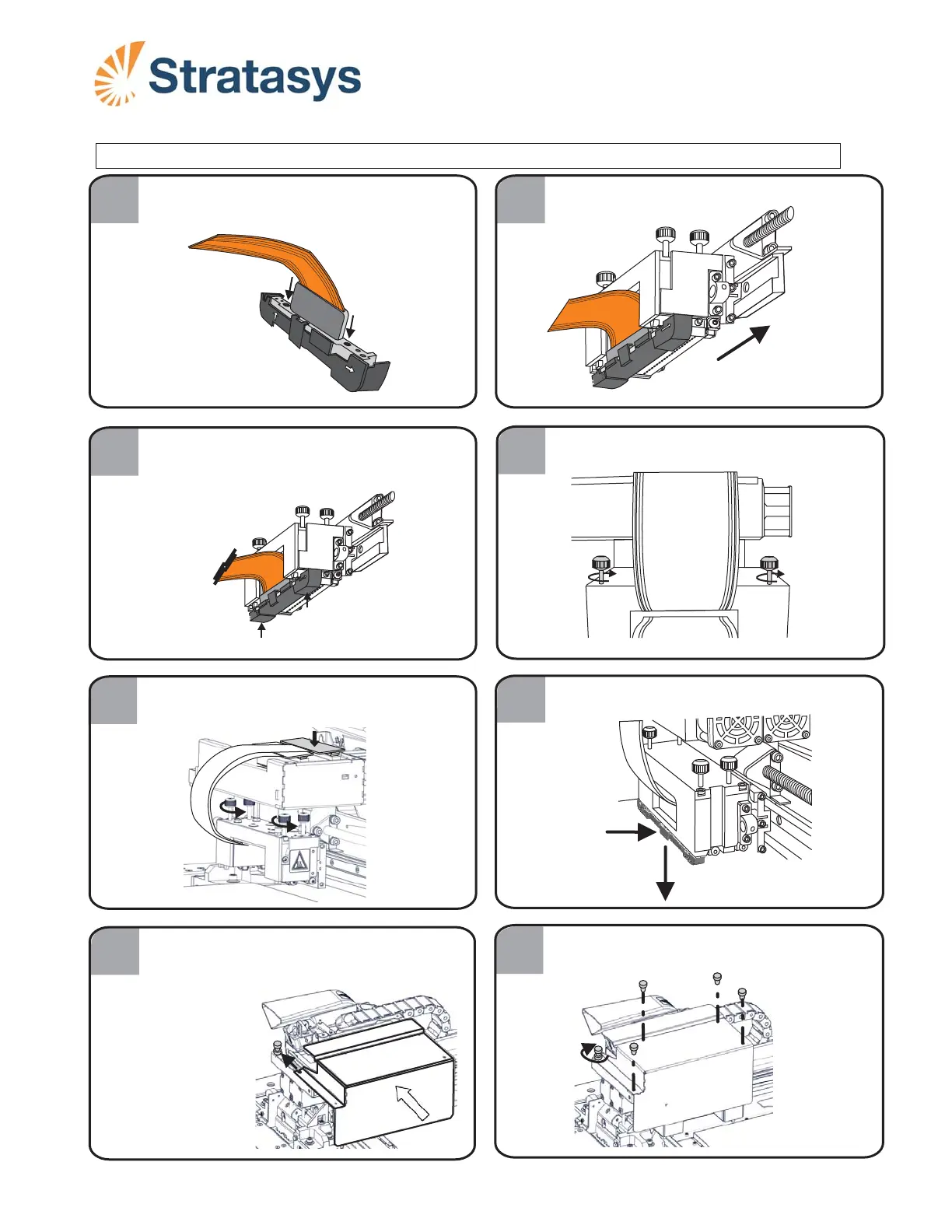
Install the print block cover.
Push on the tab and then pull the jig
downwards to remove it.
DOC-34032
Page 2
Rev. A
4
7
6
5
8
Tighten the print head thumb screws.
Press down firmly on the Support print
head card to attach it to the print block.
Installing the Support Print Head
B.
FRONT
PUSH
FIRST
1
2
2
3
With the print head in the positioning jig,
align it as shown.
Make sure the O-ring seals
are installed on the print head.
A
B
FRONT
FRONT
FRONT
Remove
Push tab
A. Push jig upwards where marked “Push First.”
B. Push jig upwards where marked “Front.”
A
A
A
B
A
A. Insert and tighten screws A.
B. Tighten screw B.
Make sure that the Model head is installed as described in Model Print Head Replacement.













 To Next Page