13
12
Quick Start Guide
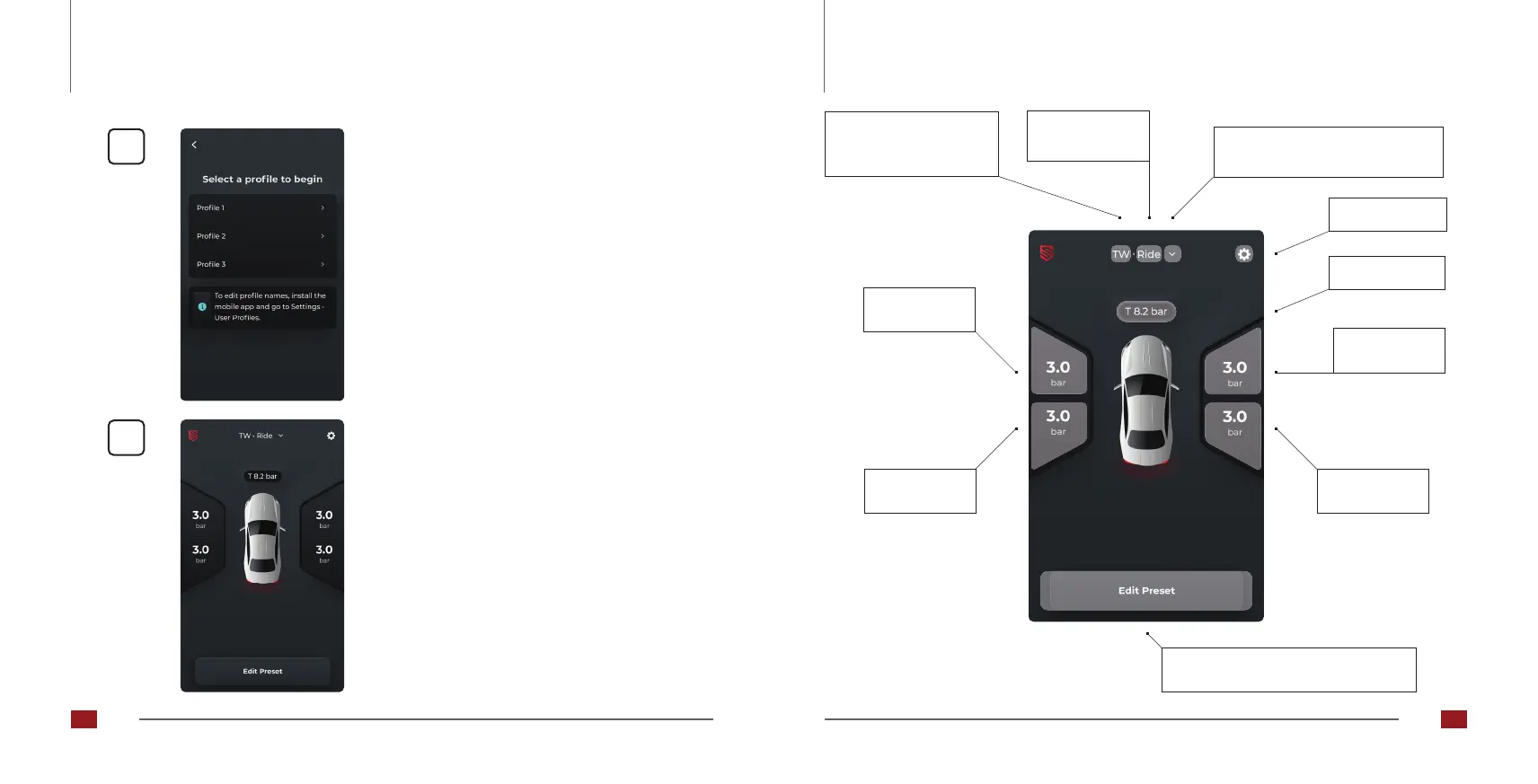
Main screen (without height sensors)
• Display according to Carrying out the
calibration!
For an explanation of the main screen, see page
60.
Selectionoftherstuserprole
Inthesmartphoneapp,theprolescanalsobe
assigned names and colors!
Quick Start Guide
Changing the stored values for the
current vehicle height [15].
Bellows
pressure rear
right
Bellows
pressure rear
left
Bellows
pressure front
left
Selection of the user profile or
vehicle height [14].
Bellows
pressure front
right
Tank pressure
Settings
Profile (P1, P2, P3)
Display of user‘s initials
(Optional)
Current vehicle
height
56 57



 To Next Page