19
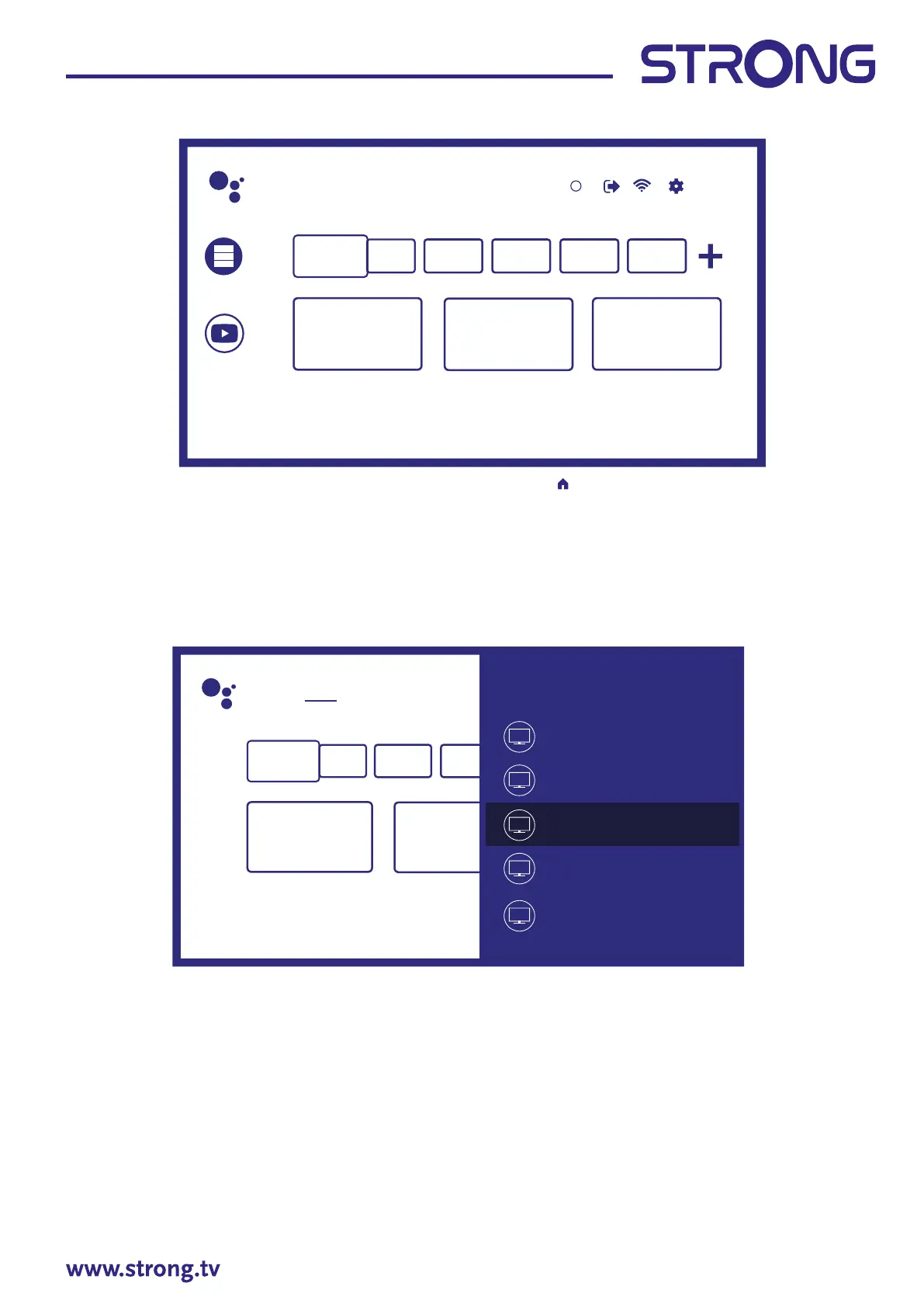
Search Home Discover Apps
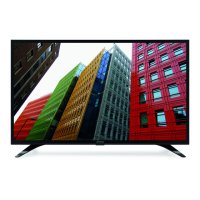
Input
Cable
ATV
Android TV Home
Antenna
Satellite
1
Search movies, TV, and more 6:28
Customise channels
Apps
YouTube
To access Ho me screen and exit from any active application, press button on the remote control unit
(RCU). Use and to move around and OK to enter the option or application.
4.1 Inputs
TV has such possible inputs or sources: ATV, ANTENNA, CABLE or SATELLITE for respective live TV installed
channels preview or HDMI 1, HDMI 2, HDMI 3 and AV to select connection from external devices.
To access to this option, select Inputs item on Home screen or press INPUT button on RCU.
Select the input sources for the devices which are connected to the TV through the dierent inputs or ports.
4.2 Network & Internet
Connection to internet allows to install and use internet applications (i.e. You Tube, Netix, etc.) and to enjoy
of other advantages of Smart TV.
Access to the part for network and internet connection is through chapter Network & internet of Settings
menu or through quick access panel on Home screen.



 To Next Page