EasyManua.ls Logo

Strong PRIMA VI - User Manual

Strong PRIMA VI
25 pages
Print Icon
To Next Page IconTo Next Page
Loading...
www.strong.tv
User manual
Bedienungsanleitung
Manuel d’Utilisateur
Manuale Utente
Manual del usuario
Manual do Utilizador
Felhasználói kézikönyv
Instrukcja obsługi
Ръководство на потребителя
Digital Terrestrial HD Receiver PRIMA VI
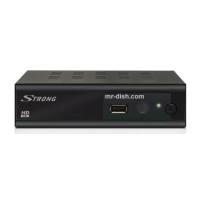
Picture similar
Question and Answer IconNeed help?

Do you have a question about the Strong PRIMA VI and is the answer not in the manual?

Summary

1.0 INTRODUCTION

1.1 Safety Instructions

Crucial safety guidelines for installing, using, and maintaining the receiver.

1.2 Storage

Proper procedures for storing and transporting the receiver to prevent damage.

1.3 Equipment Set-up

Step-by-step instructions for setting up the receiver and its components.

1.4 Accessories

List of included accessories such as remote control, batteries, and user manual.

1.5 Usage of external USB devices

Best practices and compatibility for using USB storage devices with the receiver.

2.0 YOUR RECEIVER

2.1 DEFAULT PIN: 1234

The default PIN code for accessing secure features and settings.

2.2 Front Panel

Identification and description of the receiver's front panel controls and indicators.

2.3 Rear Panel

Detailed description of all connectors and ports on the rear panel.

2.4 Remote Control

Overview of all buttons on the remote control and their functions.

3.0 CONNECTION

3.1 Connecting to a Terrestrial Antenna

How to connect the receiver to a terrestrial antenna for signal reception.

3.2 Connecting to TV with HDMI cable

Step-by-step guide for connecting the receiver to a TV via HDMI.

3.3 Connecting to TV with SCART cable

Instructions for establishing a connection to the TV using a SCART cable.

3.4 Connecting to a Digital Audio Amplifier with S;PDIF

Guide for connecting the receiver to a digital audio system via S/PDIF.

3.5 Connecting to a Digital Audio Amplifier and TV using HDMI

Connecting the receiver to both a digital amplifier and TV via HDMI for optimal output.

3.6 Connecting to an analogue Audio Amplifier

Instructions for connecting the receiver to an analogue audio amplifier.

3.7 Connecting a USB storage device

How to connect and use USB storage devices for recording and media playback.

4.0 STARTING UP FOR THE FIRST TIME

5.0 QUICK GUIDE TO USING YOUR RECEIVER

6.0 OPERATION

6.1 Changing channels

Methods for navigating and switching between TV channels.

6.2 Info Banner

Displaying current channel and event information on screen.

6.3 Selection of audio language

How to choose preferred audio languages for broadcasts.

6.4 Teletext

Accessing and navigating Teletext pages for additional information.

6.5 Subtitles

Selecting subtitle languages for broadcasts.

6.6 Timeshift

Functionality to pause and resume live TV broadcasts.

6.7 EPG (Electronic Programme Guide)

Using the EPG to view schedules and schedule recordings.

6.8 Instant Recording

How to initiate immediate recording of the current program.

7.0 MAIN MENU

7.1 Edit Channel

Options for managing channels, including sorting, renaming, and deleting.

7.2 Installation

Setting up the receiver, including channel scanning and antenna power.

7.3 System Setup

Configuring system settings like language, TV system, and time.

7.4 Tools

Accessing utility functions like information, factory reset, and software upgrades.

7.5 Games

Accessing and playing the built-in games on the receiver.

7.6 Media

Accessing media playback functions like Media Player and HDD Information.

8.0 TROUBLESHOOTING

9.0 TECHNICAL SPECIFICATIONS

Demodulator

Technical details about the demodulator and transmission modes.

Video Decoder

Specifications for video decoding profiles and resolutions.

Audio Decoder

Details on audio support, sampling rates, and modes.

Tuner

Specifications for the tuner, frequency ranges, and signal levels.

Memory and System

Information on flash memory and SDRAM.

Multimedia

Supported video, audio, and picture formats.

Connectors

Listing of all available input and output connectors on the receiver.

Summary

1.0 INTRODUCTION

1.1 Safety Instructions

Crucial safety guidelines for installing, using, and maintaining the receiver.

1.2 Storage

Proper procedures for storing and transporting the receiver to prevent damage.

1.3 Equipment Set-up

Step-by-step instructions for setting up the receiver and its components.

1.4 Accessories

List of included accessories such as remote control, batteries, and user manual.

1.5 Usage of external USB devices

Best practices and compatibility for using USB storage devices with the receiver.

2.0 YOUR RECEIVER

2.1 DEFAULT PIN: 1234

The default PIN code for accessing secure features and settings.

2.2 Front Panel

Identification and description of the receiver's front panel controls and indicators.

2.3 Rear Panel

Detailed description of all connectors and ports on the rear panel.

2.4 Remote Control

Overview of all buttons on the remote control and their functions.

3.0 CONNECTION

3.1 Connecting to a Terrestrial Antenna

How to connect the receiver to a terrestrial antenna for signal reception.

3.2 Connecting to TV with HDMI cable

Step-by-step guide for connecting the receiver to a TV via HDMI.

3.3 Connecting to TV with SCART cable

Instructions for establishing a connection to the TV using a SCART cable.

3.4 Connecting to a Digital Audio Amplifier with S;PDIF

Guide for connecting the receiver to a digital audio system via S/PDIF.

3.5 Connecting to a Digital Audio Amplifier and TV using HDMI

Connecting the receiver to both a digital amplifier and TV via HDMI for optimal output.

3.6 Connecting to an analogue Audio Amplifier

Instructions for connecting the receiver to an analogue audio amplifier.

3.7 Connecting a USB storage device

How to connect and use USB storage devices for recording and media playback.

4.0 STARTING UP FOR THE FIRST TIME

5.0 QUICK GUIDE TO USING YOUR RECEIVER

6.0 OPERATION

6.1 Changing channels

Methods for navigating and switching between TV channels.

6.2 Info Banner

Displaying current channel and event information on screen.

6.3 Selection of audio language

How to choose preferred audio languages for broadcasts.

6.4 Teletext

Accessing and navigating Teletext pages for additional information.

6.5 Subtitles

Selecting subtitle languages for broadcasts.

6.6 Timeshift

Functionality to pause and resume live TV broadcasts.

6.7 EPG (Electronic Programme Guide)

Using the EPG to view schedules and schedule recordings.

6.8 Instant Recording

How to initiate immediate recording of the current program.

7.0 MAIN MENU

7.1 Edit Channel

Options for managing channels, including sorting, renaming, and deleting.

7.2 Installation

Setting up the receiver, including channel scanning and antenna power.

7.3 System Setup

Configuring system settings like language, TV system, and time.

7.4 Tools

Accessing utility functions like information, factory reset, and software upgrades.

7.5 Games

Accessing and playing the built-in games on the receiver.

7.6 Media

Accessing media playback functions like Media Player and HDD Information.

8.0 TROUBLESHOOTING

9.0 TECHNICAL SPECIFICATIONS

Demodulator

Technical details about the demodulator and transmission modes.

Video Decoder

Specifications for video decoding profiles and resolutions.

Audio Decoder

Details on audio support, sampling rates, and modes.

Tuner

Specifications for the tuner, frequency ranges, and signal levels.

Memory and System

Information on flash memory and SDRAM.

Multimedia

Supported video, audio, and picture formats.

Connectors

Listing of all available input and output connectors on the receiver.

Overview

This document describes the Digital Terrestrial HD Receiver PRIMA VI, a device designed to receive and display digital terrestrial television broadcasts. The receiver offers a range of features for managing channels, recording programs, and playing multimedia content.

Function Description

The primary function of the STRONG Digital Terrestrial HD Receiver PRIMA VI is to receive digital terrestrial television signals and convert them for display on a television set. It supports High Definition (HD) broadcasts, providing a high-quality viewing experience. The receiver includes a USB port, allowing users to connect external storage devices for recording TV programs (PVR function) and playing back various multimedia files, such as videos, music, and images. It also features Timeshift, which enables users to pause live TV and resume watching later.

The device can be connected to a TV using either an HDMI cable for the best possible picture and sound quality or a SCART cable for compatibility with older televisions. For enhanced audio, it can be connected to a digital audio amplifier or home theatre system via an S/PDIF coaxial output, supporting multi-channel audio depending on the broadcast. An analogue audio output is also available for connection to Hi-Fi or audio amplifiers.

Usage Features

The receiver is designed for user-friendly operation, controlled primarily via a remote control unit.

Initial Setup:

Upon first use, an "Easy install" menu guides the user through initial settings, including language selection, region, subtitle preferences (Normal, Hard of Hearing, Off), and aspect ratio (Auto, 4:3 Panscan, 4:3 Letterbox, 16:9). The "Scan mode" allows users to choose between storing all channels (scrambled and free-to-air) or only free-to-air channels. An "Aerial Adjustment" screen assists in optimizing antenna signal strength and quality, with an optional beeper for audible feedback. After these settings, the receiver scans for available channels. If the "Welcome" menu doesn't appear, a factory reset can be performed via the "Tools" menu.

Channel Management:

Channels can be changed directly using the 0-9 buttons on the remote, by navigating a channel list accessed via the OK button, or by using the CH+/CH- buttons. The "Info Banner" provides current channel and event information, with multiple presses revealing extended EPG details and technical signal information. The receiver supports multiple audio languages, selectable via the AUDIO button, and subtitle languages, accessible through the SUBTITLE button. A fully featured Teletext function is also available via the TTX button.

The "Edit Channel" menu offers comprehensive channel management:

  • Favourite Lists: Users can create up to 8 favourite groups, adding channels from the main list.
  • Locking Channels: Channels can be protected with a PIN code (default 1234).
  • Skipping Channels: Channels can be marked to be skipped when zapping, though they remain accessible in the channel list.
  • Moving Channels: Channels can be reordered within the list.
  • Editing Channels: Options to Sort (alphabetically, by free/scrambled, by lock status, or by searched order), Rename, or Delete channels are available.
  • Delete All: This function permanently deletes all stored channels and favourite lists, requiring a PIN code confirmation.
  • Rename Favourite List: Allows personalization of favourite group names.

Recording and Multimedia:

The USB port enables several advanced features:

  • Timeshift: Activated by the TIMESHIFT button, this allows pausing and resuming live TV. Fast rewind/forward is also supported.
  • Instant Recording: Pressing the RECORD button starts an immediate recording of the current program. The duration can be set by pressing RECORD again and using the 0-9 buttons. Recordings can be stopped manually.
  • EPG (Electronic Programme Guide): Accessed via the EPG button, it displays event schedules and program information. Users can select events for detailed information or to set timers for recording.
  • Media Player: Through the "Media" menu, users can play video, music, and image files from a connected USB storage device. It offers sorting options (Name/Time/Size) and editing functions (rename, copy, delete, create folder). During video playback, external subtitles can be managed, including size and color. For images, a slideshow feature with adjustable slide time and repetition is available.
  • HDD Information: Provides details about the connected USB device, including free and used storage space. It also allows formatting the USB device to FAT32 (requires PIN code) and setting up recording types.
  • DVR Setting: Configures Timeshift (Auto, Pause, Off), recording jump steps, and whether timeshifted content is included in recordings. It also allows choosing between PS (Program Stream) mode for recordings without extras (subtitles, Teletext) to save space, or including them.

System Settings:

The "System Setup" menu allows customization of various receiver parameters:

  • Language: Sets the On Screen Display (OSD) language and preferred audio languages (First Audio, Second Audio).
  • TV System: Configures video resolution (By Source, By Native TV, or manual selections from 480i to 1080p), aspect mode, and connection type (HDMI or TV SCART). Digital Audio Output can be set to PCM (stereo audio) or Bitstream (Dolby Digital/Dolby Digital+).
  • Local Time Setting: Allows setting region, GMT usage (By Region, User Define, Off), GMT offset, daylight saving, date, time, and time display on screen.
  • Timer Setting: Up to 8 timed events can be set for recording or waking up the receiver, with options for Timer Mode (Off, Once, Daily, Weekly, Monthly) and Timer Service (Channel, Record).
  • Parental Lock: Protects the installation menu and/or channels with a PIN code. Parental Rating can be set to restrict access to programs based on age.
  • OSD Setting: Adjusts OSD Timeout (1-10 seconds or Always On) and OSD Transparency (Off-40%). Default OSD settings can be loaded.
  • Auto Standby: A power-saving feature that automatically switches the receiver to standby after a set period (30 Min, 1 Hour, 2 Hours, 3 Hours) of inactivity. It can be deactivated.

Tools:

The "Tools" menu provides utilities for system maintenance:

  • Information: Displays receiver-specific details like hardware and software versions, and the manufacturer's web address.
  • Load Factory Settings: Resets the receiver to its default factory settings, deleting all stored channels and user configurations (requires PIN code).
  • S/W Upgrade by OTA: Supports Over The Air software upgrades (availability may vary by region).
  • Upgrade by USB: Allows software upgrades via a USB storage device. Users select the upgrade mode (Allcode) and the software file. A warning is given about not disconnecting power during the upgrade.

Games:

The receiver includes two games, Othello and Sudoku, accessible from the "Main Menu."

Maintenance Features

General Safety and Handling:

  • Installation: Avoid installing the receiver in poorly ventilated areas, directly on top of other heat-generating equipment, or on surfaces that obstruct ventilation slots.
  • Environmental Exposure: Protect the receiver from direct sunlight, rain, intense moisture, strong vibrations, shocks, and magnetic objects.
  • Power Cord: Do not use a damaged power cord or touch it with wet hands. Unplug the receiver from the wall socket if not in use for extended periods.
  • Cleaning: Clean the receiver with a soft, lint-free cloth slightly dampened with a mild soap solution, only after disconnecting it from the mains supply. Prevent foreign objects from falling into ventilation slots.
  • Obstruction: Do not place objects on top of the receiver to ensure proper cooling.
  • Servicing: Never attempt to open the receiver, as it is dangerous and voids the warranty. Refer all maintenance to qualified personnel.
  • Cable Connections: Ensure the receiver is disconnected from the mains supply before connecting or disconnecting cables.
  • Power Supply: Use approved extensions and wiring suitable for the receiver's power consumption. Verify that the electrical power supply matches the voltage specified on the receiver's identification plate.

USB Device Usage:

  • Compatibility: It is recommended to use USB 2.0 storage devices or higher for optimal recording and playback performance.
  • Formatting: For best performance, format USB storage devices to FAT32 system via the receiver's "Media" menu. NTFS formatted disks can also be used.
  • Power Requirements: If using external USB HDDs, ensure they have an external power adapter if their power consumption exceeds the receiver's supported output (max. 5 V/800 mA).
  • Data Backup: Always back up important data from USB storage devices before using them with the receiver, as the manufacturer is not responsible for data loss.
  • Safe Removal: Use the "Remove USB device safely" function in the "Tools" menu before disconnecting a USB device to prevent data corruption.

Troubleshooting:

The manual includes a troubleshooting section to address common issues such as:

  • No signal found (check aerial lead, antenna alignment, antenna power).
  • No picture or sound on TV (check TV/amplifier input, resolution, connections).
  • Scrambled channel message (select alternative channel).
  • No response from remote control (check receiver power, remote aim, obstructions, batteries).
  • Forgotten PIN code (default is 1234, contact service hotline if needed).
  • Loss of digital reception after moving the receiver (adjust antenna, rescan channels).
  • Automatic shutdown (disable Auto Standby).
  • Playback issues (use a USB storage device with sufficient speed and space).

By following these guidelines, users can ensure safe and optimal operation of their STRONG Digital Terrestrial HD Receiver PRIMA VI.

Strong PRIMA VI Specifications

General IconGeneral
Free To AirYes
HDTV ReceiverYes
HDMIYes
Composite Video OutputYes
Component Video OutputNo
EPGYes
TeletextYes
SubtitlesYes
Parental ControlYes
Timer RecordingYes
TimeshiftYes
Video DecodingMPEG-2, MPEG-4, H.264
Audio DecodingMPEG-1 Layer I/II
HDMI OutputYes
Scart OutputYes
Supported Resolutions576i, 720p, 1080i, 1080p

Related product manuals