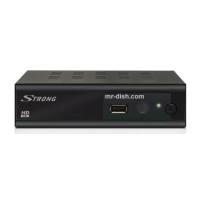
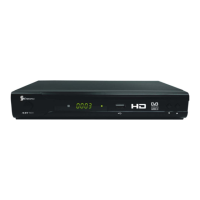
The STRONG Digital Terrestrial Receiver PRIMA IV is designed to provide access to Free-To-Air TV and Radio programmes, supporting both outdoor and indoor antennas. Its user-friendly interface and quick installation process make it accessible for a wide range of users. The receiver delivers excellent audio and video quality, ensuring an enjoyable viewing and listening experience.
Function Description:
The PRIMA IV receiver acts as a bridge between your terrestrial antenna and your television, converting digital broadcast signals into a format your TV can display. It features a DVB-T, UHF, and VHF tuner with a loop-through function, allowing the signal to be passed on to another receiver or TV. The device supports 1000 channels memory capacity, enabling users to store a vast array of programmes. Fast channel zapping ensures quick navigation between channels.
A key feature is the Electronic TV Programme Guide (EPG), which provides detailed information about current and upcoming programmes. Users can access the EPG to view schedules, book events directly, and manage timers. The receiver supports 8 wake-up timers with four modes (Off/Once/Daily/Weekly/Monthly) and a sleep timer, allowing for automated power management and programme recording.
For audio and visual customization, the receiver offers full multi-lingual DVB subtitling and audio track support, catering to diverse language preferences. Teletext support is also integrated, accessible via both the receiver and TV remote control. The device provides multiple video output modes, including RGB, CVBS, or S-Video, to ensure compatibility with various television sets.
Usage Features:
The PRIMA IV is designed for ease of use, starting with its installation. The "Easy Install" menu guides first-time users through setting up region, OSD language, and antenna power, followed by an automatic channel scan. Channel selection can be done in several ways: stepping through the channel list using the remote control, entering the channel number directly, selecting from an on-screen channel list, or choosing from the EPG.
The main menu, accessible via the MENU button, provides access to Channel, Installation, Setup, and Tools submenus. Within the Channel menu, users can edit their channel list, including favouring, locking, skipping, deleting, and renaming channels. Eight favourite lists can be created, allowing users to organize channels according to their preferences. A "Find" function helps locate specific channels quickly. Channels can also be sorted by various criteria, such as name (A-Z, Z-A), FTA (Free-To-Air), or lock status. The "Move" function allows users to reorder channels in the list.
The Installation menu facilitates auto scanning for channels, manual channel scanning by channel or frequency, and antenna settings, including the option to provide 5V antenna power for active antennas. The Logical Channel Number (LCN) mode, when activated and supported by the operator, stores channels in a predefined order.
The Setup menu offers extensive customization options. Users can set the OSD language, configure TV system settings (Display Mode, Aspect Ratio, Video Output), and adjust region and time settings (GMT Usage, GMT Offset, Date/Time, Time Display). Parental lock functionality allows users to protect the installation menu or specific channels with a password, offering options for menu lock, channel lock (Off/Manual/Age:4 - Age:18), and password changes.
The remote control is intuitive, featuring dedicated buttons for common functions such as power, channel selection, volume control, menu navigation, EPG, info, teletext, subtitles, and audio track selection. Coloured buttons are also available for teletext and other functions.
Maintenance Features:
The receiver incorporates several features to ensure its longevity and user convenience. The "Load Factory Default" option in the Tools menu allows users to reset the receiver to its original factory settings, clearing all stored channels and personal configurations. This can be useful for troubleshooting or preparing the device for a new user.
Software upgrade functionality is available through the Tools menu, supporting upgrades via RS-232 (for receiver-to-receiver copying using a SCART cable) or "Upgrade by Air" (if supported by the broadcaster). This ensures that the receiver can stay updated with the latest software versions, potentially introducing new features or improving performance. Users are warned not to disconnect the receiver or switch off power during an update to prevent damage and voiding the warranty.
The device also provides "Receiver Information" in the Tools menu, displaying details such as hardware, software, and signature versions, which can be helpful for support or troubleshooting.
For physical maintenance, the manual advises unplugging the product from the wall outlet before cleaning and using only a damp cloth. It explicitly warns against using liquid or aerosol cleaners or organic solvents. Users are also advised to protect the power cord from being walked on or having heavy objects placed on it. In case of abnormal operation, a troubleshooting guide is provided to help identify and resolve common issues before contacting customer support. This includes checks for power connection, antenna connection, TV input selection, and remote control battery status.


 To Next Page
 Demodulator