EasyManua.ls Logo

Strong SRT 8119 - User Manual

Strong SRT 8119
29 pages
Print Icon
To Next Page IconTo Next Page
Loading...
User Manual
Bedienungsanleitung
Manuel d’u lisa on
Manuale d’uso
Manuale utente
Manual del usuario
Instrucciones de instalación
Návod k obsluze
Používateľská príručka
Telepítési Utasítás
Bruksanvisning
Uživatelská příručka
Korisnički priručnik
Používateľská príručka
Εγχειρίδιο χρήστη
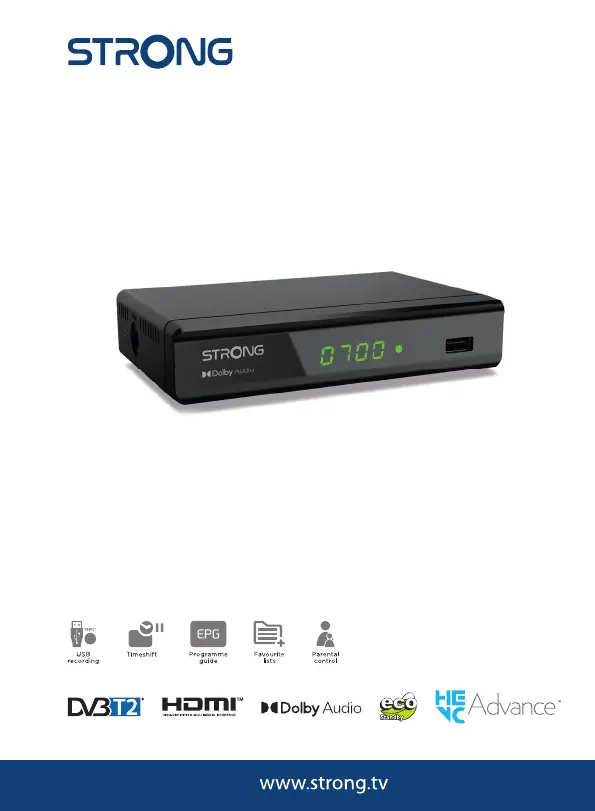
Digital Terrestrial HD Receiver
SRT 8119
Picture similar

Questions and Answers

  • G
    gambletiffanyAug 15, 2025
    How to fix a Strong SRT 8119 that won't turn on?
    • K
      Kevin KennedyAug 15, 2025
      If the LED/standby indicator and LED display are not switching on for your Strong TV Receiver, start by checking that the power cable or adapter is properly plugged into the wall outlet. If your receiver has a main power switch, make sure it is switched on. Test the electrical outlet with another device to ensure it is working. Verify the antenna or cable lead is connected. Inspect connectors for any visible damage. Check the antenna for damage. If using an active antenna, ensure the antenna power is switched on or connect an external power source. Finally, check the signal strength and quality and adjust your antenna correctly.
  • M
    Michael AdkinsAug 18, 2025
    What to do if Strong TV Receiver picture is frozen?
    • A
      Anne AndersonAug 18, 2025
      If your Strong TV Receiver picture and sound freeze, or you see macro blocks or distortion, it means the transmission signals are weak or have interference, or the antenna isn't adjusted properly. Press the INFO key on the remote control three times to check the signal strength and quality. Both parameters should be visible in the last third of the infobars.
  • R
    Rhonda FoxAug 22, 2025
    What to do if my Strong TV Receiver remote control is not working?
    • H
      Hector BowenAug 22, 2025
      If your Strong TV Receiver remote control isn't responding, first, ensure the receiver is plugged in and turned on. Then, aim the remote directly at the IR sensor on the front of the receiver, removing any obstructions that might be blocking the signal. Finally, check the batteries in the remote to make sure they are correctly inserted and not exhausted; replace them if needed.
  • B
    Brian SingletonAug 26, 2025
    Why is there no sound on my Strong SRT 8119?
    • D
      Denise SmithAug 26, 2025
      If you are experiencing no sound on your TV or amplifier when using your Strong TV Receiver, first, increase the volume on both the TV and the receiver using their respective remote controls. Next, make sure the correct input is selected on your TV or amplifier. Ensure that all devices (TV, receiver, amplifier) are switched on and properly connected to the mains. Check all digital or analog A/V cable connections between the devices. Also, ensure that the audio is not muted by pressing the ! button on your remote control. Finally, verify that the TV power is on.
  • D
    Destiny HayesAug 28, 2025
    Why is recording not working on my Strong SRT 8119 TV Receiver?
    • M
      Miranda KellerAug 28, 2025
      If recordings are no longer possible on your Strong TV Receiver, it is likely that the selected storage medium is full. To resolve this, delete existing recordings or attach and use another storage medium.
  • X
    xjeffersonAug 31, 2025
    How to stop Strong SRT 8119 TV Receiver from turning off automatically?
    • W
      whitejeffreyAug 31, 2025
      If your Strong DVB-T2 Receiver switches off to standby automatically, the Auto Standby function is likely enabled and has reached its set time. To prevent this, disable the Auto Standby feature.
  • A
    April JacksonSep 4, 2025
    Why does my Strong TV receiver keep turning off by itself?
    • L
      Laura PittsSep 4, 2025
      If your Strong TV receiver automatically switches off after a certain time, the Auto Standby function is likely enabled. Check the Auto Standby setting and disable it if necessary.
  • H
    hayley70Sep 7, 2025
    What to do if my Strong SRT 8119 TV Receiver loses signal after moving it?
    • S
      Sean HopkinsSep 7, 2025
      If you move your Strong DVB-T2 Receiver and can no longer receive digital reception, the antenna signals may be too weak. Press INFO on the remote to view the signal bars and adjust the indoor antenna for maximum reception. If using an active antenna, check if the antenna power setting is on. You might also try using an outdoor antenna.
  • M
    michellemurphySep 12, 2025
    Why does my Strong SRT 8119 freeze during video playback?
    • S
      Steven CastilloSep 12, 2025
      If video playback (or Timeshift) on your Strong TV Receiver causes picture freeze, macro blocks, or distortion, especially with HD content, the read/write speed of your USB device might be too low. Use a USB storage device with sufficient speed and space, as pen drives may not be fast enough. If using a USB HDD, connect an extra power supply adapter. Also, format the USB device on a PC to FAT32.

Summary

Receiver and Remote Overview

Front Panel Features

Describes the receiver's front display and indicators.

Rear Panel Ports

Details connection inputs/outputs on the back of the receiver.

Side Panel Connector

Identifies the DC IN port on the side.

Remote Control Layout

Explains the buttons and layout of the remote.

Receiver Connections

Antenna and TV Connections

Guides for connecting antenna, TV via HDMI/SCART.

Audio Amplifier Connection

How to connect to a digital audio amplifier using S/PDIF.

USB Storage Device Connection

Instructions for connecting external USB storage.

Introduction and Safety

Safety Instructions

Essential safety precautions and warnings for device operation.

Initial Setup and Accessories

Storage Recommendations

Advice on how to store the receiver.

Equipment Set-up Guide

Step-by-step instructions for setting up the receiver.

Included Accessories

List of items provided with the receiver.

Receiver Features and USB Usage

USB Device Usage Guidelines

Recommendations for using external USB storage devices.

Front Panel Description

Details of the receiver's front panel components.

Rear Panel Ports Explained

Explanation of connectors on the receiver's rear panel.

Receiver Components and Remote

Side Panel Connector Details

Information on the side panel's DC IN port.

Remote Control Operation

Comprehensive guide to the remote control's functions.

Basic Operations and Connections

Remote Battery Installation

Step-by-step guide to inserting batteries into the remote.

Remote Control Usage Tips

How to point and use the remote effectively.

Connecting Antenna and TV

How to connect the antenna and TV via HDMI/SCART.

Connecting Audio Output

How to connect to a digital audio amplifier via S/PDIF.

Advanced Connections and First Start

HDMI Amplifier and TV Connection

Connecting the receiver to amplifiers and TVs using HDMI.

USB Storage Device Setup

Connecting and preparing a USB storage device.

Initial Setup Procedure

Steps for setting up the receiver for the first time.

Receiver Operations Guide

Quick Start Guide

A brief overview of how to use the receiver.

Channel Changing Methods

Ways to switch between TV channels.

Navigating the Channel List

How to browse and select channels using the list.

Receiver Operation Details

Channel Navigation and Info

Using keys to change channels and view info banners.

Audio and Subtitle Selection

How to select audio languages and subtitles.

Teletext and Timeshift Functions

Using Teletext and the Timeshift feature.

Program Guide and Recording

EPG and Instant Recording

Using the Electronic Programme Guide and recording programs.

Main Menu Overview

Introduction to the main menu structure.

Channel List Management

Accessing and managing the channel list.

Channel List Management

Sorting and Moving Channels

How to organize channels in the list.

Locking and Deleting Channels

Securing or removing channels.

Favourite Channel Lists

Adding and managing favorite channels.

Menu Settings Part 1

Parental Lock Configuration

Setting up parental controls and PIN.

Installation and Auto Search

Finding and installing available channels.

Language Preferences

Setting OSD, audio, and subtitle languages.

Menu Settings Part 2

AV Settings Configuration

Adjusting video and audio output for optimal TV display.

Menu Settings Part 3

Local Time and Region Settings

Configuring time zone and regional preferences.

System Information and Updates

Viewing system details and updating software.

System and Multimedia Features

System Database and Standby

Managing user database and auto standby settings.

Multimedia Player Setup

Configuring photo slideshow and media playback preferences.

Multimedia and Troubleshooting

Multimedia Playback Options

Playing video, audio, and picture files.

General Troubleshooting Guide

Initial steps for resolving common receiver issues.

Troubleshooting: Power and Signal

Power and Display Issues

Resolving problems with the receiver not powering on.

Signal Reception Problems

Troubleshooting no signal or weak signal issues.

Troubleshooting: Picture, Sound, and Access

Picture;Sound Distortion Issues

Fixing frozen images or audio problems.

Sound and Scrambled Service Issues

Resolving no sound or access to scrambled channels.

Troubleshooting: Remote and Settings

Remote Control and Reception Faults

Addressing remote control and signal loss after relocation.

Auto Standby and PIN Code Issues

Managing automatic standby and forgotten PINs.

Troubleshooting and Specifications

USB and Recording Problems

Resolving issues with USB devices and recording functions.

System Hardware Specifications

Overview of CPU, memory, and tuner details.

Technical Specifications

Tuner, Demodulator, and Decoders

Details on signal processing and decoding capabilities.

Multimedia Support and Connectors

Supported file formats and physical connection ports.

General Device Data

Power consumption, dimensions, weight, and operating conditions.

Strong SRT 8119 Specifications

General IconGeneral
Aspect ratio4:3, 16:9
Signal sourceTerrestrial
Video resolutions720 x 576, 1280 x 720, 1920 x 1080 pixels
Supported video modes576i, 576p, 720p, 1080i, 1080p
Analog signal format systemNTSC, PAL, VHF
Digital signal format systemDVB-T2
High Dynamic Range (HDR) supportedYes
Personal Video Recorder (PVR) included-
Tuner typeAnalog & digital
Demodulation16-QAM, 64-QAM, 128-QAM, 256-QAM, COFDM
Product colorBlack
Audio decodersDolby Digital Plus
Number of tuners- tuner(s)
Audio output channels- channels
Audio formats supportedAC3, MPEG-1, MPEG-2
Video formats supportedH.264, HEVC/H.265, MPEG4-ASP
Flash memory4 MB
Internal memory64 MB
USB 2.0 ports quantityUSB 2.0 ports have a data transmission speed of 480 Mbps, and are backwards compatible with USB 1.1 ports. You can connect all kinds of peripheral devices to them.
AC input voltage100 - 240 V
AC input frequency50/60 Hz
Power consumption (standby)1 W
Power consumption (typical)4 W
Storage temperature (T-T)-10 - 50 °C
Operating temperature (T-T)0 - 40 °C
Operating relative humidity (H-H)10 - 85 %
Weight and Dimensions IconWeight and Dimensions
Depth91.1 mm
Width145 mm
Height35.5 mm
Weight145 g

Related product manuals