EasyManua.ls Logo

Strong SRT 8113 - User Manual

Strong SRT 8113
26 pages
Print Icon
To Next Page IconTo Next Page
Loading...
www.strong.tv
User Manual
Manuel d’utilisation
Manuale d'uso
Manual do Utilizador
Digital High Definition
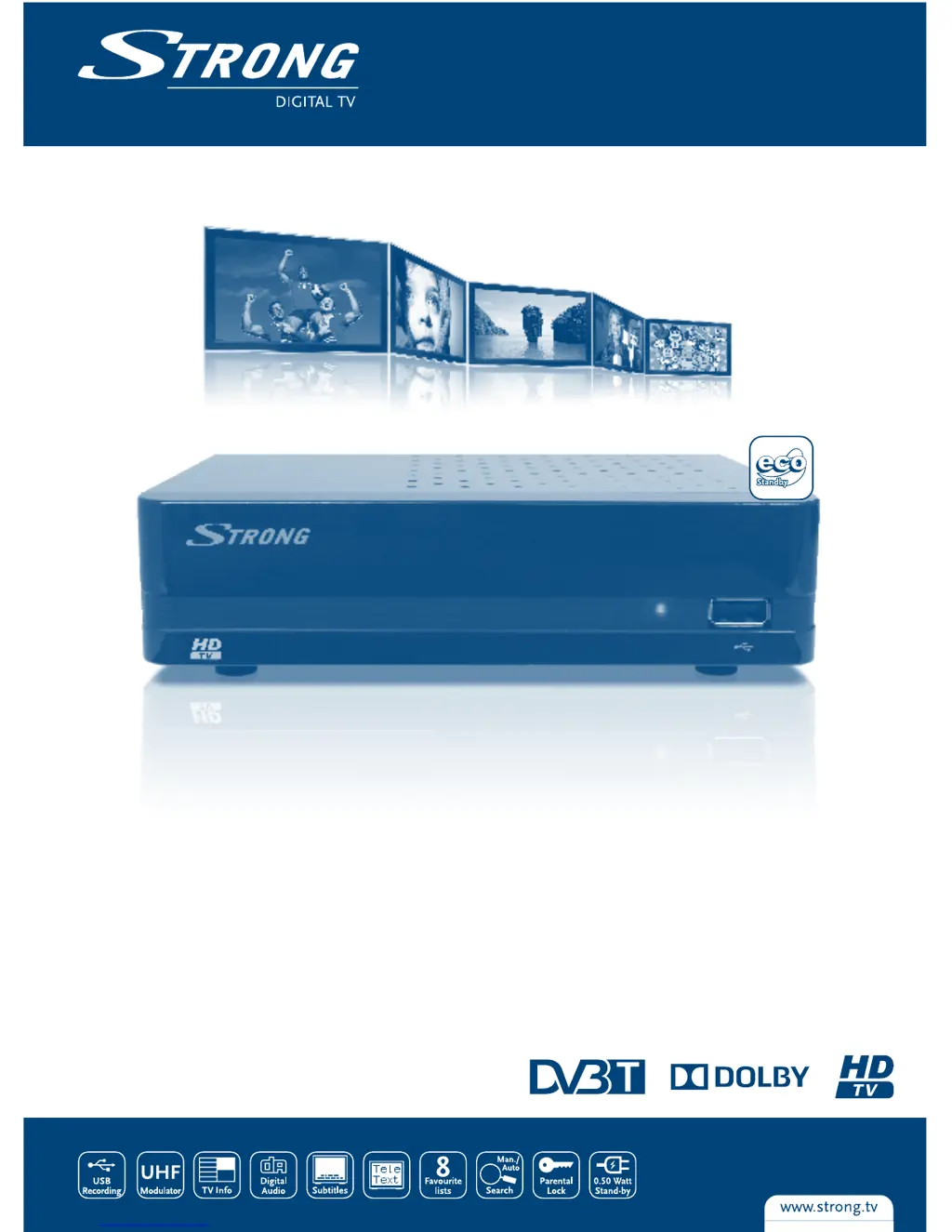
Terrestrial Receiver SRT 8113
Picture similar

Questions and Answers

  • J
    Joanna EvansAug 12, 2025
    What to do if Strong SRT 8113 not responding to remote control?
    • B
      Brent KimAug 13, 2025
      If your Strong TV Receiver isn't responding to the remote control, first ensure the receiver is plugged in and powered on. Then, aim the remote directly at the front panel, ensuring there are no obstructions. Finally, replace the remote batteries.
  • M
    Michelle CarpenterAug 16, 2025
    Why does my Strong SRT 8113 TV Receiver say no signal?
    • D
      Dalton GordonAug 17, 2025
      If your Strong TV Receiver displays a 'No signal found' message, check that the aerial is properly connected and undamaged. If you're using an active antenna, make sure the receiver’s antenna power is switched on or that the external power is connected. If the problem persists, consult your dealer to ensure you are in a digital signal area.
  • K
    Kristina ShepherdAug 20, 2025
    How to fix no picture or sound on Strong SRT 8113 TV Receiver?
    • T
      Theresa ScottAug 20, 2025
      If you're not getting any picture or sound on your TV from the Strong TV Receiver, make sure that you have selected the correct HDMI input on your TV or amplifier. Also, verify that your TV is switched on.
  • N
    Nicole LaraAug 25, 2025
    How to fix black and white picture on Strong TV Receiver?
    • I
      Ian WatkinsAug 25, 2025
      If the picture on your Strong TV Receiver is only in black and white, press the V-FORMAT button and select another frequency resolution.
  • P
    parkstroyAug 27, 2025
    What to do if Strong SRT 8113 has no picture or interference when using the RF modulator?
    • G
      Gary VaughanAug 27, 2025
      If you experience no picture or interference when using the RF modulator on your Strong TV Receiver, select another channel or let the TV scan for a signal. Also, ensure you are using the correct TV system for your region.
  • B
    Bianca LinAug 31, 2025
    What to do if Strong TV Receiver loses signal after moving it?
    • C
      carrdylanAug 31, 2025
      If, after moving your Strong TV Receiver, you can no longer receive digital reception, press the INFO button on the remote twice to bring up the signal bars. Adjust the antenna for maximum reception or rescan channels.
  • A
    Adam VaughanSep 4, 2025
    Why is the LED indicator not lit on my Strong TV Receiver?
    • A
      andrewlewisSep 4, 2025
      If the LED indicator on your Strong TV Receiver is not lit, check that the mains plug is properly connected.
  • N
    Nancy JordanSep 7, 2025
    Why does my Strong SRT 8113 switch off automatically?
    • S
      shannonsilvaSep 8, 2025
      If your Strong TV Receiver switches off automatically, the Auto Standby function may be enabled. Disable this function; consult section 7.3.4.2 for details.

Summary

HOTLINE

1.0 INTRODUCTION

1.1 Safety Instructions

Crucial safety guidelines for operating and handling the receiver to prevent damage or injury.

2.0 YOUR RECEIVER

2.1 PIN-CODE DEFAULT: 1234

Default PIN code for accessing security features and settings. Essential for initial setup and security.

2.4 Remote Control

Identification and function of buttons on the remote control for operating the receiver.

3.0 CONNECTION

3.1 Connecting to a Terrestrial Antenna

Guide on how to connect a terrestrial antenna to the receiver for signal reception.

3.2 Connecting to TV with HDMI cable

Instructions for connecting the receiver to a TV using an HDMI cable for high-quality video and audio.

3.3 Connecting to TV with SCART cable

Instructions for connecting the receiver to a TV using a SCART cable, an alternative connection method.

3.6 Connecting a USB storage device

Guidance on connecting USB storage devices for recording and media playback functions.

4.0 STARTING UP FOR THE FIRST TIME

6.0 OPERATION

7.0 MAIN MENU

7.1.2 DVR Storage Information

Viewing details of connected USB storage and formatting options.

7.1.3 DVR Settings

Configuring settings for Timeshift, playback jump, and recording types.

7.3 Installation

Setting up the receiver, including channel scanning and network configuration.

7.3.1 Channel Scan

Scanning for available terrestrial TV channels.

7.3.2 Auto Scan

Performing an automatic scan for all available FTA channels.

7.4 System Setup

Configuring various system settings such as language, TV system, and display.

7.4.2 TV System

Matching receiver settings to the connected TV for optimal video output.

7.5.2 Factory Setting

Resetting the receiver to its original factory default settings.

7.5.3 S;W Upgrade by OTA

Updating the receiver's software over-the-air.

7.5.4 Upgrade by USB

Updating the receiver's software using a USB storage device.

8.0 TROUBLESHOOTING

9.0 TECHNICAL SPECIFICATIONS

Strong SRT 8113 Specifications

General IconGeneral
HDMI OutputYes
Scart OutputYes
EPGYes
TeletextYes
SubtitlesYes
Parental ControlYes
OutputHDMI, SCART
Resolution1080p
ConnectorsHDMI, SCART, Composite Video, USB
FeaturesEPG, Teletext, Subtitles, Parental Control
Video FormatsMPEG-2, MPEG-4, H.264
Audio FormatsMP3
USB PortYes

Related product manuals