32
This allows for 6 timer entries.
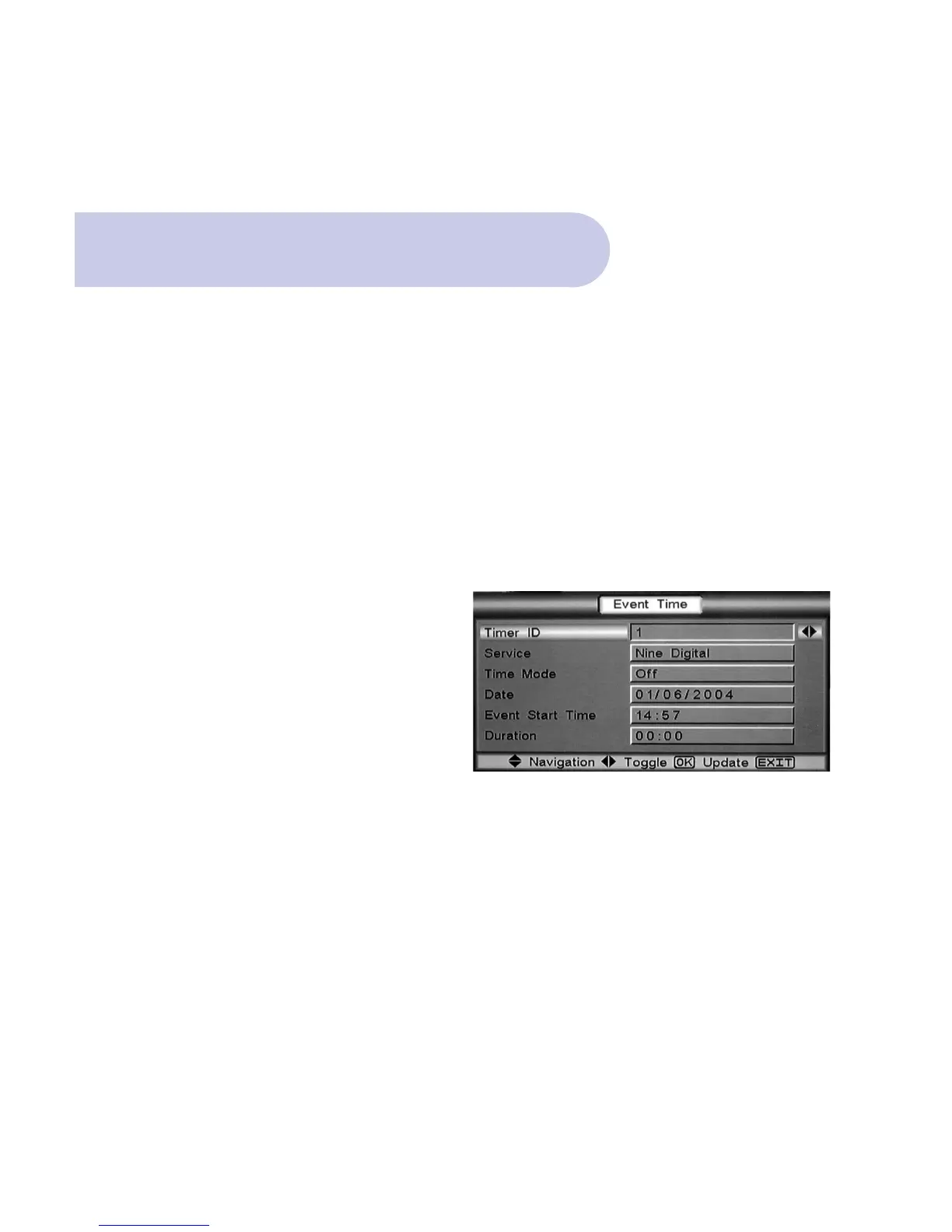
This menu allows the event number, program, time,
date and duration for VCR Recording to be set.
IMPORTANT: Can only function when your VCR /
DVD has been programmed to coincide with each
event accordingly.
• Push the MENU button, and Welcome banner
will appear.
• Push the BLUE button for Main Menu.
• Banner at the top of the TV screen will be viewed
listing: Installation / Set Up / Information.
• Scroll to & select Set Up by pushing OK button and
4 topics will appear.
• Scroll down to Setting & push OK, and 6 topics will
be viewed.
• Scroll down to Event Time & Push OK.
• Event Timer banner will appear.
Event Timer
Time ID: Select your event number, i.e. 1 to 6
Service: Select the channel number
Time Mode: Select your recording option,
Off / Once / Daily / Weekly
Date: Enter the date of the recording
Event: Enter the start time of the recording
Duration: Enter the length of the recording
Once these details have been entered Push OK
and Success banner will appear.
• Push Exit 4 times to return to normal TV broadcast.



 To Next Page