On Screen Menu
7
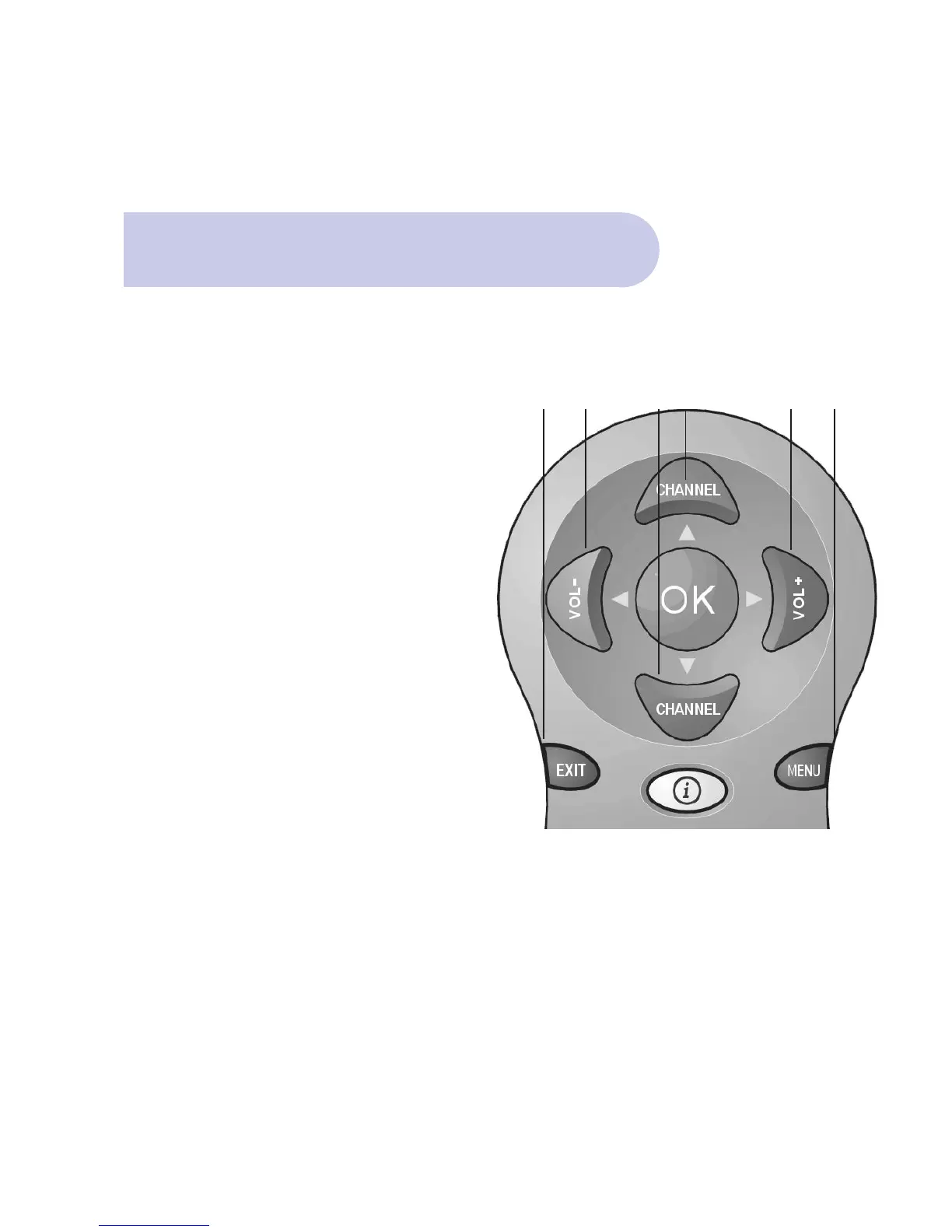
The Important Buttons
Within this users manual will be references to
various buttons on the remote control to access
various menus.
These important buttons are:
A. MENU
To Access the Main Menu
B. EXIT
To move back to previous Menu and Exit Menu
C. SCROLL LEFT Button / SCROLL RIGHT Button
To access, highlight and select each topic and mode,
within each menu.
D. SCROLL UP Button/ SCROLL DOWN Button
To access, highlight and select each topic and mode,
within each menu.
The colour buttons provide quick access through the
menu system.
BC DD C A



 To Next Page