4
PART 2 • English
2.0 YOUR RECEIVER
2.1 DEFAULT PIN: 1234
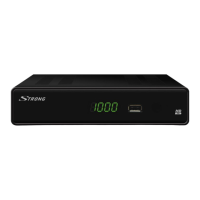
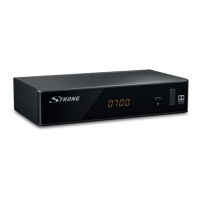
2.2 Front Panel
Fig. 1
1. Mode indicator RED indicates that the receiver is in STANDBY mode.
GREEN indicates that the receiver is in OPERATING mode.
2. IR sensor Point your remote control towards this sensor.
3. USB Connector for USB storage devices.
2.3 Rear Panel
Fig. 2
1. RF IN To connect to your antenna for reception of broadcast signals.
2. RF OUT To connect the terrestrial antenna signal to your TV set. This
connection will allow you to watch digital terrestrial programmes
depending on the tuner of your TV and local broadcast
conditions*
3. COAXIAL To connect your receiver to a digital home theatre, AV receiver or
digital audio amplifier.
4. Audio R/L out To connect your receiver to an analogue audio amplifier.
5. HDMI To connect your receiver with your TV set using an HDMI cable.
6. TV SCART To connect your receiver with your TV set using a SCART cable.
7. Power Cord Your receiver requires a supply voltage of 220~240V AC
(Auto-selectable), 50/60Hz ±5%. Please ensure the local power
specification meets these requirements before connecting your
receiver to the wall outlet.
2.4 Remote Control
Fig. 3
1. q Turns the receiver On/Standby
2. ! Mutes audio output of the receiver
3. 5 Fast rewind
4. 6 Fast forward
5. PG+/PG- Channel up/down in channel list mode
6. 7 Jumps to previous item in playlist
7. 8 Jump to next item in playlist
8. MENU Opens the main menu, in menu you will get one step back
9. EXIT Exits from the menu or sub-menu
10. pq Menu Off: Change channel to previous/next.
Menu On: Moves the cursor up/down.
11. tu Menu Off: Increases/decreases the volume level.
Menu On: Change settings for specific Menus
12. OK Menu Off: Displays the current channel list
Confirmation of Menu Items.



 To Next Page