EasyManua.ls Logo

Strong SRT 3000 - User Manual

Strong SRT 3000
24 pages
Print Icon
To Next Page IconTo Next Page
Loading...
Installation Instructions
Installationsanleitung
Bruger manual
Pokyny k instalaci
Pokyny k inštalácii
Ръководство за бърз монтаж
Telepítési Utasítás
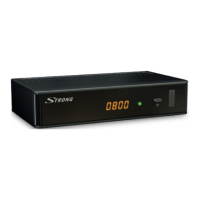
Digital High Denion Cable Receiver
SRT 3000

Questions and Answers

  • Z
    zgreenAug 1, 2025
    What to do if my Strong SRT 3000 Receiver says 'No signal found'?
    • G
      Gregory AyersAug 2, 2025
      If your Strong Receiver shows 'No signal found', the cable input might be disconnected. Check the cable lead and if the issue persists, consult with your dealer.
  • R
    Robert GarciaAug 6, 2025
    What to do if Strong SRT 3000 remote control is not responding?
    • E
      Elizabeth JohnsonAug 6, 2025
      If your Strong Receiver isn't responding to the remote control, there might be a few reasons. First, ensure the receiver is plugged in and turned on. Then, make sure you're aiming the remote directly at the front panel of the receiver without any obstructions. If that doesn't work, try replacing the remote batteries.
  • S
    Stephanie MillerAug 11, 2025
    Why is there no picture or sound on my TV or amplifier from my Strong Receiver?
    • C
      Caitlyn CarrAug 11, 2025
      If you're not getting any picture or sound on your TV or amplifier with your Strong Receiver, make sure the correct HDMI or SCART input is selected on your TV or amplifier. Also, check that your TV/amplifier is switched on and that the receiver's resolution is supported by your TV. If using S/PDIF, verify that connection.
  • J
    Jacob YoungAug 15, 2025
    What to do if signals are interrupted or blocking is visible on screen on Strong SRT 3000?
    • K
      Kimberly LivingstonAug 16, 2025
      If you are experiencing interrupted signals or blocking on the screen with your Strong Receiver, it could be due to weak cable signals or interference. Press the 'i' button on the remote three times to check the signal bars and inspect your cable connections. Also, using too many splitters can cause interference. If problems persist, consult your dealer.
  • K
    Kristina NicholsAug 21, 2025
    What does 'Scrambled channel' mean on my Strong SRT 3000 Receiver?
    • M
      Michael AlexanderAug 21, 2025
      If you're seeing a 'Scrambled channel' message on your Strong Receiver, it means the channel you're trying to watch is scrambled. Simply select an alternative channel.
  • S
    Scott EllisAug 27, 2025
    Why is the LED indicator not lit on my Strong Receiver?
    • K
      Kayla DavisAug 27, 2025
      If the LED indicator on your Strong Receiver is not lit, the mains lead might be unplugged. Check the mains plug to ensure it is properly connected.

Summary

Service Center

1.0 Introduction

1.1 Safety Instructions

Provides essential safety guidelines for installation, usage, and handling of the receiver to prevent hazards.

1.3 Equipment Set-up

Guides users on the initial setup of the receiver, including connections and symbol explanations.

2.0 Your Receiver

2.1 Default PIN

States the default Personal Identification Number (PIN) for accessing certain receiver functions and settings.

3.0 Connection

3.1 Connecting to Cable TV

Instructions for connecting the receiver to the cable TV wall outlet using a coaxial cable.

3.2 Connecting to TV with HDMI

Guides on connecting the receiver to a TV using an HDMI cable for high-quality video and audio.

3.5 Connecting to Digital Audio Amplifier and TV using HDMI

Describes connecting the receiver to an amplifier and TV simultaneously using HDMI for optimal sound and picture.

4.0 Starting Up For The First Time

4.1 DVB-C Installation

Guides the user through the process of installing DVB-C channels, including channel scanning methods.

6.0 Operation

7.0 Main Menu

8.0 Troubleshooting

9.0 Technical Specifications

Strong SRT 3000 Specifications

General IconGeneral
BrandStrong
ModelSRT 3000
CategoryReceiver
LanguageEnglish

Related product manuals